Open Hitomi icon

Open Hitomi

Decentricity
Internet
Version
0.1.2
Size
4.7 MB
Requires
Android API 21+
4.7 / 5 · 5,779 ratings 0 downloads

Updated Sep 22, 2026

Quick answer

Floating hedgehog assistant with local chat and browser tools

F-Droid repository metadata

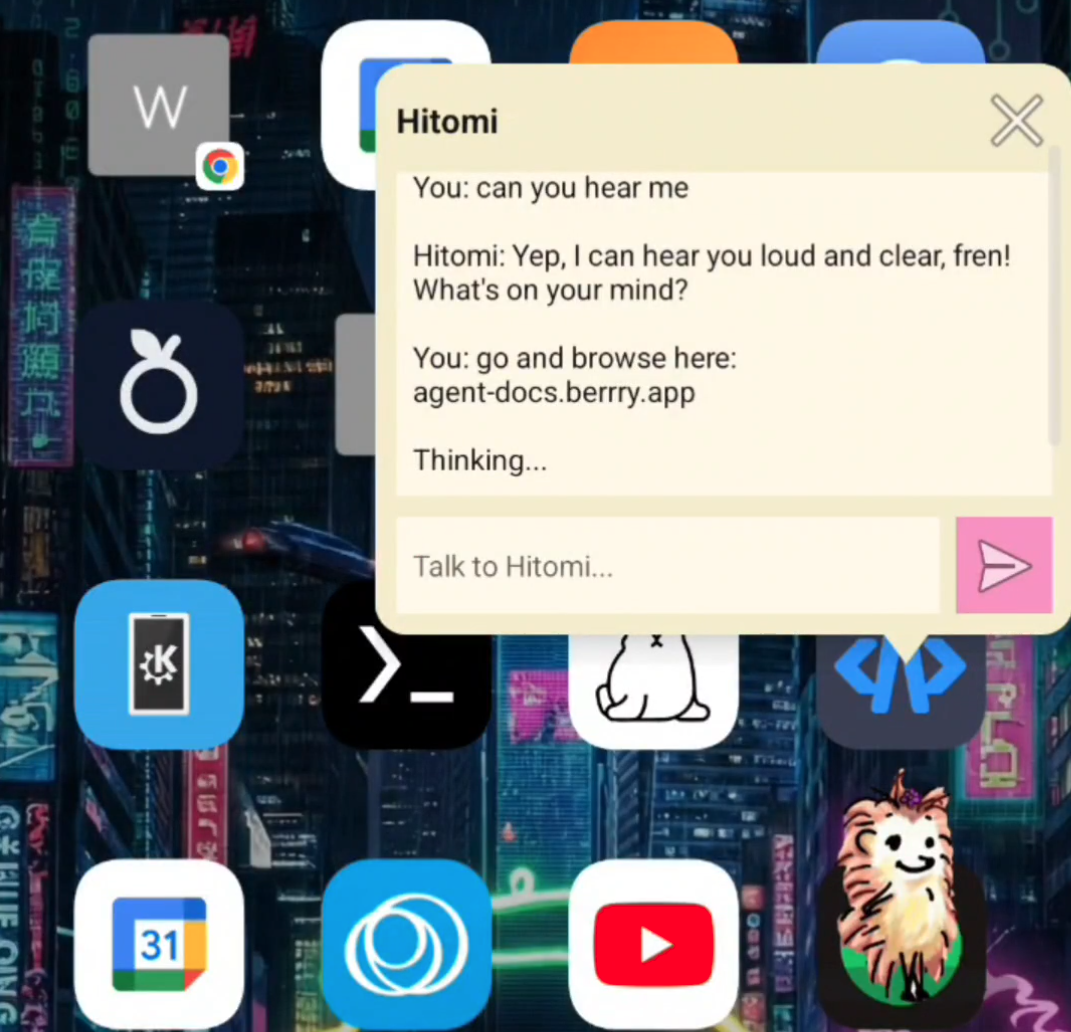
Open Hitomi is a floating Android hedgehog assistant built around a local overlay interface.

Current features include:

  • a movable floating assistant overlay
  • an in-app browser window for visible browsing and readback
  • optional Termux integration for local shell-style commands
  • local Solana wallet display tools
  • local Ollama-compatible endpoint support
  • optional xAI bring-your-own-key chat setup directly on the device

For local setups, paste an Ollama endpoint such as http://127.0.0.1:11434 into the app. Open Hitomi will query the local server for installed models and use the first available one.

If you prefer a hosted provider, you can also paste an xAI API key into the same field. Entered connection details stay stored locally on-device.

Open Hitomi is intended to stay open, configurable, and suitable for local and self-hosted model routes first, with optional external providers second.

Screenshots

Open Hitomi screenshot 1

What’s new

- local Ollama endpoint support on-device
- optional xAI API key entry in the same connection field
- in-app Open Hitomi setup guide

How to install

  1. Download the APK from the button at the top of this page.
  2. Allow “Install unknown apps” for your browser or file manager only, not for every app.
  3. Open the downloaded file and confirm the installation.
  4. If installation fails with “App not installed,” remove an earlier build of the same app first. A signature conflict is the usual cause.

Data safety

  • Every file is checked against its published SHA-256 before it is listed.
  • Files are scanned for malware on every update.
  • The permissions each app requests are listed on its own page.
  • Read the full safety policy for how we test, flag, and delist files.

Comments

Recent approved comments · sorted by newest

Verification code
Be specific and keep it about the app. No links. Comments are reviewed before publication. Device and Android details are recorded automatically. Privacy policy.

Loading recent comments...

View all comments