What’s new
Packaging fix for F-Droid reproducible builds.
* Exclude the AGP dependency-metadata block from the signed APK, which F-Droid
requires for its reproducible cross-signing.
App behaviour is unchanged from 1.0.1.
Updated Sep 22, 2026
Strip tracking parameters from links. Offline, private, no permissions.
F-Droid repository metadata
Link Clear strips tracking parameters from URLs using the bundled ClearURLs ruleset. It works entirely offline by default: paste or share a link, and get back the same link with the tracking noise removed.
Three ways to clean a link:
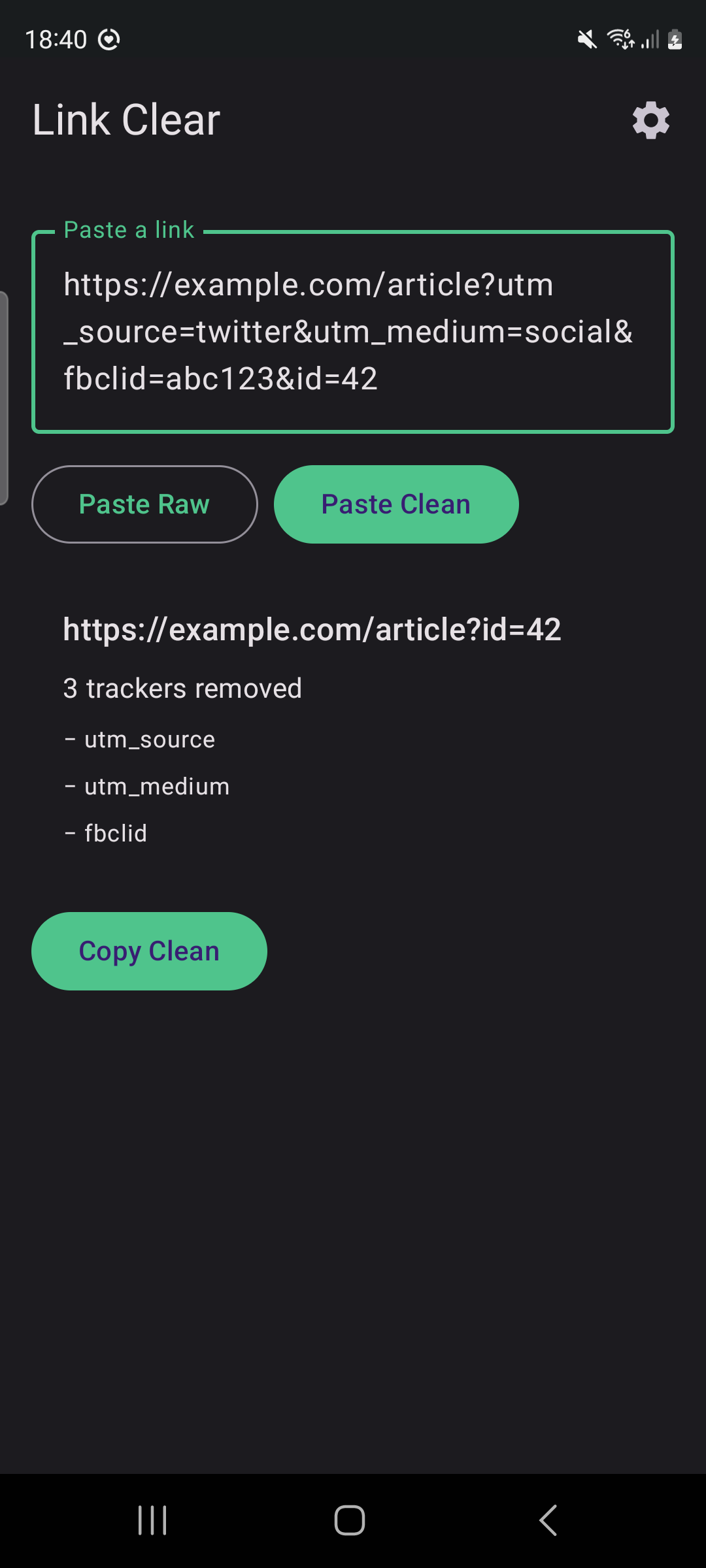
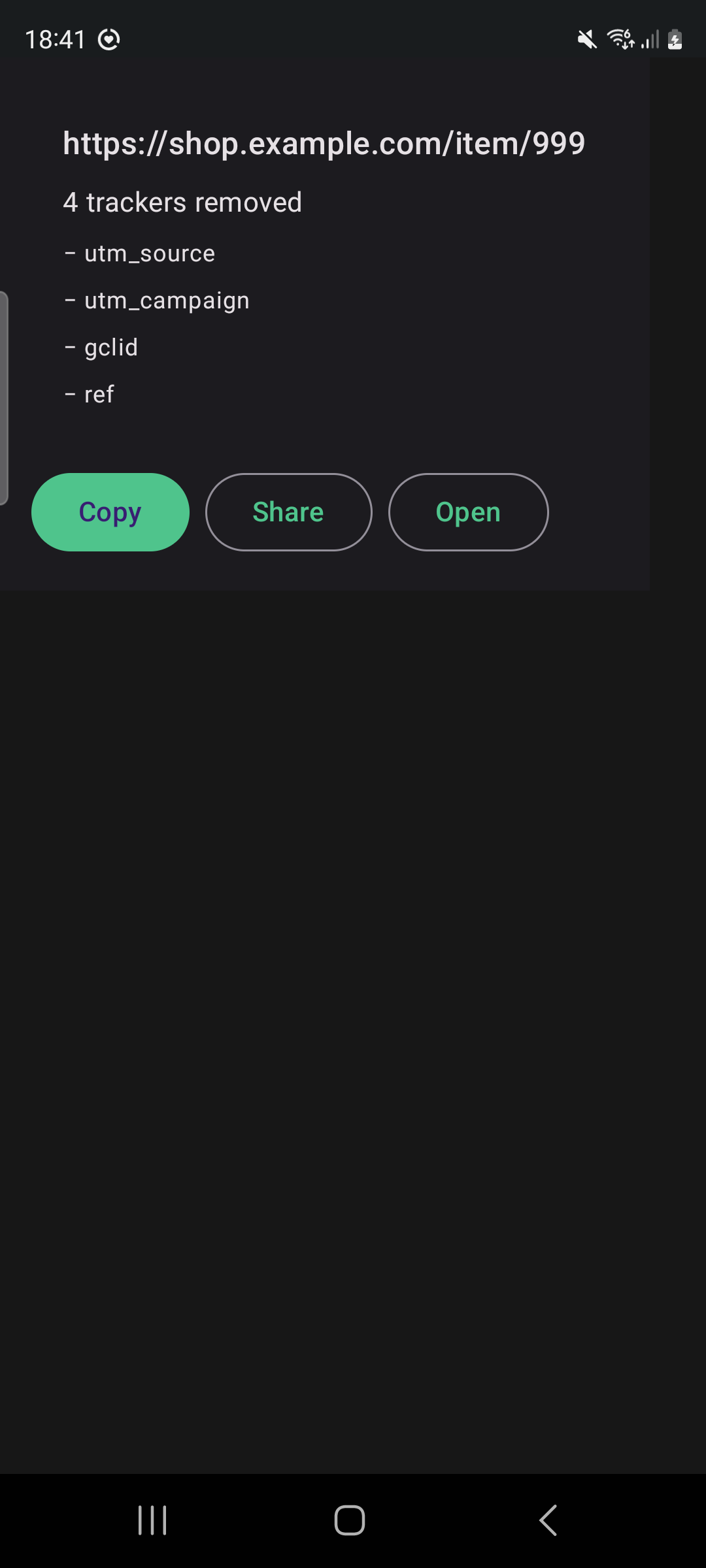
* Share target — share a link to Link Clear from any app. You land on a confirmation screen showing the cleaned URL with Copy, Share, and Open actions. With "Automatic action" enabled, the chosen action runs immediately. * Quick Settings tile — add the "Clean clipboard" tile to your Quick Settings panel. One tap cleans whatever is on the clipboard, in place. * In-app editor — open the app for a Paste Clean / Paste Raw editor with a live before/after diff of exactly what was removed.
Privacy first:
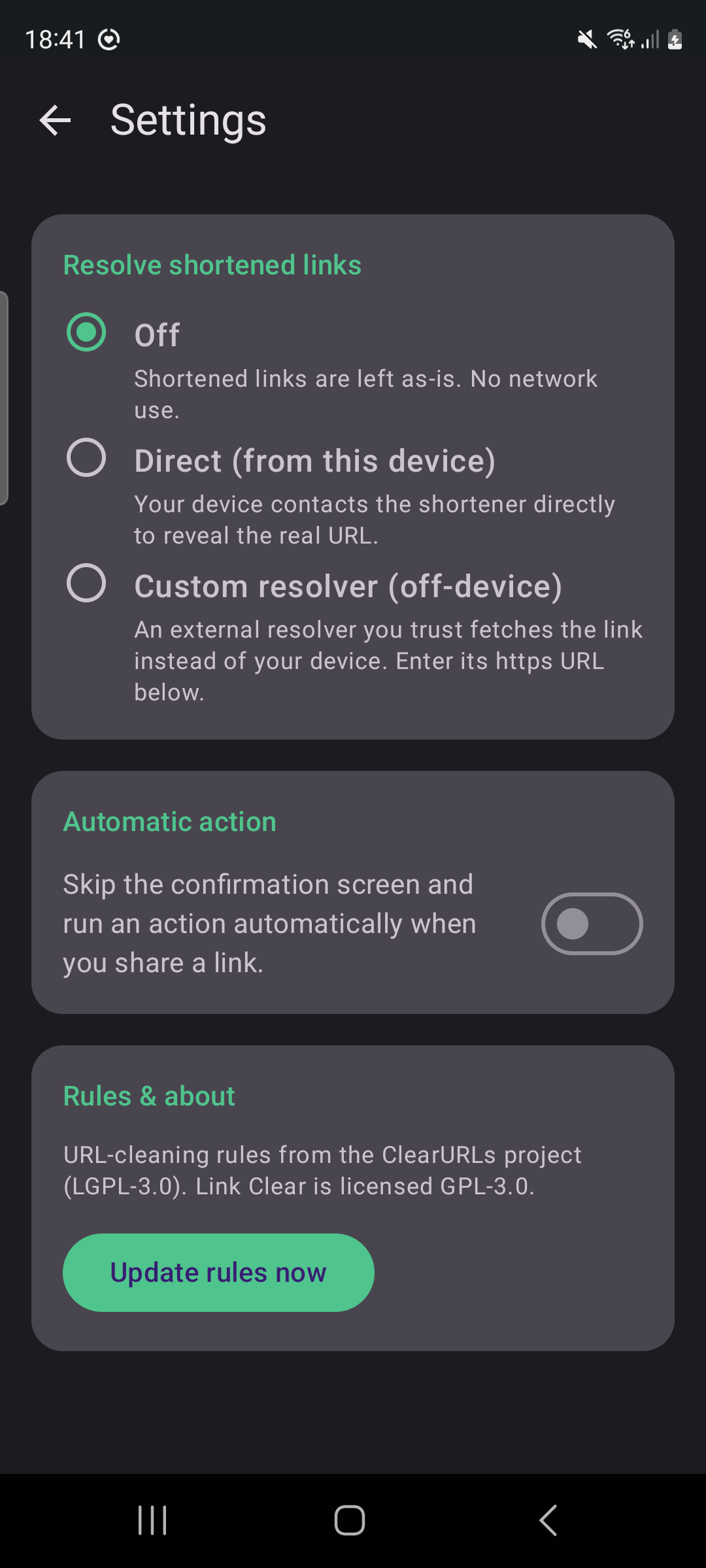
* Offline by default. The cleaning ruleset is bundled, so no network is needed. * No runtime permissions. Link Clear only acts when you explicitly share, tap the tile, or paste — it never watches your clipboard in the background. * Two optional, off-by-default network features: resolving shortened links (t.co, bit.ly, and similar) before cleaning, and manually refreshing the bundled ruleset. Neither runs unless you turn it on.
Link Clear is free software licensed under the GNU General Public License v3.0. URL-cleaning rules come from the ClearURLs project (LGPL-3.0).
Packaging fix for F-Droid reproducible builds.
* Exclude the AGP dependency-metadata block from the signed APK, which F-Droid
requires for its reproducible cross-signing.
App behaviour is unchanged from 1.0.1.
Recent approved comments · sorted by newest
View all comments