Dejavu icon

Dejavu

by-architect
Internet Internet
Version
2.3.4
Size
134.9 MB
Requires
Android API 26+
4.3 / 5 · 3,221 ratings 20,079 downloads

Updated Oct 29, 2026

Quick answer

Your tabs, right where you left them. Workspaces, containers and split view.

Dejavu is a web browser for Android built on Mozilla's Gecko engine, the same engine Firefox uses. It keeps the same page rendering, add-ons and Mozilla account sync, and replaces the way tabs are organised with something quieter.

Dejavu is an independent project. It is not made, endorsed or supported by Mozilla. Firefox is a trademark of the Mozilla Foundation in the U.S. and other countries.

Instead of one long list of tabs, Dejavu gives you:

* Workspaces - separate sets of tabs for separate parts of your life, each with its own colour theme and icon. * Containers - keep sites signed in to different accounts apart, per workspace. * Pinned tabs and essentials - the pages you always want open, always in reach. * Folders - group tabs inside a workspace and collapse them out of the way. * Split view - two pages side by side. * A single bottom bar with every action, and an address field that stays out of the way at the top.

Sync: Dejavu signs in with your Mozilla account and syncs workspaces, pinned tabs, essentials, folders and containers with Zen Browser on the desktop. Or it follows Firefox: each of your computers and phones with Firefox gets its own workspace, with its pinned tabs and tab groups, and opening or closing a tab there does the same in Firefox. Bookmarks, history and passwords sync too.

Private by default: Dejavu sends no telemetry or crash reports, shows no sponsored content, and search suggestions are off from the first launch.

Dejavu is free software under the Mozilla Public License 2.0. Its source code is at https://github.com/by-architect/Dejavu

Screenshots

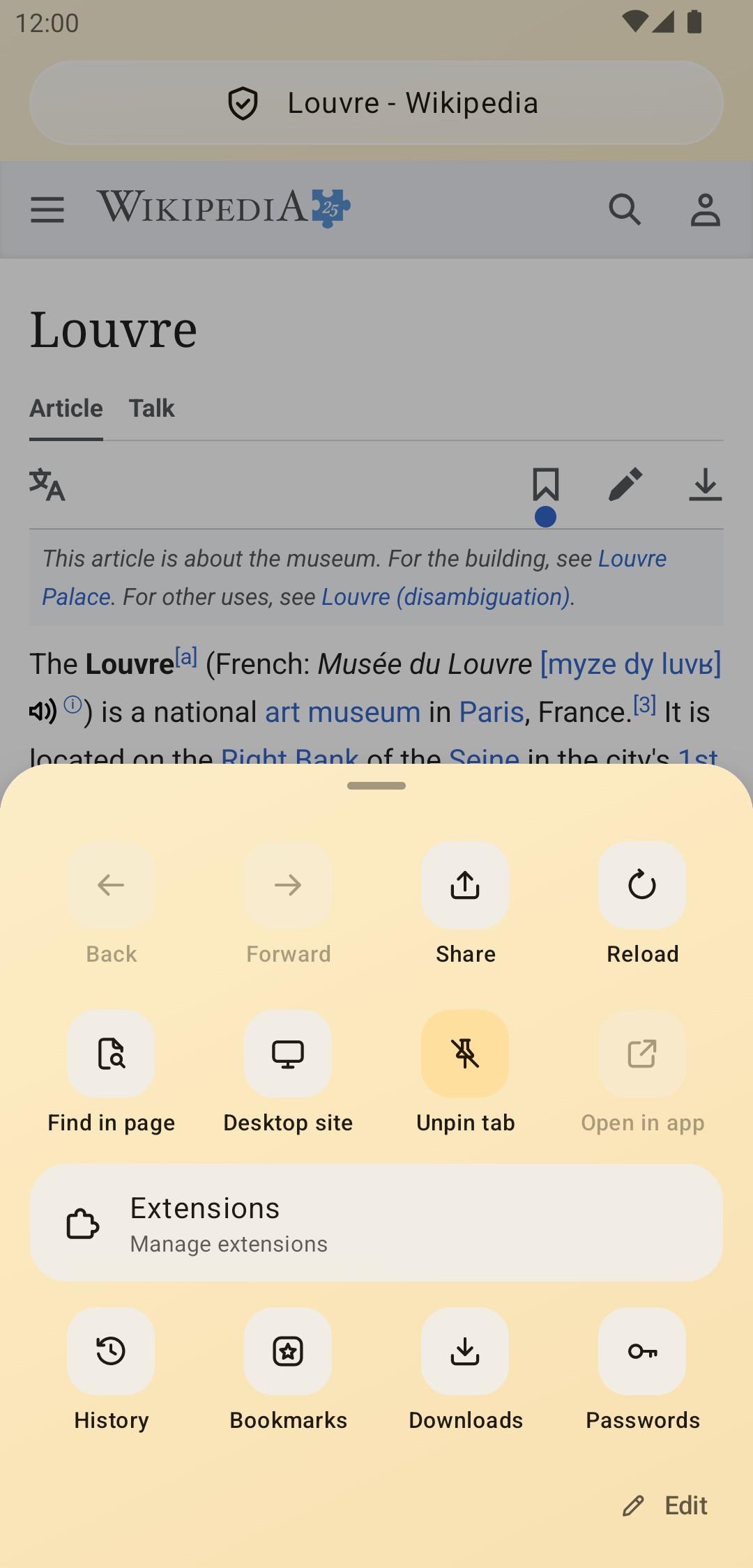
Dejavu screenshot 1
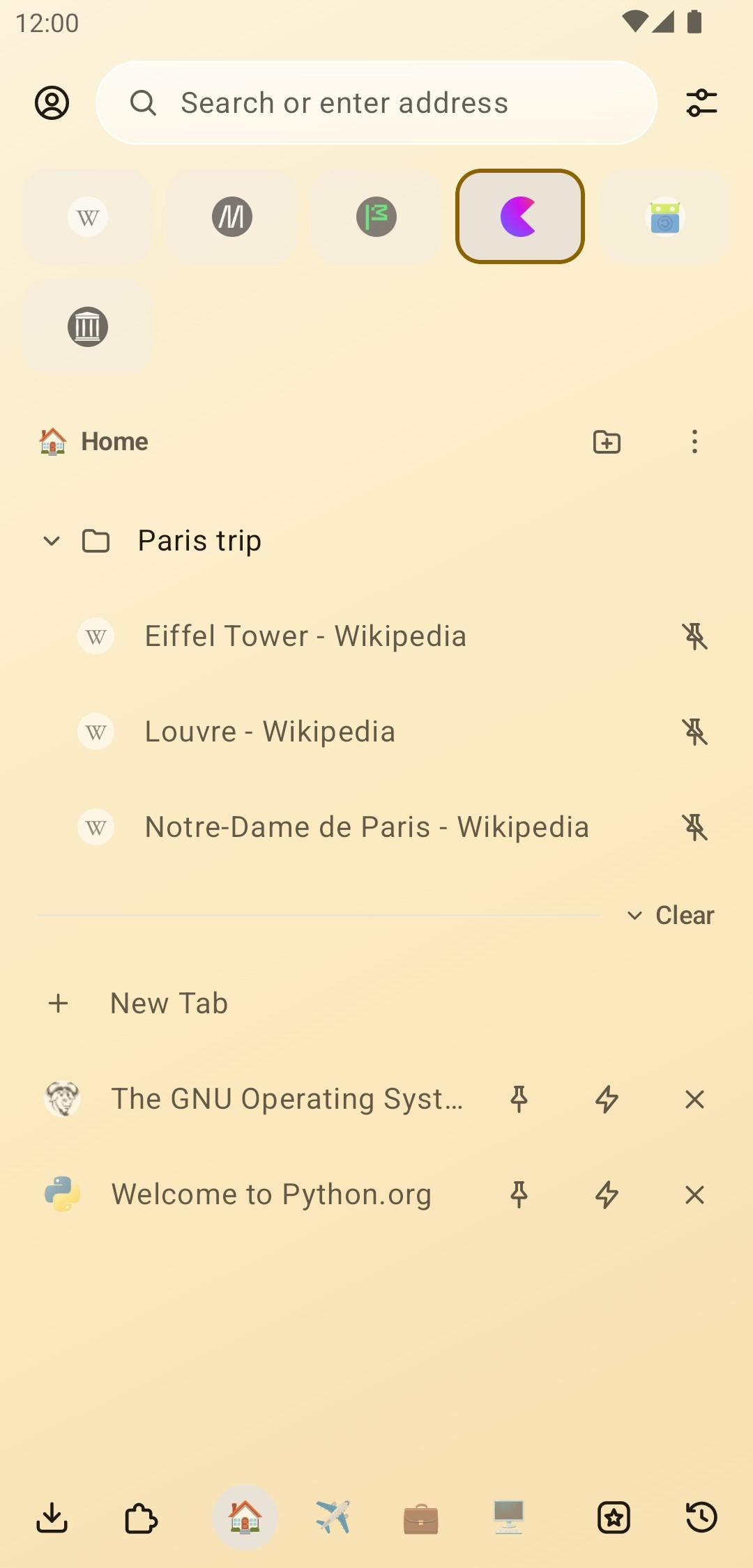
Dejavu screenshot 2
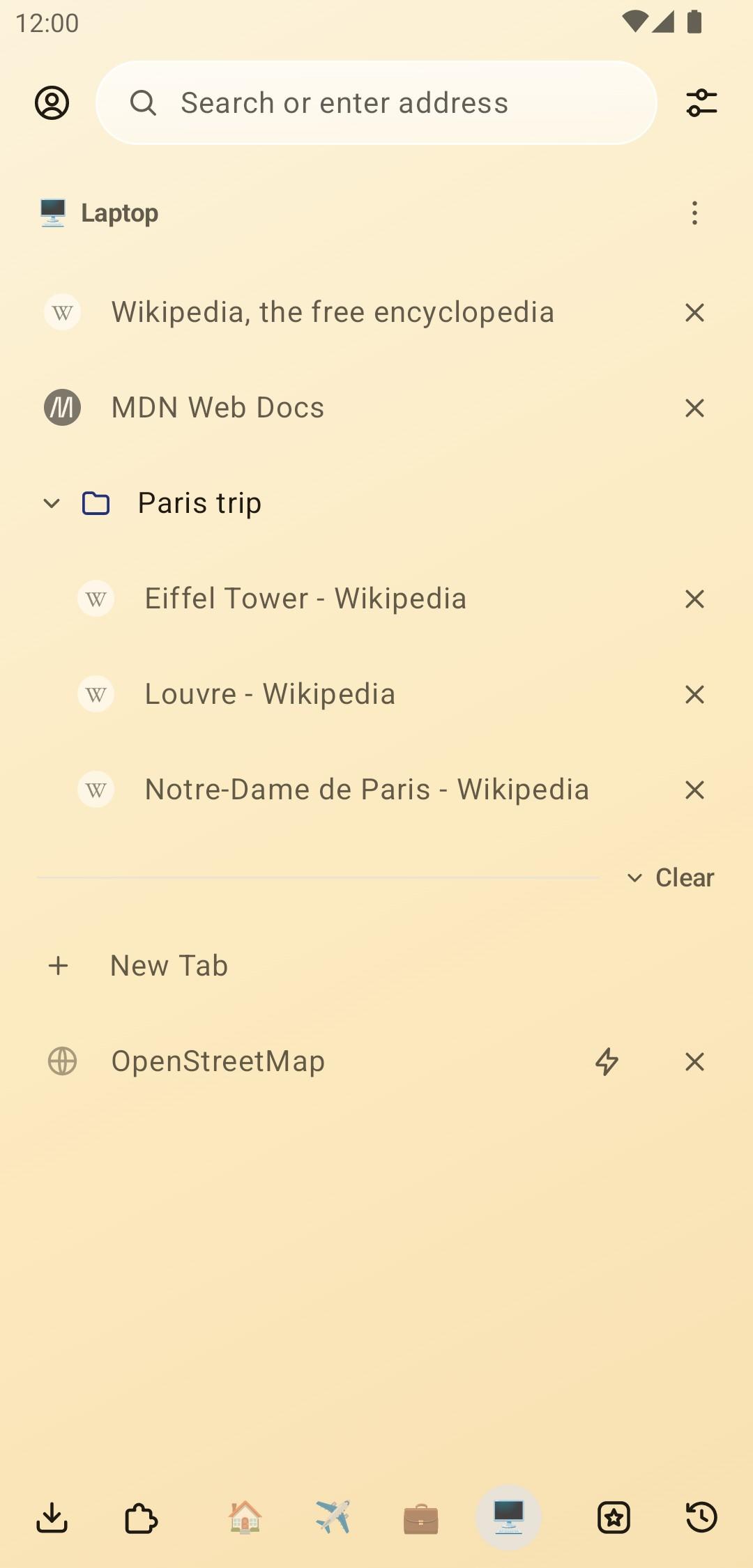
Dejavu screenshot 3
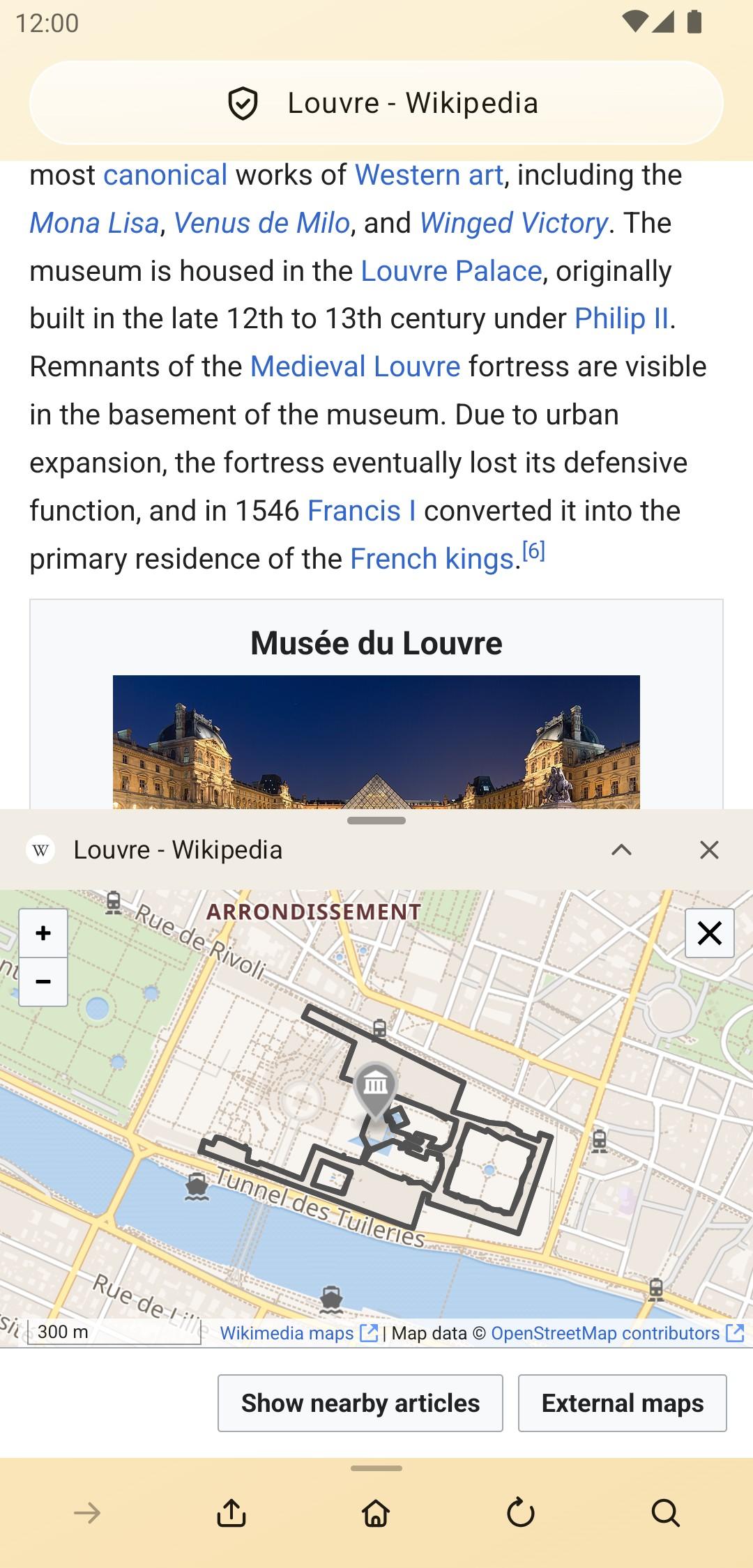
Dejavu screenshot 4

What’s new

Dejavu 2.3.4 moves to Firefox 159.0 with Mozilla's latest security fixes. Since 2.0: workspaces reopen closed tabs and move tabs with arrows or drag strips, chips above the address bar pick a new tab's container and search engine, and Firefox and Zen sync work better. New: a tracking protection screen, Quad9 secure DNS, uBlock Origin by default and about:config. Stronger security and privacy: site isolation, HTTPS-Only, stricter TLS, no Mozilla experiments.

How to install

  1. Download the APK from the button at the top of this page.
  2. Allow “Install unknown apps” for your browser or file manager only, not for every app.
  3. Open the downloaded file and confirm the installation.
  4. If installation fails with “App not installed,” remove an earlier build of the same app first. A signature conflict is the usual cause.

Data safety

  • Every file is checked against its published SHA-256 before it is listed.
  • Files are scanned for malware on every update.
  • The permissions each app requests are listed on its own page.
  • Read the full safety policy for how we test, flag, and delist files.

Frequently asked questions

What is Dejavu?
Your tabs, right where you left them. Workspaces, containers and split view.
Who develops Dejavu?
Dejavu is developed by by-architect.
Which Android version does Dejavu require?
Dejavu requires Android API 26 or later.
What is the current version of Dejavu?
The synchronized F-Droid version is 2.3.4.
Which license does Dejavu use?
The signed F-Droid metadata lists MPL-2.0.
Where is the source code for Dejavu?
https://github.com/by-architect/Dejavu
Comments

Recent approved comments · sorted by newest

Verification code
Be specific and keep it about the app. No links. Comments are reviewed before publication. Device and Android details are recorded automatically. Privacy policy.

Loading recent comments...

View all comments