WeatherGrid icon

WeatherGrid

Sander Baas
Weather Internet
Version
1.3
Size
2.4 MB
Requires
Android API 32+
4 / 5 · 19,190 ratings 122,276 downloads

Updated Oct 18, 2026

Quick answer

A clean, modern 3-hour forecast grid widget for your home screen.

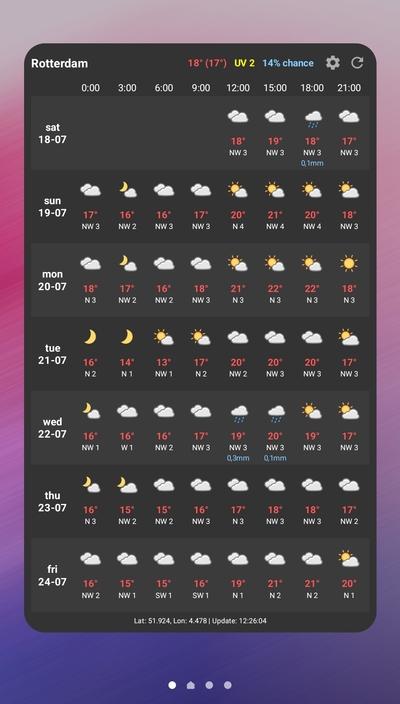
WeatherGrid is a clean, modern, and highly legible Android weather widget designed to give you a comprehensive 3-hour forecast grid at a single glance. No more scrolling through multiple screens just to see if you need an umbrella today.

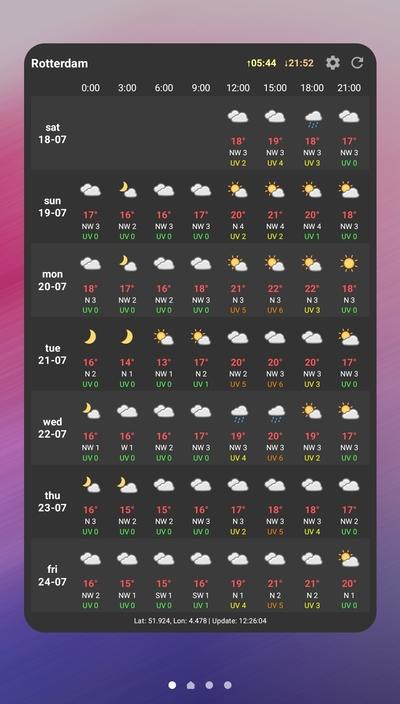
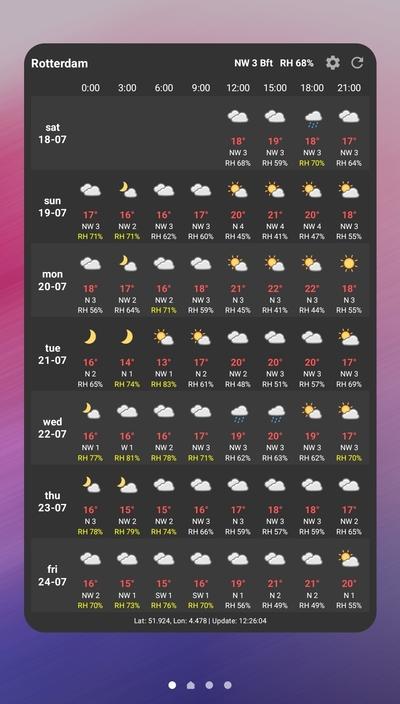
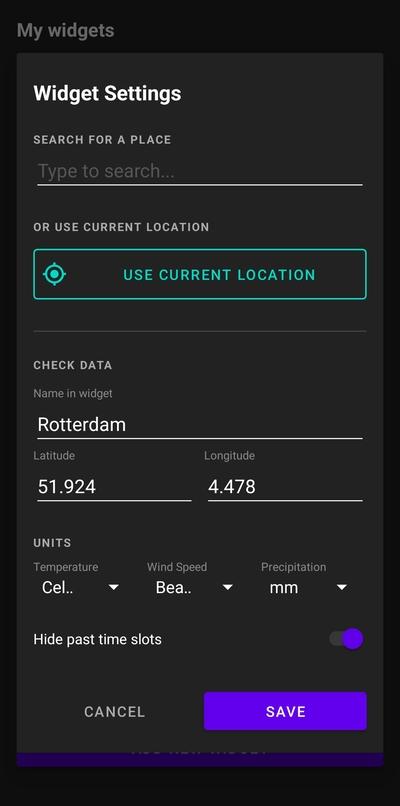
Features: • Detailed 3-Hour Grid: View temperature, conditions, and wind data in a compact 8-column layout. • Dynamic Info Toggling: Tap the widget to cycle through information modes: 1. Precipitation Mode: Displays rain/snow amounts in the grid and UV/precipitation risk in the header. 2. Sun & UV Mode: Displays UV Index in the grid and sunrise/sunset times in the header. 3. Wind & Humidity Mode: Displays Relative Humidity in the grid and wind direction/speed in the header. • Customization: Hide past time slots and customize units per widget (°C/°F, Beaufort, m/s, km/h, mph, knots, mm, inches). • Smart Day/Night Icons: Clear weather icons that automatically adapt to the time of day. • Privacy-Focused & Open-Source: Uses Open-Meteo API without requiring any API keys, user tracking, or account creation.

Screenshots

WeatherGrid screenshot 1
WeatherGrid screenshot 2
WeatherGrid screenshot 3
WeatherGrid screenshot 4

What’s new

• Removed proprietary Google Play Services dependencies in favor of native Android LocationManager.
• Initial Fastlane metadata release for version 1.3.

How to install

  1. Download the APK from the button at the top of this page.
  2. Allow “Install unknown apps” for your browser or file manager only, not for every app.
  3. Open the downloaded file and confirm the installation.
  4. If installation fails with “App not installed,” remove an earlier build of the same app first. A signature conflict is the usual cause.

Data safety

  • Every file is checked against its published SHA-256 before it is listed.
  • Files are scanned for malware on every update.
  • The permissions each app requests are listed on its own page.
  • Read the full safety policy for how we test, flag, and delist files.

Frequently asked questions

What is WeatherGrid?
A clean, modern 3-hour forecast grid widget for your home screen.
Who develops WeatherGrid?
WeatherGrid is developed by Sander Baas.
Which Android version does WeatherGrid require?
WeatherGrid requires Android API 32 or later.
What is the current version of WeatherGrid?
The synchronized F-Droid version is 1.3.
Which license does WeatherGrid use?
The signed F-Droid metadata lists MIT.
Where is the source code for WeatherGrid?
https://github.com/sanderbaas/WeatherGrid

Comments

Recent approved comments · sorted by newest

Verification code
Be specific and keep it about the app. No links. Comments are reviewed before publication. Device and Android details are recorded automatically. Privacy policy.

Loading recent comments...

View all comments