Send from any address on your own domains. No inbox, no sync, no telemetry
Manymail is a send-only mail client for people who own domains.
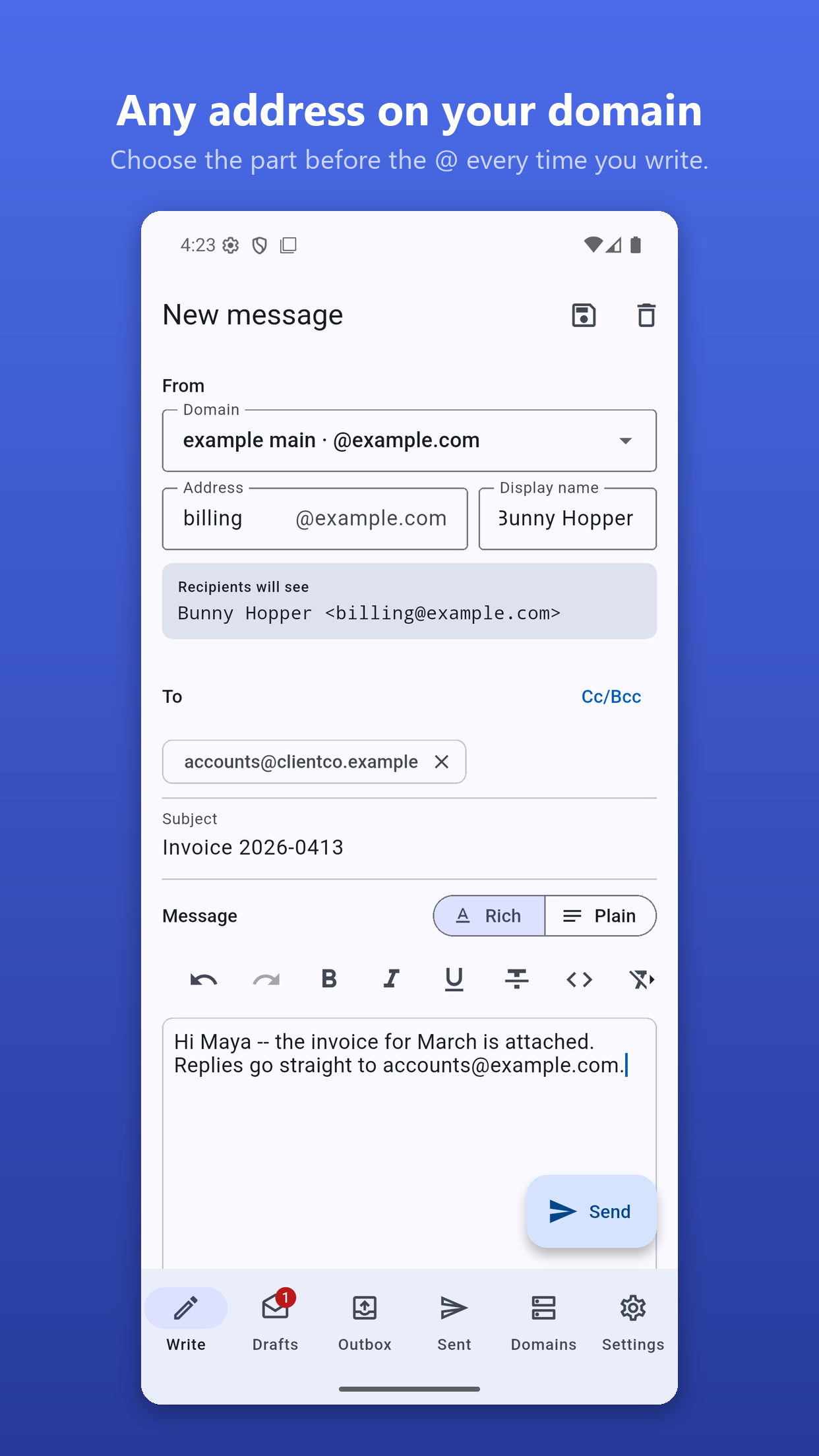
Configure a domain and its SMTP server once. After that, every time you write a message you choose the address it comes from: the part before the @ and the display name are both free text, exactly as they are in a desktop mail client. Send as hello@, billing@, no-reply@ or a one-off alias, without setting up a separate account for each one.
What makes it different
Most Android mail apps tie the From address to the account you signed in with. Manymail does not. Your saved SMTP username and password authenticate the connection; they do not decide which address you are allowed to send from. That restriction is a choice client software makes, not a rule of the mail protocol, and Manymail declines to make it.
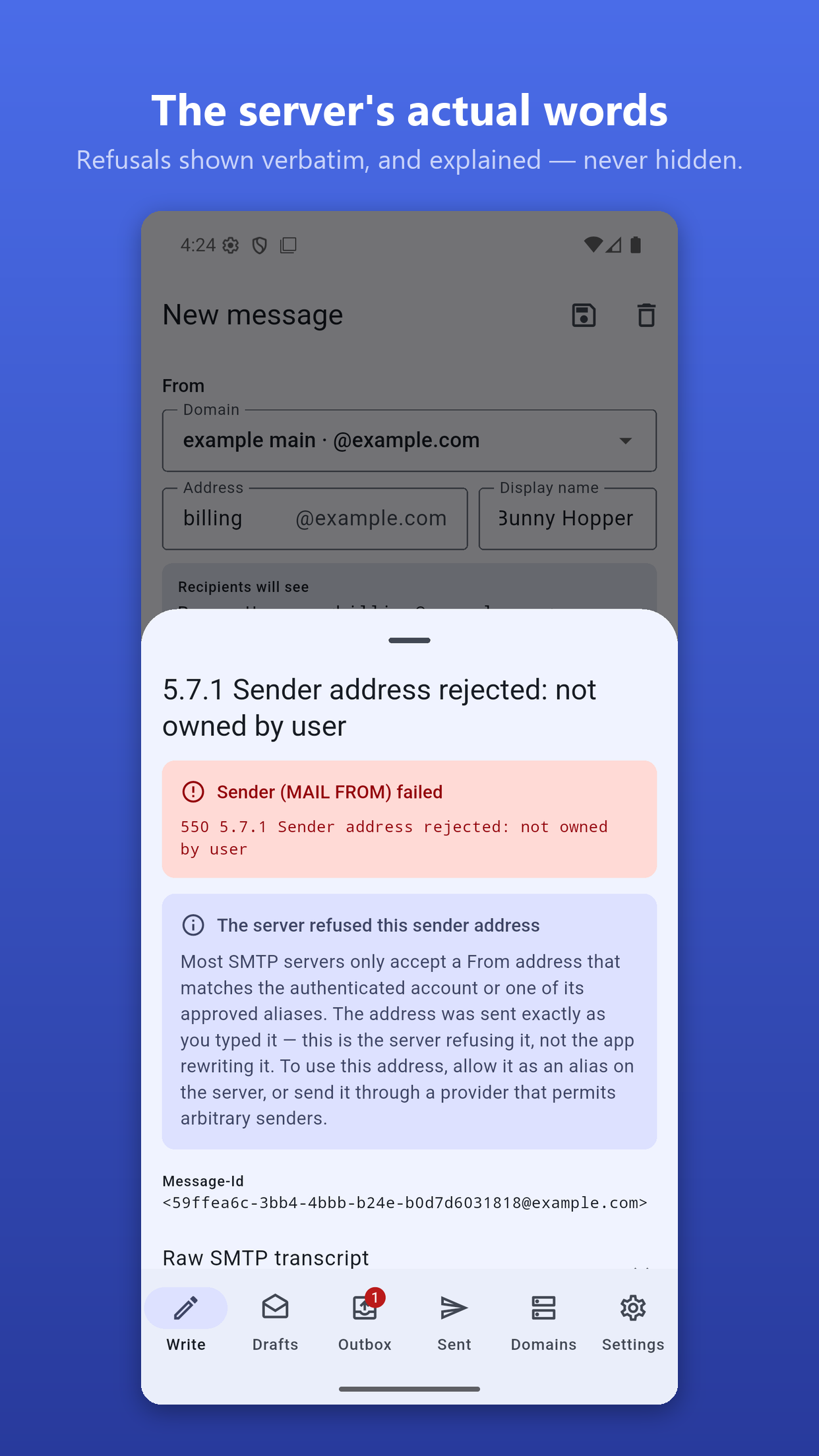
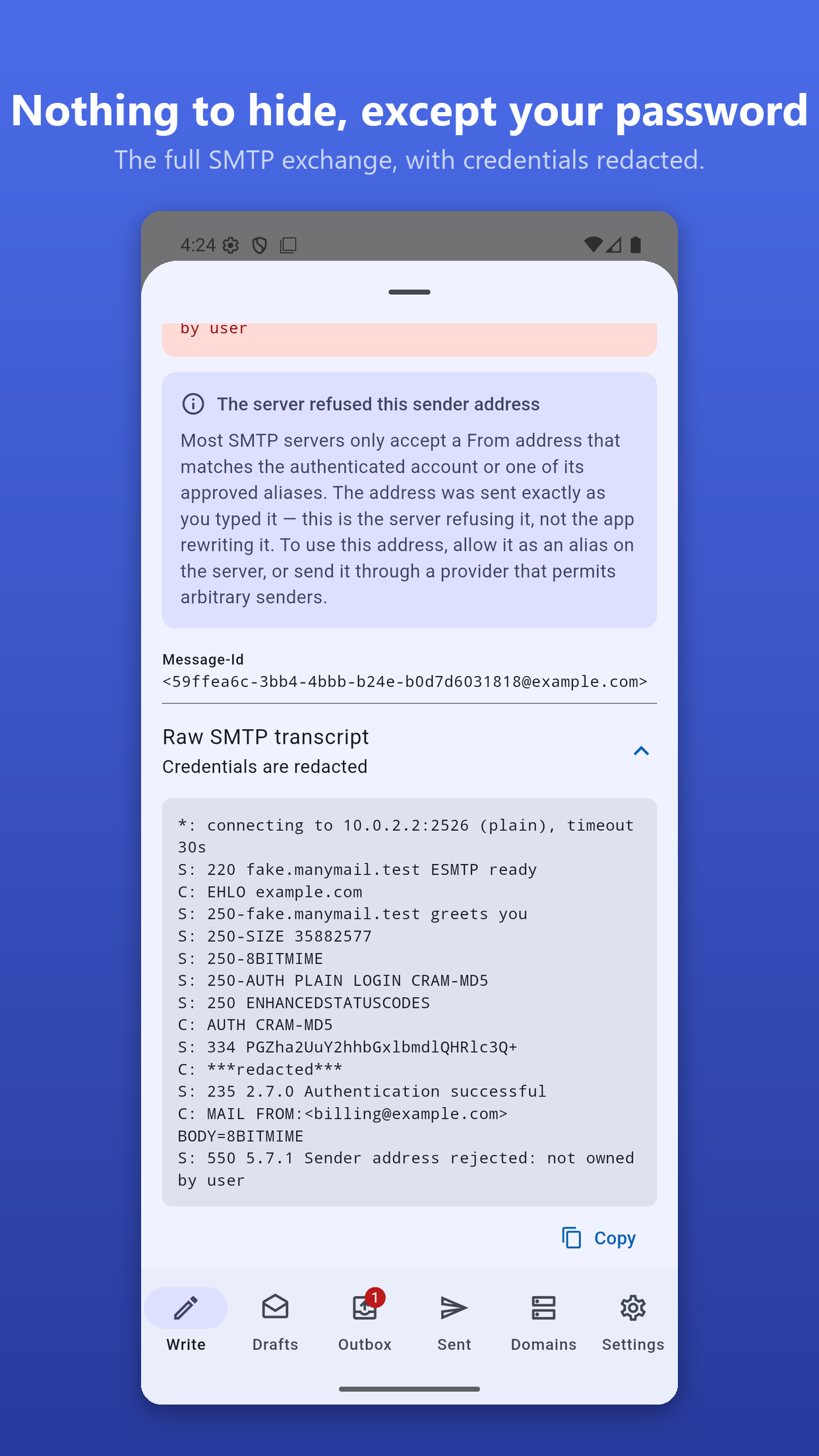
Your mail server still decides. Many servers refuse a sender address that the authenticated account does not own. Manymail does not try to predict that in advance. It attempts the send exactly as you typed it, then shows you the server's own reply, word for word, with the full SMTP transcript available if you want to read it. Credentials are stripped from that transcript before it is stored.
What it does
• A free-form alias and display name, on any domain you have configured
• Per-domain SMTP settings: STARTTLS, implicit TLS or plain, with PLAIN, LOGIN or CRAM-MD5 authentication and auto-detection
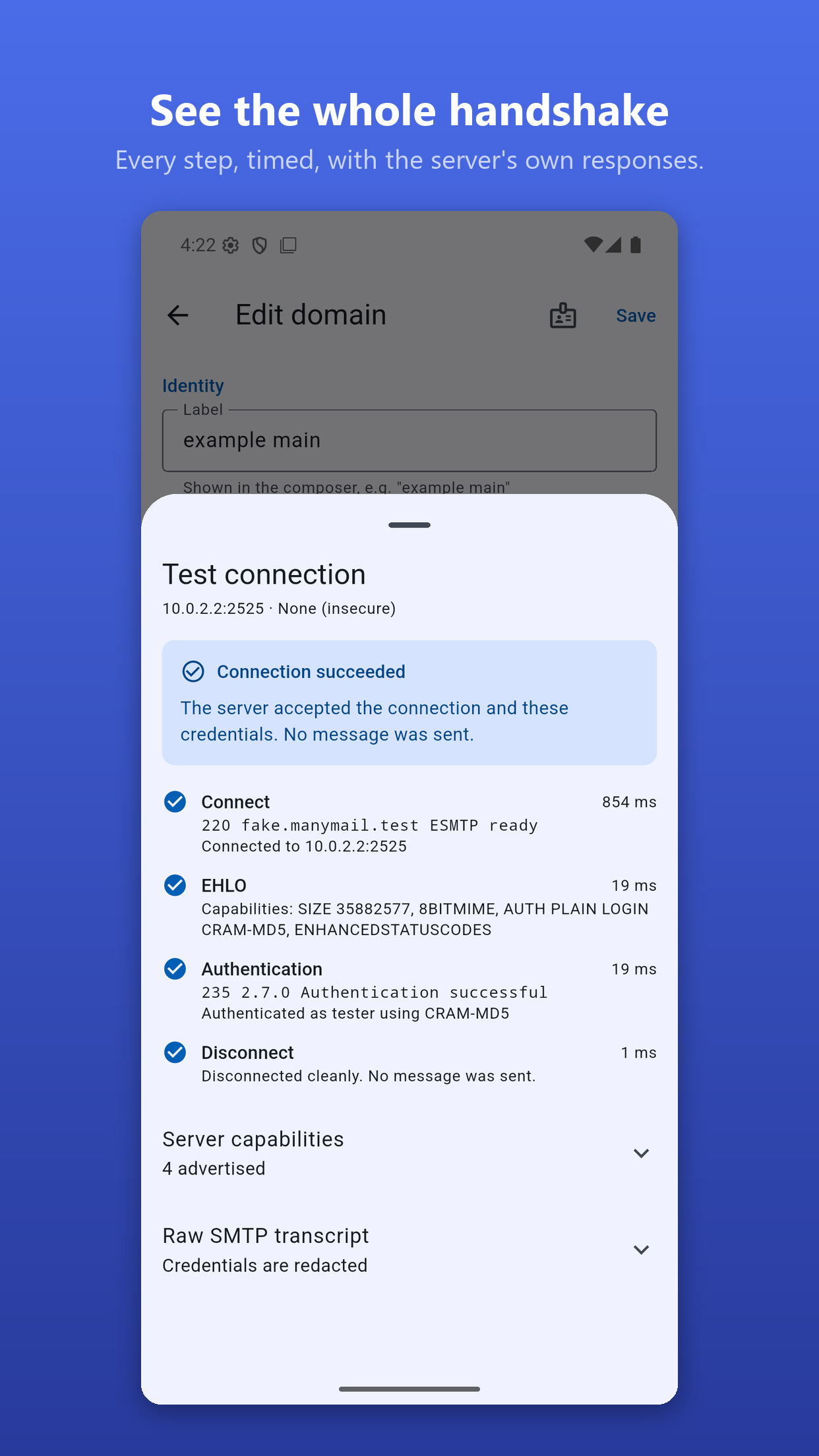
• A connection test that reports every step, including the server's raw banner and advertised capabilities
• Rich text or plain text, with a genuine plain-text alternative built from the document rather than stripped out of HTML
• Attachments, inline images, Reply-To and custom headers
• Saved identity presets for each domain
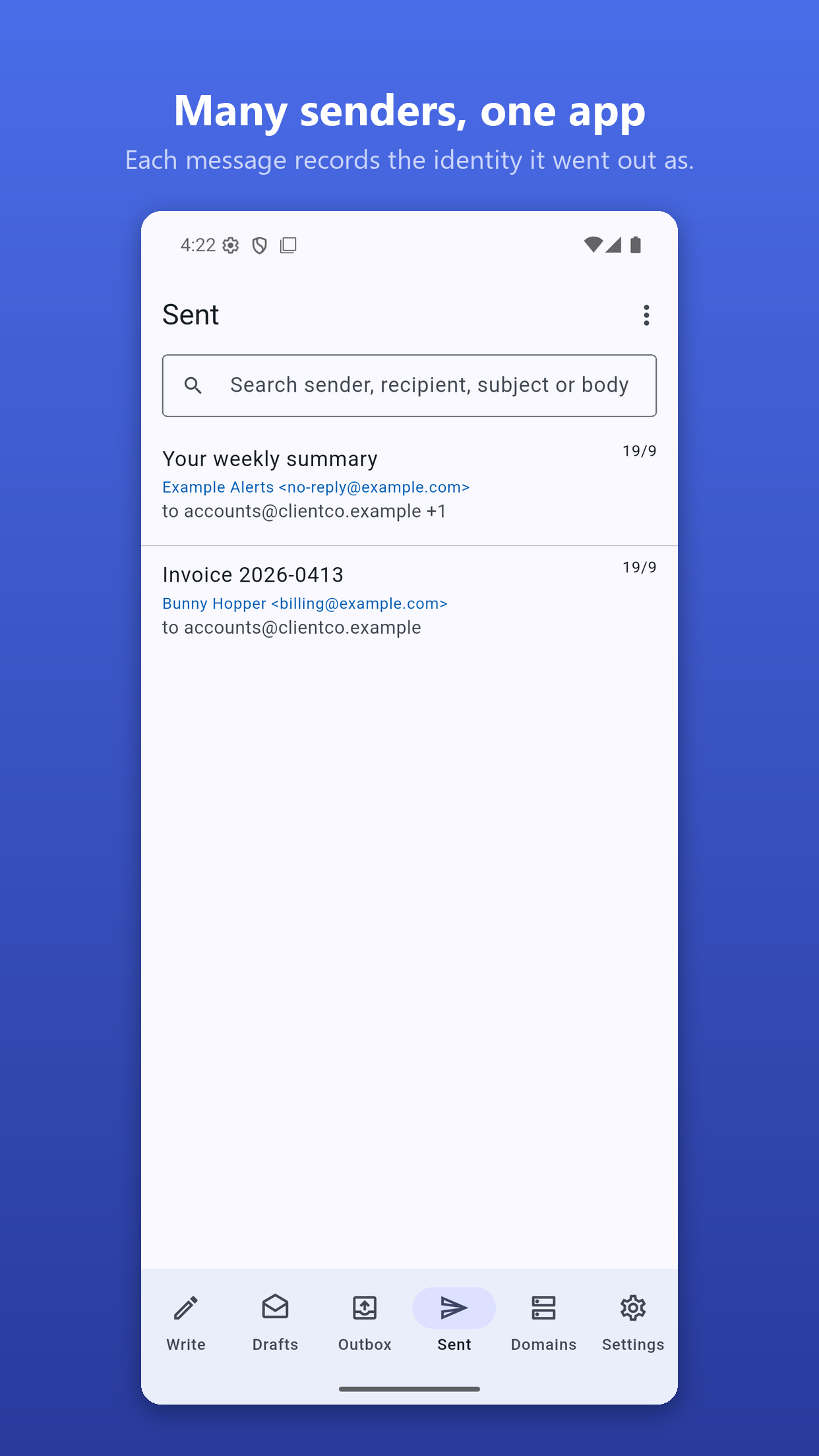
• Drafts, an outbox that retries with exponential backoff, and a searchable sent log
• Encrypted configuration backup and restore
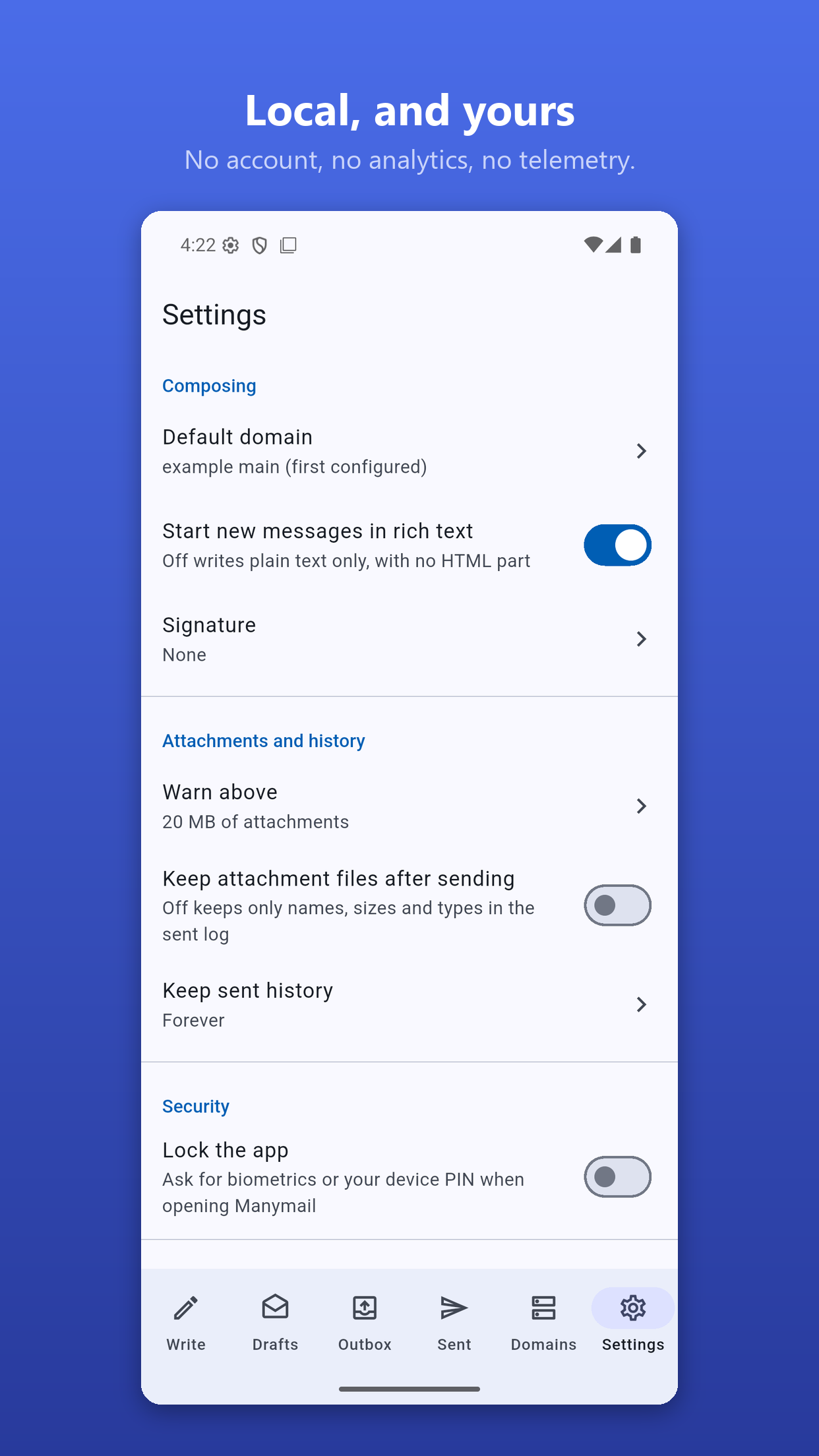
• An optional lock using your biometrics or device PIN
What it deliberately does not do
• No inbox. There is no IMAP, no POP and no sync. Manymail sends mail; it does not receive it.
• No account. There is no sign-up, and no server of ours is involved at any point.
• No tracking. No analytics, no crash reporting, no ads and no Google Play Services. The only network connections Manymail makes are to the SMTP servers you enter yourself.
Your passwords
SMTP passwords are stored in the Android Keystore and nowhere else. They are never written to the app's database, never logged, and removed from every protocol transcript before it is saved. An unencrypted configuration export leaves them out entirely and says so inside the file. An encrypted export is sealed with Argon2id and AES-GCM-256 using a passphrase you choose.
It asks for seven permissions, all granted at install time. It never shows a runtime permission prompt.
What you need
A domain, and an SMTP server you are allowed to send through: from your mail provider, your web host, or a transactional mail relay. Manymail does not provide mail accounts and cannot send anything without server details and credentials that you supply.
Built from source
Manymail is free software under the GNU General Public License v3.0 or later. Every native library in it, SQLite included, is compiled from source rather than downloaded prebuilt.
Note: the F-Droid build is signed by F-Droid, and the Google Play build is signed by the developer. Android will not update one with the other, so switching between them means uninstalling first. Export your configuration before you do.
Screenshots
What’s new
First release on F-Droid.
Send mail from any address on a domain you own: you pick the part before the @ and the display name every time you write.
• Free-form sender identity, per-domain SMTP with STARTTLS or implicit TLS • Rich text, attachments, inline images, custom headers • Drafts, a retrying outbox and a sent log • Passwords kept in the Android Keystore • No inbox, no account, no tracking; SQLite built from source
How to install
Download the APK from the button at the top of this page.
Allow “Install unknown apps” for your browser or file manager only, not for every app.
Open the downloaded file and confirm the installation.
If installation fails with “App not installed,” remove an earlier build of the same app first. A signature conflict is the usual cause.
Data safety
Every file is checked against its published SHA-256 before it is listed.
Files are scanned for malware on every update.
The permissions each app requests are listed on its own page.
Read the full safety policy for how we test, flag, and delist files.
Frequently asked questions
What is Manymail?
Send from any address on your own domains. No inbox, no sync, no telemetry
Who develops Manymail?
Manymail is developed by Bunny Pranav.
Which Android version does Manymail require?
Manymail requires Android API 24 or later.
What is the current version of Manymail?
The synchronized F-Droid version is 1.0.0.
Which license does Manymail use?
The signed F-Droid metadata lists GPL-3.0-or-later.