
Quick answer
Third-party Pixiv client
Features
- Login via built-in browser
- Recommendation, illustration rank, timeline on homepage
- Search
- Illustration details, download original illustration, favorite, like, comment
- Novel details, read, export, favorite, comment
- Personal center, profile, favorite, follow, history, download manager
- Illustration/novel filter (deleted illustration, no permission illustration, R18, R18G, AI)
- Direct connection with DoH
Screenshots
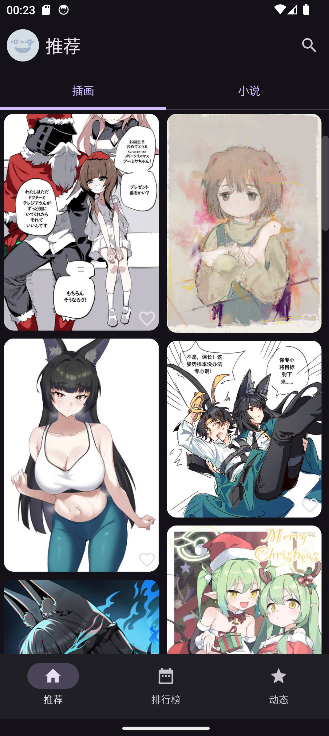
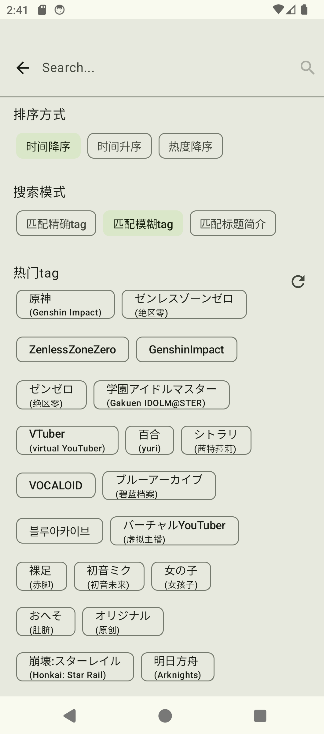
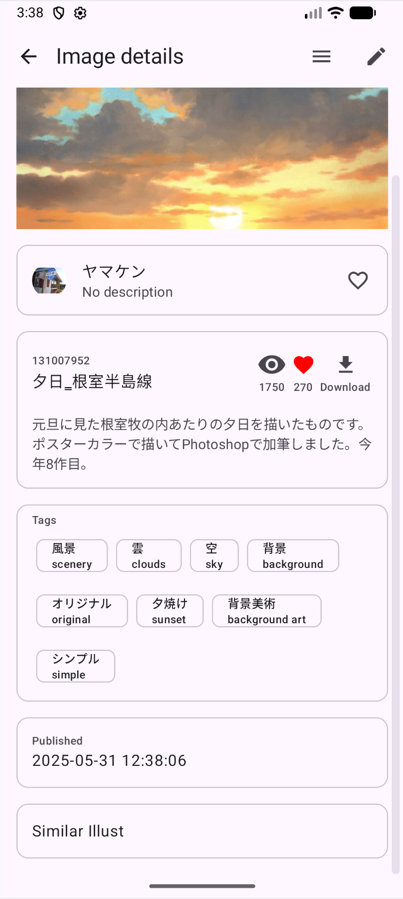

How to install
- Download the APK from the button at the top of this page.
- Allow “Install unknown apps” for your browser or file manager only, not for every app.
- Open the downloaded file and confirm the installation.
- If installation fails with “App not installed,” remove an earlier build of the same app first. A signature conflict is the usual cause.
Data safety
- Every file is checked against its published SHA-256 before it is listed.
- Files are scanned for malware on every update.
- The permissions each app requests are listed on its own page.
- Read the full safety policy for how we test, flag, and delist files.
Frequently asked questions
What is Pixiv-MultiPlatform?
Third-party Pixiv client
Who develops Pixiv-MultiPlatform?
Pixiv-MultiPlatform is developed by kagg886.
Which Android version does Pixiv-MultiPlatform require?
Pixiv-MultiPlatform requires Android API 28 or later.
What is the current version of Pixiv-MultiPlatform?
The synchronized F-Droid version is 1.8.7.
Which license does Pixiv-MultiPlatform use?
The signed F-Droid metadata lists GPL-3.0-only.
Where is the source code for Pixiv-MultiPlatform?
https://github.com/magic-cucumber/Pixiv-MultiPlatform
Comments
Recent approved comments · sorted by newest
View all comments