Hold your headset's voice-command button to rewind active media
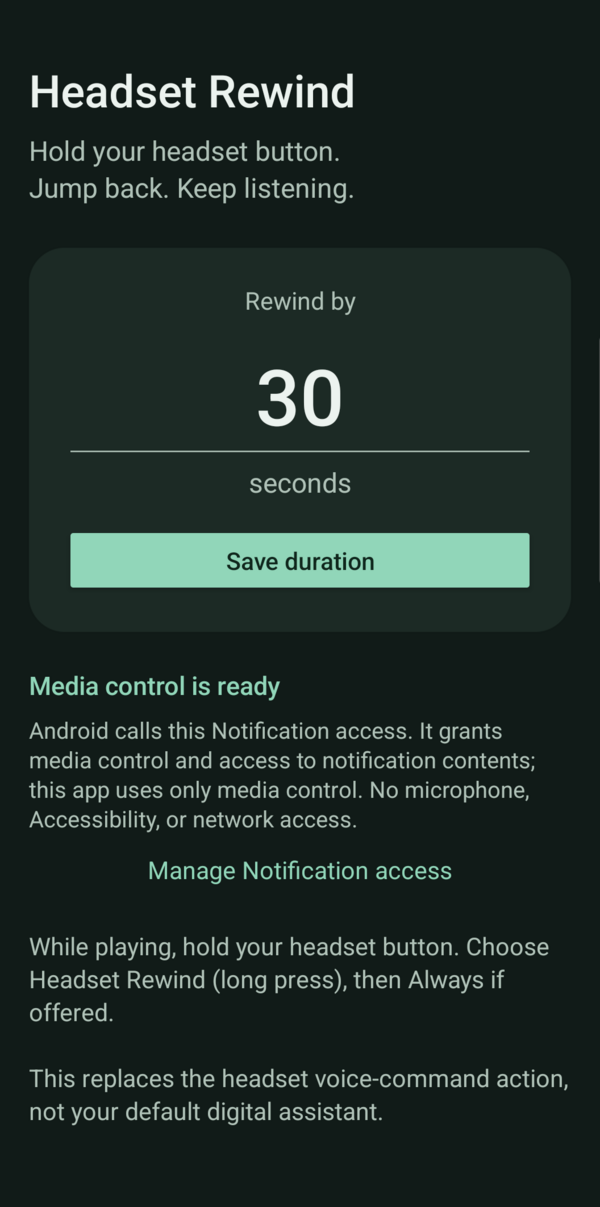
Hold your headset's voice-command button to rewind active media. Default: 30 seconds, adjustable from 1 to 120 seconds.
Grant Notification access, save a duration, start a seekable player, then hold the headset button and choose Headset Rewind. On Android 13+, Allow restricted settings in system App info may be needed first.
Requires Android 9+ and a headset that launches voice commands. Single/double/triple clicks are unchanged. Calls, ads, live streams, and player restrictions can prevent seeking.
Notification contents are unused. No network, microphone, Accessibility access, ads, analytics, or runtime libraries.
Screenshots
What’s new
Added F-Droid store metadata. Behavior and permissions unchanged.
How to install
Download the APK from the button at the top of this page.
Allow “Install unknown apps” for your browser or file manager only, not for every app.
Open the downloaded file and confirm the installation.
If installation fails with “App not installed,” remove an earlier build of the same app first. A signature conflict is the usual cause.
Data safety
Every file is checked against its published SHA-256 before it is listed.
Files are scanned for malware on every update.
The permissions each app requests are listed on its own page.
Read the full safety policy for how we test, flag, and delist files.
Frequently asked questions
What is Headset Rewind?
Hold your headset's voice-command button to rewind active media
Who develops Headset Rewind?
Headset Rewind is developed by pfavr.
Which Android version does Headset Rewind require?