
Quick answer
tool to exchange UDP packets
F-Droid repository metadata
android-udp-bus is an application to create UDP forwarders, hubs and other tools. To aid building VPNs, video streaming and other tricky network uses.
Features: * Binding UDP socket on specified port and exchanging traffic between all known peers * Exchanging traffic between multiple UDP sockets * Remembering specified number of peers that have sent us some datagram, with optional expiration policy * Directly specifying peers to send datagrams to. Combined with remembering, it allows using the application as UDP forwarder. * Joining multicast groups, setting TTL, TOS, read and write buffer sizes and other socket options. * Periodical sending of hardcoded datagrams to specified peers (e.g. to keep NAT open) * Displaying of detailed statistics of the traffic * Starting multiple isolated hubs, each with distinct set of ports. Can even act as a simplistic load balancer due to
Limitations: * UI is not user-friendly. * Not all features are exposed in GUI - you may want to add some undocumented fields to the JSON manually. * Not very optimised for speed or latency. It may be slightly slower than socat udp4-l udp. * Not everything is tested yet * Documentation is lacking
Features: * Binding UDP socket on specified port and exchanging traffic between all known peers * Exchanging traffic between multiple UDP sockets * Remembering specified number of peers that have sent us some datagram, with optional expiration policy * Directly specifying peers to send datagrams to. Combined with remembering, it allows using the application as UDP forwarder. * Joining multicast groups, setting TTL, TOS, read and write buffer sizes and other socket options. * Periodical sending of hardcoded datagrams to specified peers (e.g. to keep NAT open) * Displaying of detailed statistics of the traffic * Starting multiple isolated hubs, each with distinct set of ports. Can even act as a simplistic load balancer due to
SO_REUSEPORT.
The application does not send datagrams back to sender.
Limitations: * UI is not user-friendly. * Not all features are exposed in GUI - you may want to add some undocumented fields to the JSON manually. * Not very optimised for speed or latency. It may be slightly slower than socat udp4-l udp. * Not everything is tested yet * Documentation is lacking
Screenshots
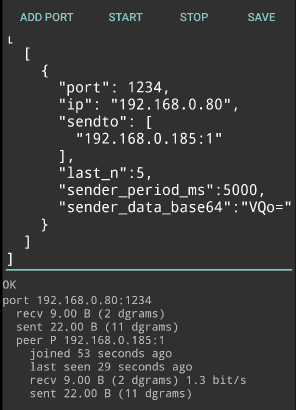
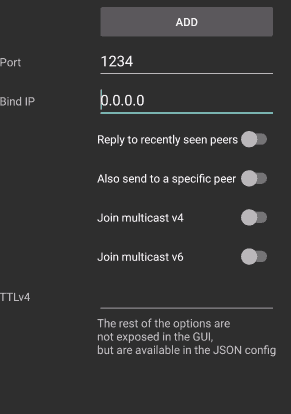
How to install
- Download the APK from the button at the top of this page.
- Allow “Install unknown apps” for your browser or file manager only, not for every app.
- Open the downloaded file and confirm the installation.
- If installation fails with “App not installed,” remove an earlier build of the same app first. A signature conflict is the usual cause.
Data safety
- Every file is checked against its published SHA-256 before it is listed.
- Files are scanned for malware on every update.
- The permissions each app requests are listed on its own page.
- Read the full safety policy for how we test, flag, and delist files.
Comments
Recent approved comments · sorted by newest
View all comments