What’s new
- Smaller download: release builds are now shrunk with R8 (about 26 MB down to about 11 MB)

Updated Oct 28, 2026
Find books and send them to your jailbroken Kindle over Wi-Fi
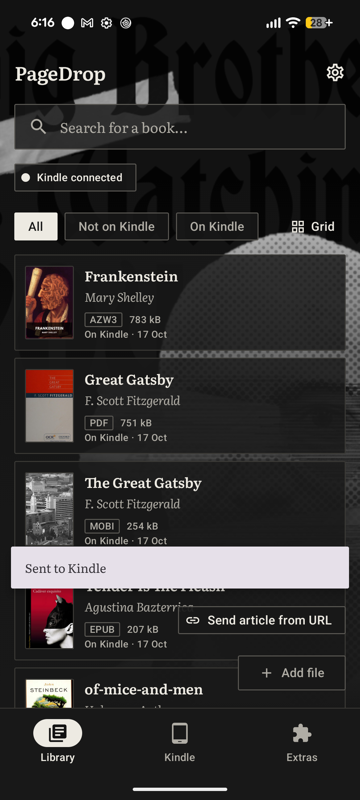
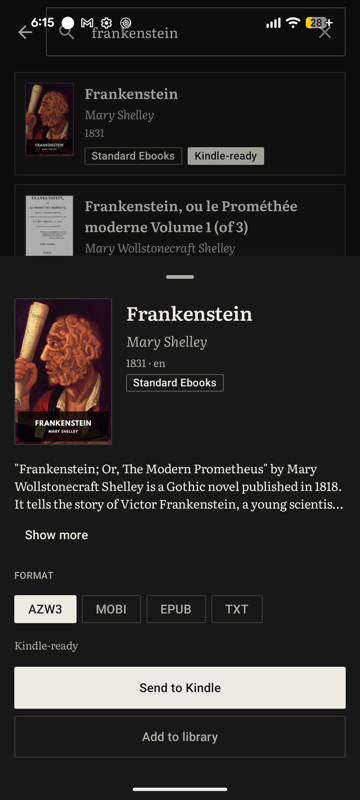
PageDrop is a phone-first companion for jailbroken Kindles running KOReader. Find a book, convert it if needed, and send it to your Kindle over Wi-Fi, all from one app.
Requires a jailbroken Kindle with KOReader and its SSH server enabled. The in-app "Get your Kindle ready" walkthrough explains each step.
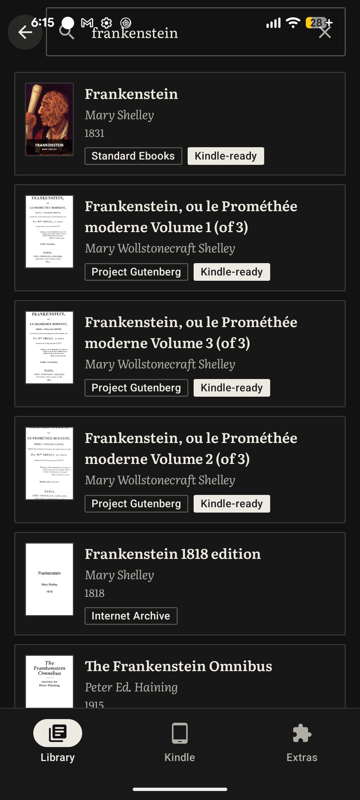
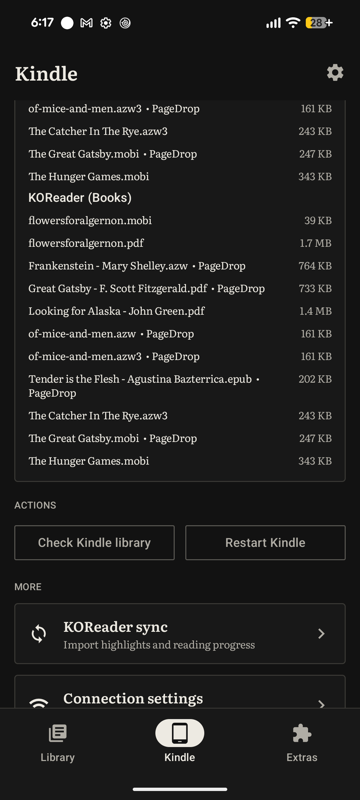
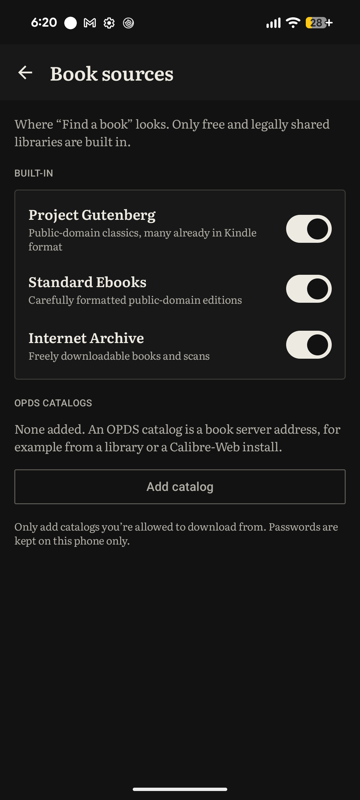
Features: - Find books in-app across public-domain and open libraries (Project Gutenberg, Standard Ebooks, Internet Archive, Wikisource and more) and your own OPDS catalogs - Add books from your phone, or capture downloads from websites inside PageDrop - Converts EPUB, PDF and text to MOBI, with PDF reflow for text PDFs (scanned PDFs are not OCRed) - Automatic book details: titles, authors and covers - Send to the Kindle over SSH/SFTP and refresh its library - Kindle tab: see what is on the Kindle and manage those books - Conversion server (GitHub and IzzyOnDroid builds only): books that need converting are uploaded to PageDrop's server (it asks first) and deleted about 24 hours later. One switch in Settings keeps everything on the phone, and if the server fails the phone converts instead. The F-Droid build has no built-in server and always converts on the phone - Free and open source (GPL-3.0)
PageDrop does not host or provide books. Some book sources and websites may offer material that is not freely licensed; you are responsible for respecting copyright law in your country.
No account, no analytics, no ads. Which hosts PageDrop contacts: https://github.com/spandan-kumar/PageDrop/blob/main/docs/PRIVACY.md
Not affiliated with or endorsed by Amazon.
- Smaller download: release builds are now shrunk with R8 (about 26 MB down to about 11 MB)
Recent approved comments · sorted by newest
View all comments