Keeps your Galaxy S23 on the Vulkan renderer, even after a restart
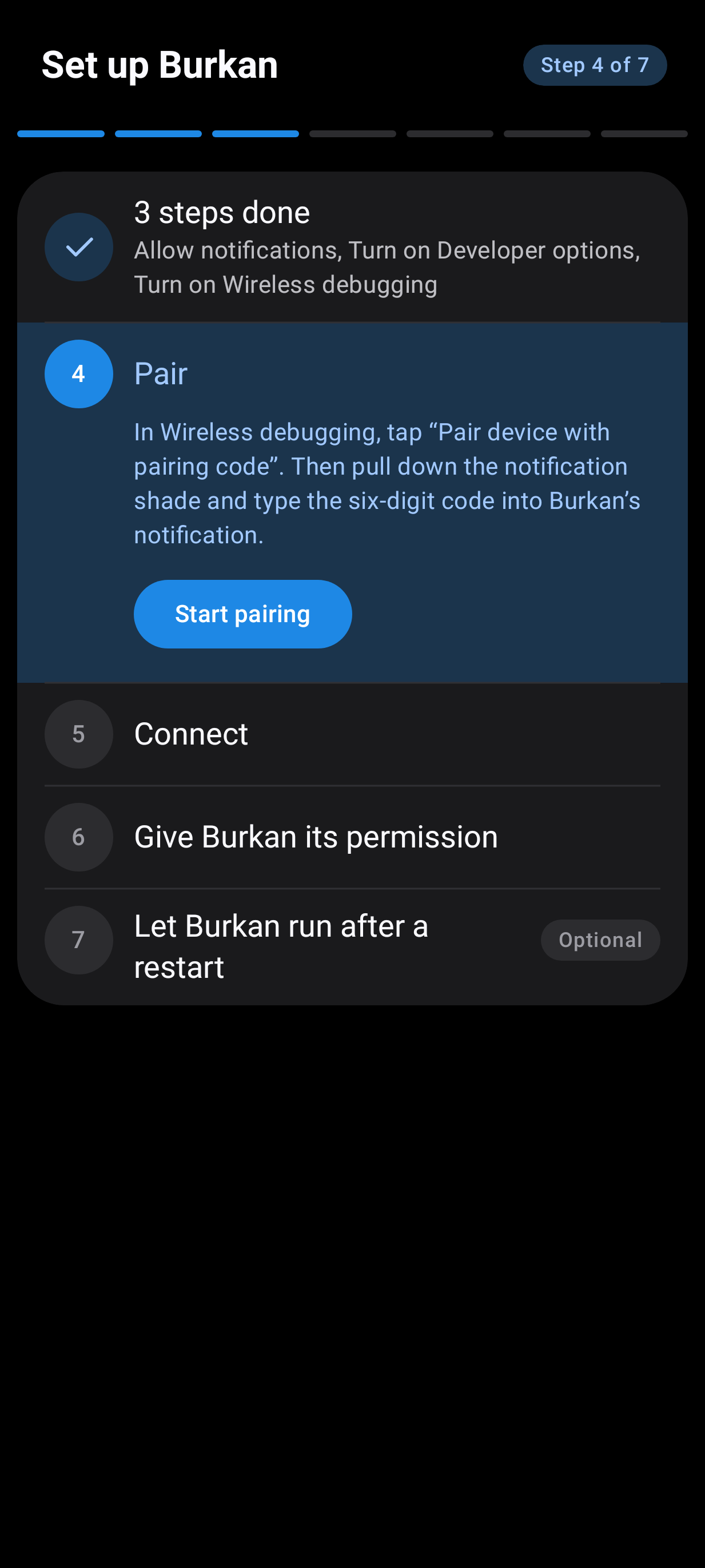
Burkan keeps your Galaxy S23 on Vulkan, the faster way for the phone to draw its screen. Set it up once, in a few minutes, and it looks after itself from then on, even after a restart. No computer needed.
Normally, switching a phone to Vulkan means plugging it into a computer and typing commands, and doing that again every time the phone restarts, because a restart puts everything back. Burkan does the same job from inside the phone, by itself.
What it does
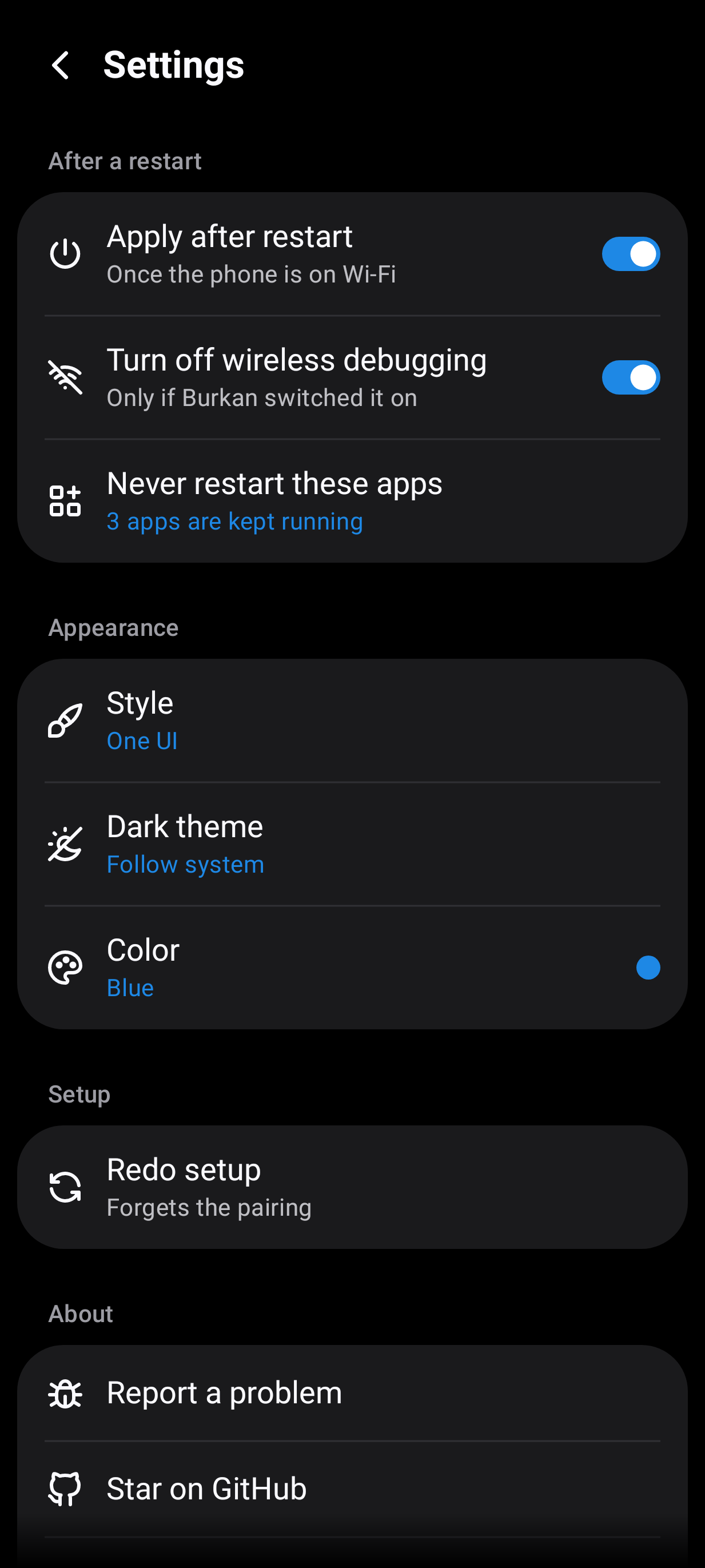
* Turns Vulkan back on after every restart, as soon as the phone is on Wi-Fi. You do not need to open it.
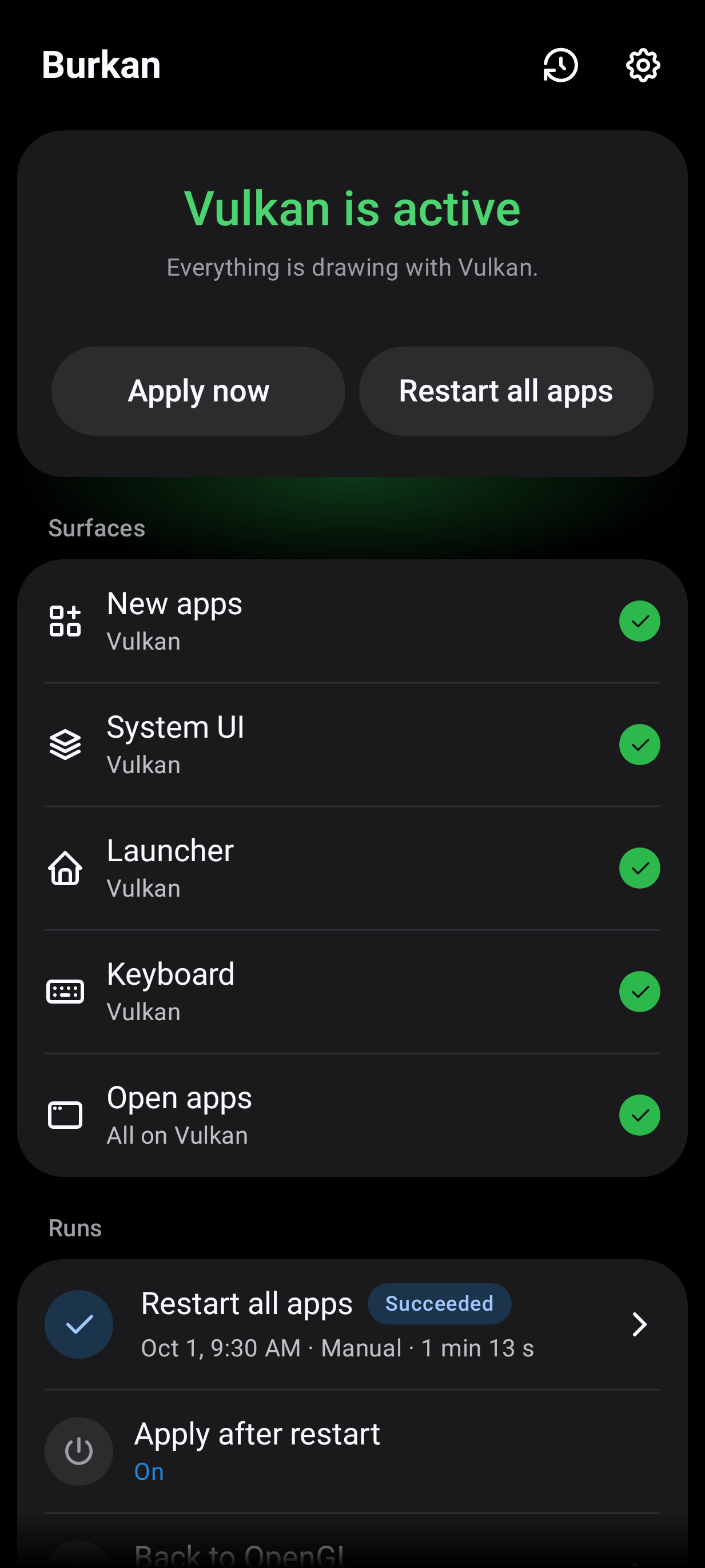
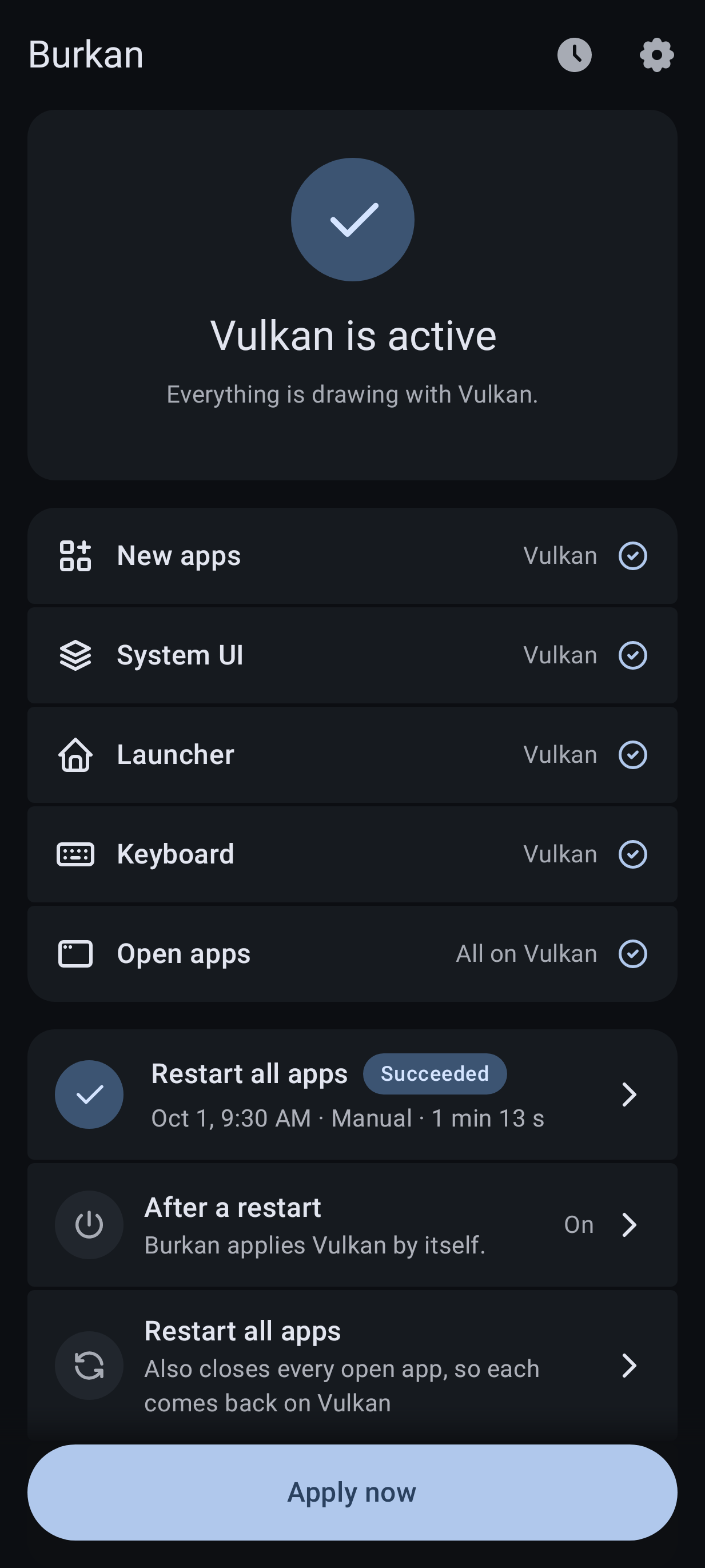
* Shows you whether Vulkan is active, and for which parts of the phone. If it cannot check, it says why in plain words.
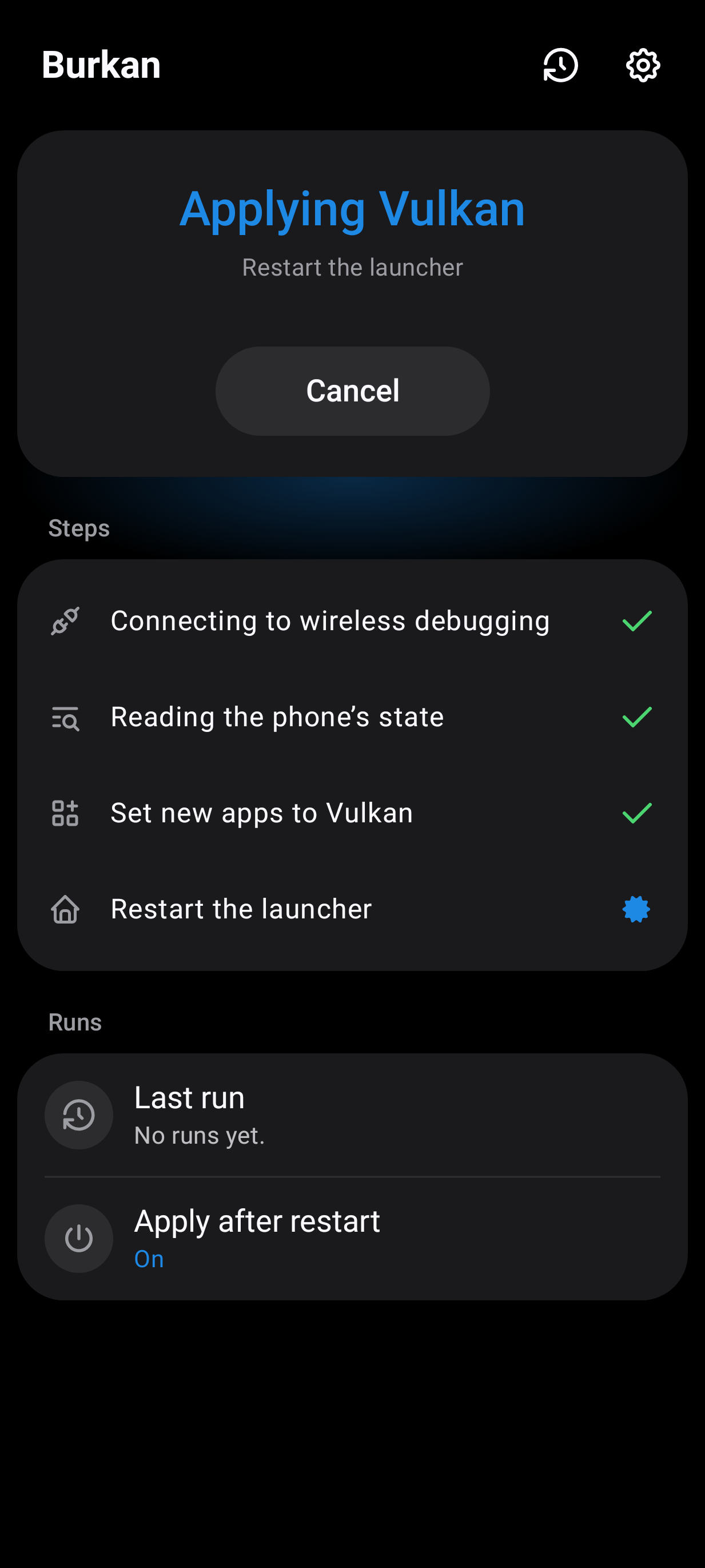
* Apply now switches to Vulkan on the spot. Restart all apps also reopens your apps so they pick it up. You can choose apps that should never be restarted.
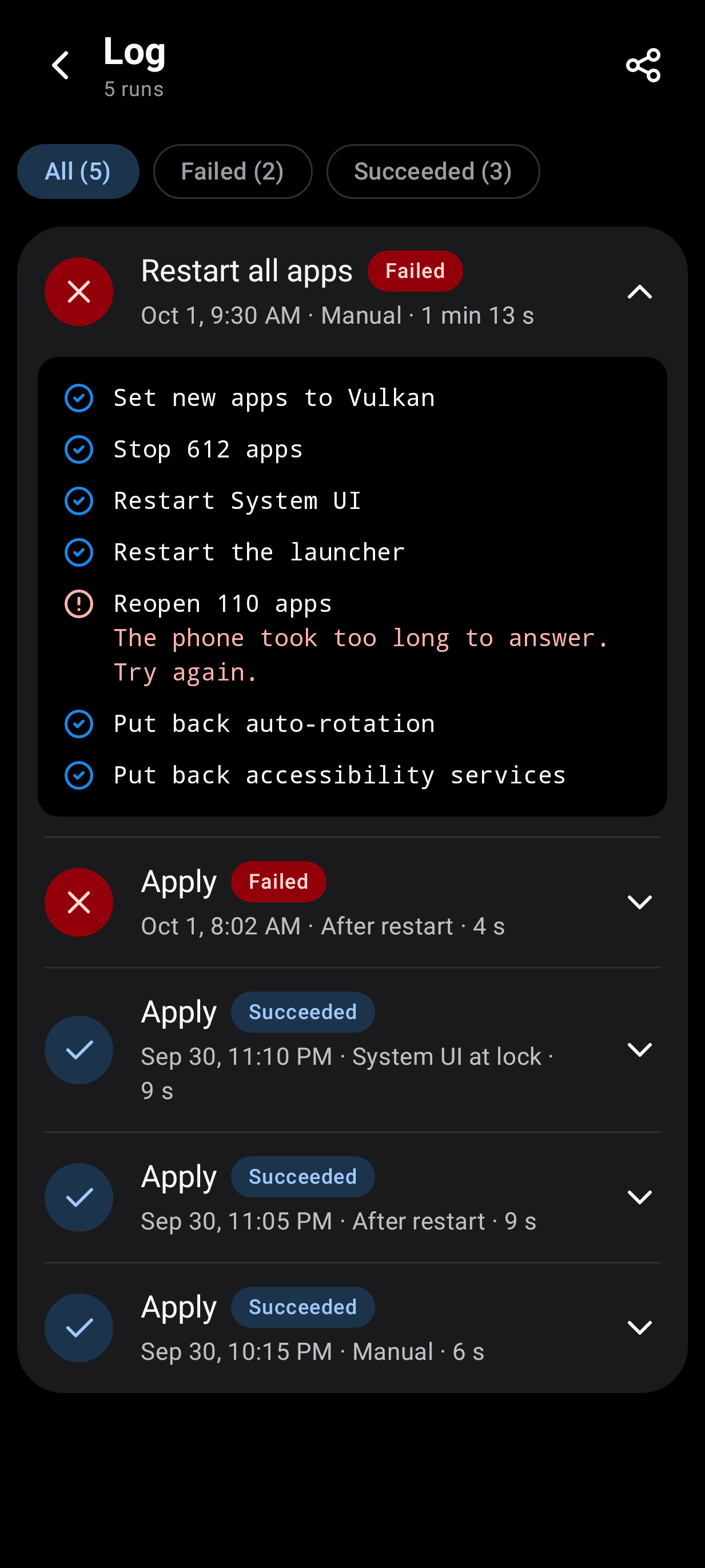
* Shows each step while it works, and keeps a log of the last 50 runs.
* Comes in two looks: One UI, after Samsung's own apps, and Material. Both have a light and a dark theme.
What you need
* A Galaxy S23, S23+ or S23 Ultra. Burkan opens on other phones with a warning, but it is not tested there.
* Android 13 or newer.
* Wi-Fi. Burkan works through the phone's own wireless debugging, which Android only allows on a Wi-Fi network.
Good to know
* No root, no computer and no other apps are needed.
* Burkan only talks to your own phone. It does not go online and collects nothing.
* If anything looks odd, restart the phone and it is back to normal. Samsung and Google do not officially support forcing Vulkan.
Screenshots
What’s new
* See which open apps are still on OpenGL, and restart all or one * "Back to OpenGL" without restarting the phone * A Quick Settings tile and shortcuts on the app's icon * Tasker and others can start a run and hear how it ended * A notification when the apply after a restart is done * A more detailed run log * Setup opens Settings at the switch to turn on * A crash shows a report you can share * A reworked Material look; the phone's own font * Half the download: 64-bit ARM only
How to install
Download the APK from the button at the top of this page.
Allow “Install unknown apps” for your browser or file manager only, not for every app.
Open the downloaded file and confirm the installation.
If installation fails with “App not installed,” remove an earlier build of the same app first. A signature conflict is the usual cause.
Data safety
Every file is checked against its published SHA-256 before it is listed.
Files are scanned for malware on every update.
The permissions each app requests are listed on its own page.
Read the full safety policy for how we test, flag, and delist files.
Frequently asked questions
What is Burkan?
Keeps your Galaxy S23 on the Vulkan renderer, even after a restart