
Quick answer
ClipBoard Manager with history, selection and management. Needs LSPosed / Root
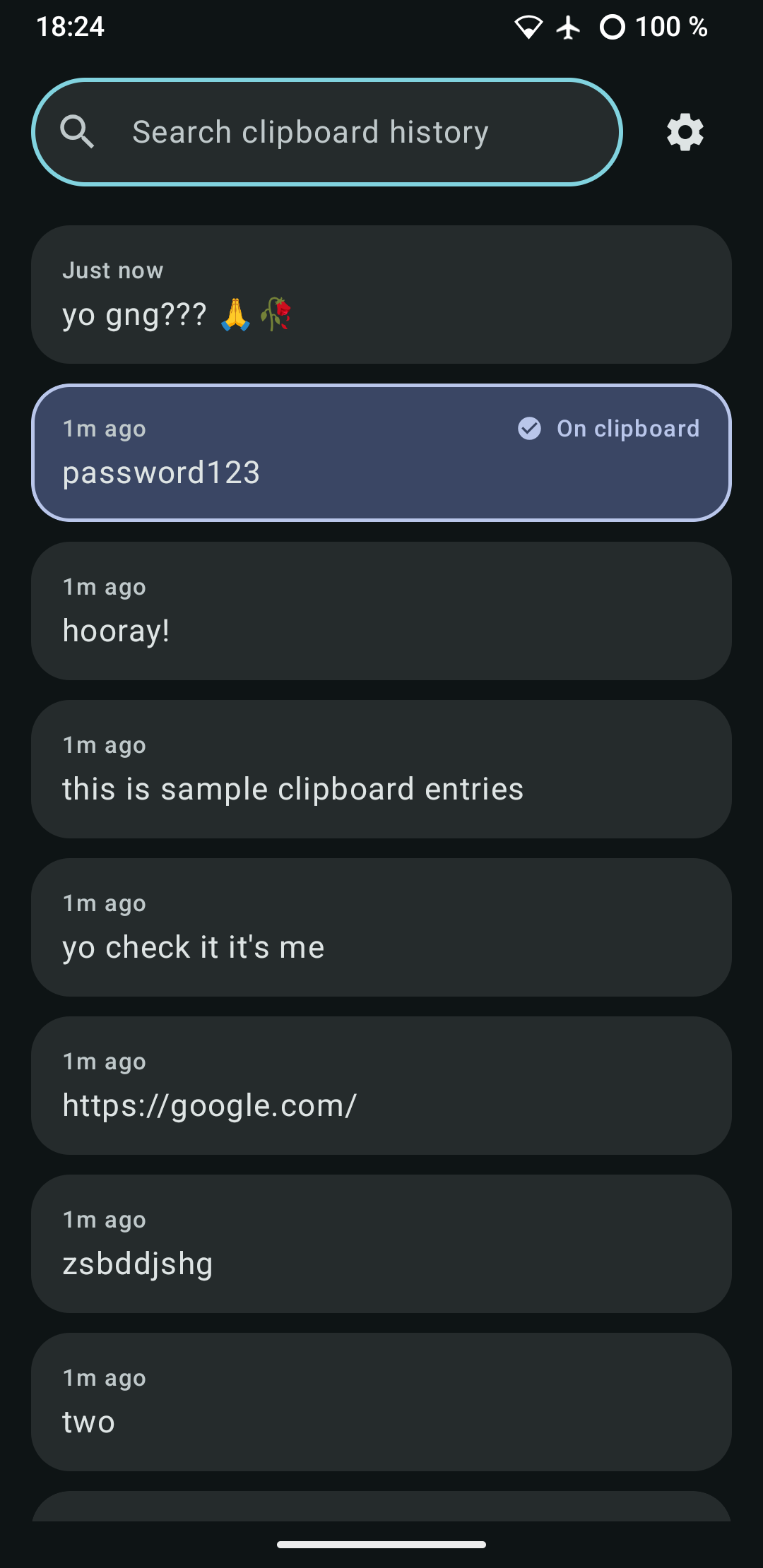
ClipVault is a deliberately small clipboard manager: one screen with a search bar and your copied entries, and one settings screen. Nothing else.
Tap any past entry to put it back on the clipboard - it's marked as the active entry, and selecting it never creates a duplicate or reorders your history.
Capture works without any of the usual clipboard-reading permissions, using one of two builds (chosen when the app is compiled, not a switch inside it):
* LSPosed build (default) - a module hook installed into system_server reads clipboard writes system-wide, before Android's background-read restrictions even apply. * Root/priv-app build - installed via a Magisk/KernelSU module straight into /system/priv-app, so a background service can read clipboard changes the way Android's own privileged clipboard tools do. Flash the module, reboot once, done.
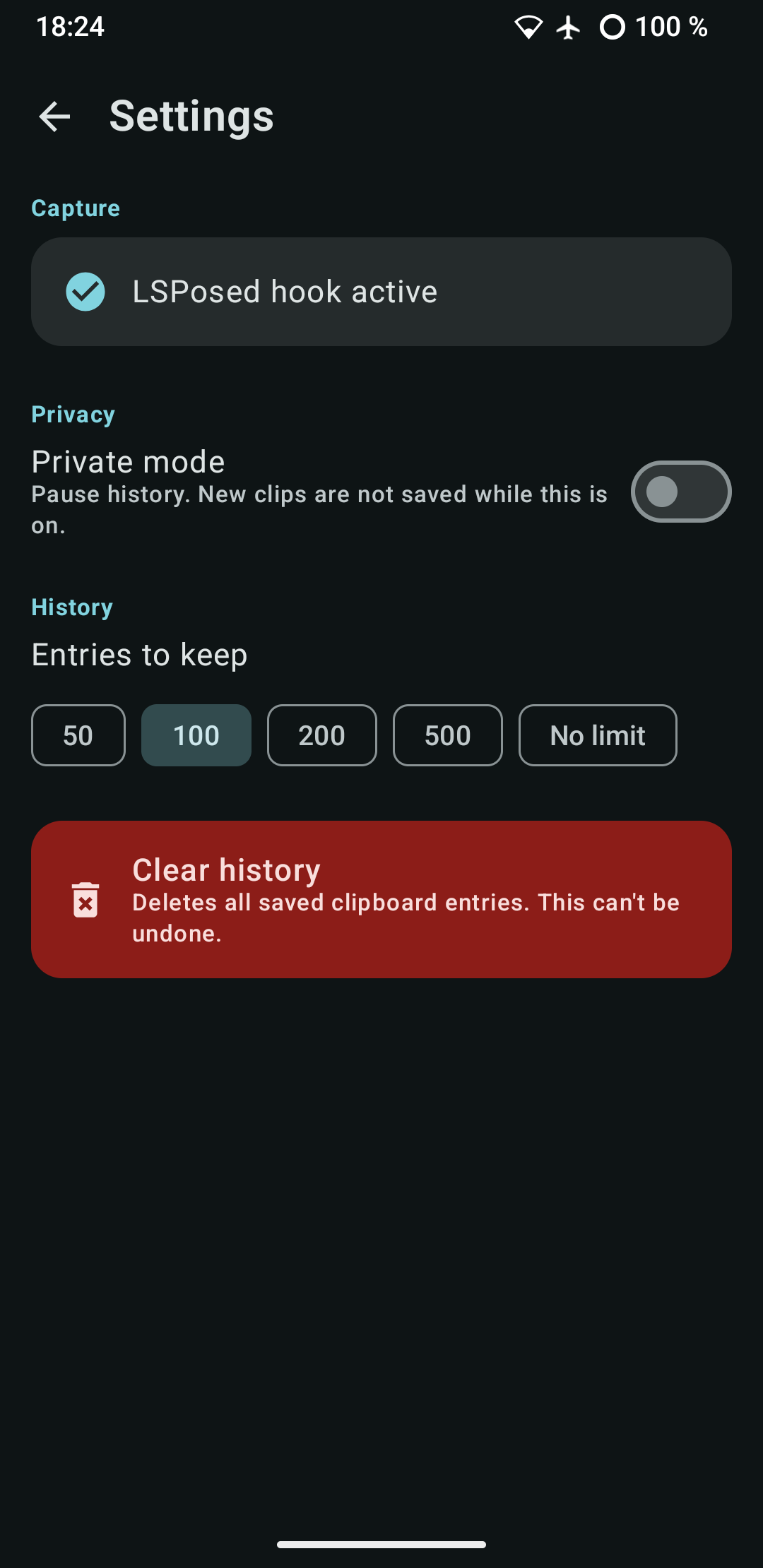
Settings are limited to what a clipboard history actually needs:
* Private mode, to pause saving entirely * A configurable history limit (or no limit) * Clear history
ClipVault makes no network requests, contains no analytics or ads, and stores everything locally on the device.
Requires either an active LSPosed module or root access to capture anything - see the project README for setup instructions.
This app is fully AI generated. It's great though 🤷♂️
There should be two versions up on F-Droid, the lower one using Xposed 93 and the higher one libxposed 102. If one doesn't work maybe the other does!
It works for me on my Android 15, it should work from A13 upwards, but users have reported it not working on A16. Use the issue tracker if encountering any problems!
Screenshots
How to install
- Download the APK from the button at the top of this page.
- Allow “Install unknown apps” for your browser or file manager only, not for every app.
- Open the downloaded file and confirm the installation.
- If installation fails with “App not installed,” remove an earlier build of the same app first. A signature conflict is the usual cause.
Data safety
- Every file is checked against its published SHA-256 before it is listed.
- Files are scanned for malware on every update.
- The permissions each app requests are listed on its own page.
- Read the full safety policy for how we test, flag, and delist files.
Frequently asked questions
What is ClipVault?
ClipBoard Manager with history, selection and management. Needs LSPosed / Root
Who develops ClipVault?
ClipVault is developed by kaduvert.
Which Android version does ClipVault require?
ClipVault requires Android API 26 or later.
What is the current version of ClipVault?
The synchronized F-Droid version is 1.3.4.
Which license does ClipVault use?
The signed F-Droid metadata lists CC0-1.0.
Where is the source code for ClipVault?
https://github.com/kaduvert/AClipBoardManager
Comments
Recent approved comments · sorted by newest
View all comments