Ventoid icon

Ventoid

GPLaider
System
Version
0.4.0
Size
19.6 MB
Requires
Android API 21+
3.8 / 5 · 14,591 ratings 86,076 downloads

Updated Oct 16, 2026

Quick answer

Prepare Ventoy-style bootable USB drives from Android without root.

Ventoid is an Android utility for preparing Ventoy-style USB drives directly from a phone.

It is built for users who want a clean, open-source path to writing a multi-ISO boot USB without using a desktop app for every change.

What Ventoid does:

- Detects supported USB mass-storage devices connected over OTG - Requests Android USB permission only when needed - Writes a Ventoy-compatible MBR or GPT layout - Writes the Ventoy boot core and EFI image, including the x86_64 Secure Boot chain - Formats the main data partition as exFAT - Shows a concise install status and progress bar

Why it is useful:

- No root required - No ads - No account - No analytics - No cloud dependency

Important:

- Ventoid writes directly to the selected USB drive, so choosing the correct target device matters - A working OTG adapter or powered hub is required for actual USB writing - Device compatibility can vary depending on the phone, cable, USB bridge, and flash drive controller

Ventoid is intended for advanced users, repair kits, travel setups, and people who want a portable boot-media workflow from Android.

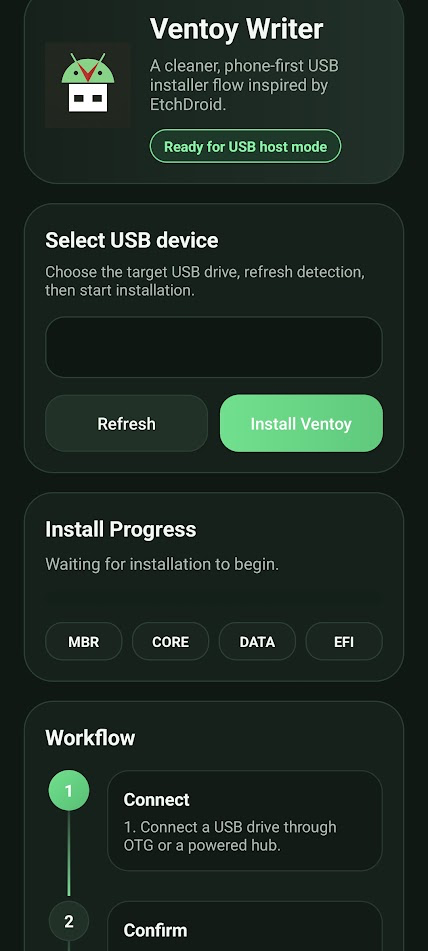
Screenshots

Ventoid screenshot 1

What’s new

Ventoid 0.4.0 — Ventoy 1.1.18 and USB management.

- Bundle Ventoy 1.1.18 with refreshed boot assets and signed EFI hashes
- Inspect USB drives and update Ventoy while preserving ISO files
- Block downgrades and offer same-version boot-file repair
- List exFAT images/free space and warn about zero-byte images
- Support drives over 2 TiB with GPT; fix GPT BIOS boot pointers
- Validate reserved space, sample written sectors, and show speed/ETA

How to install

  1. Download the APK from the button at the top of this page.
  2. Allow “Install unknown apps” for your browser or file manager only, not for every app.
  3. Open the downloaded file and confirm the installation.
  4. If installation fails with “App not installed,” remove an earlier build of the same app first. A signature conflict is the usual cause.

Data safety

  • Every file is checked against its published SHA-256 before it is listed.
  • Files are scanned for malware on every update.
  • The permissions each app requests are listed on its own page.
  • Read the full safety policy for how we test, flag, and delist files.

Frequently asked questions

What is Ventoid?
Prepare Ventoy-style bootable USB drives from Android without root.
Who develops Ventoid?
Ventoid is developed by GPLaider.
Which Android version does Ventoid require?
Ventoid requires Android API 21 or later.
What is the current version of Ventoid?
The synchronized F-Droid version is 0.4.0.
Which license does Ventoid use?
The signed F-Droid metadata lists GPL-3.0-only.
Where is the source code for Ventoid?
https://github.com/GPLaider/Ventoid

Comments

Recent approved comments · sorted by newest

Verification code
Be specific and keep it about the app. No links. Comments are reviewed before publication. Device and Android details are recorded automatically. Privacy policy.

Loading recent comments...

View all comments