
Quick answer
Picture anonymity: Take pictures & blur identities with this privacy camera app
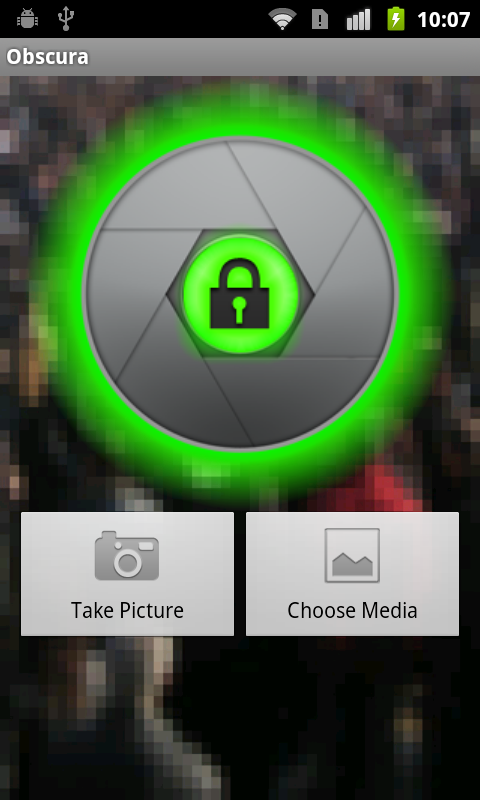
In a world of viral videos and facial recognition, ObscuraCam helps you share photos and videos while protecting the privacy of you and those you care about. With ObscuraCam you can blur and disguise faces in your photos and videos. Information that could identify you as the cameraperson is removed from the files for added security
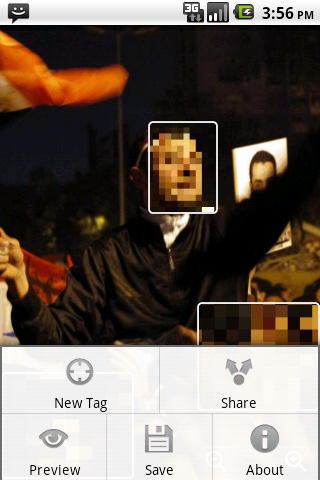
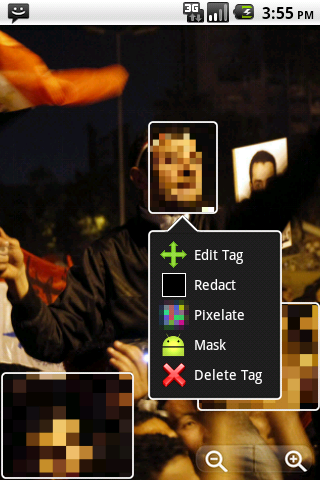
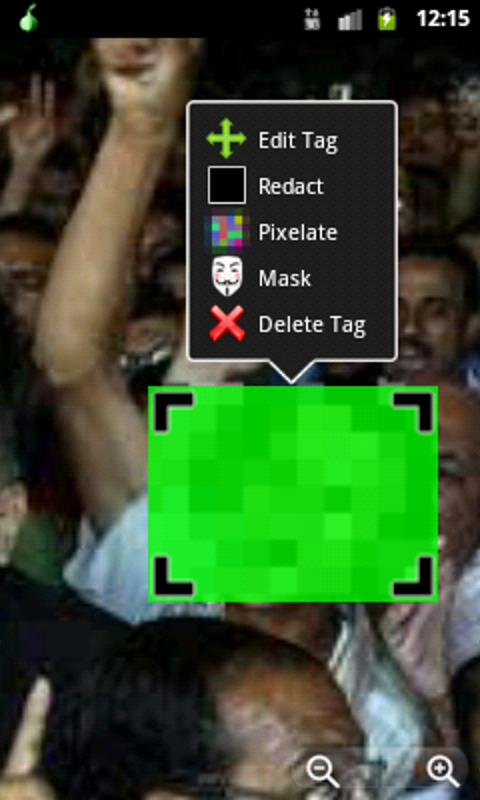
* PRIVACY FOR YOUR PICTURES: ObscuraCam can be used as a camera to take photos, or to anonymize photos and videos you’ve already taken * DISGUISE YOURSELF: Cover faces with pixelate, redact (blackout) or funny nose and glasses * AUTOMATIC FACE DETECTION: ObscuraCam automatically detects faces in both photos and videos, so you can quickly and easily anonymize a crowd or a long video * MULTIPLE PRIVACY MODES: Faces can be pixelated, removed completely, or disguised with funny nose and glasses. You can also blur everything except a small portion of an image * SHARE SECURELY: We remove all identifying data stored in photos including GPS location data and phone make & model so you can save the protected photo back to the Gallery, or share it directly to Facebook, Twitter or any other "Share" enabled app * PROTECTS THE IDENTITY OF THE PHOTOGRAPHER: Smartphones attach information to every photo they take, including where it was taken and by what type of camera. ObscuraCam removes all of this information * AWARD-WINNING: ObscuraCam was a Winner of the 2013 Knight News Challenge
***Learn More***
* PARTNERSHIP: ObscuraCam is a partnership between the security experts at the Guardian Project and WITNESS.org, a non-profit using the power of video and storytelling to open the eyes of the world to human rights abuses * ABOUT US: Guardian Project is a group of developers that make secure mobile apps and open-source code for a better tomorrow * OUR WEBSITE: https://GuardianProject.info * ABOUT WITNESS: A non-profit using the power of video and storytelling to open the eyes of the world to human rights abuses * WITNESS’ WEBSITE: http://witness.org * ON TWITTER: https://twitter.com/guardianproject & https://twitter.com/witnessorg * OPEN-SOURCE: ObscuraCam is free software. You can take a look at our source code, or join the community to help make Orweb even better: https://github.com/guardianproject/ObscuraCam * MESSAGE US: Are we missing your favorite feature? Found an annoying bug? Please tell us! We’d love to hear from you. Send us an email: [email protected]
face detection, blur, pixelize, human rights, activism, orbot, tor, privacy, obscure, obscura, privacy camera, camera, photo editor, journalist, journalism, photoshop, video, video processing, mosaic, anonymity
Screenshots
How to install
- Download the APK from the button at the top of this page.
- Allow “Install unknown apps” for your browser or file manager only, not for every app.
- Open the downloaded file and confirm the installation.
- If installation fails with “App not installed,” remove an earlier build of the same app first. A signature conflict is the usual cause.
Data safety
- Every file is checked against its published SHA-256 before it is listed.
- Files are scanned for malware on every update.
- The permissions each app requests are listed on its own page.
- Read the full safety policy for how we test, flag, and delist files.
Frequently asked questions
What is ObscuraCam: The Privacy Camera?
Picture anonymity: Take pictures & blur identities with this privacy camera app
Who develops ObscuraCam: The Privacy Camera?
ObscuraCam: The Privacy Camera is developed by Guardian Project.
Which Android version does ObscuraCam: The Privacy Camera require?
ObscuraCam: The Privacy Camera requires Android API 21 or later.
What is the current version of ObscuraCam: The Privacy Camera?
The synchronized F-Droid version is 5.0.0-RC-1.
Which license does ObscuraCam: The Privacy Camera use?
The signed F-Droid metadata lists GPL-3.0-or-later.
Where is the source code for ObscuraCam: The Privacy Camera?
https://github.com/guardianproject/ObscuraCam
Comments
Recent approved comments · sorted by newest
View all comments