Read books, documents and web pages, and translate any text you select
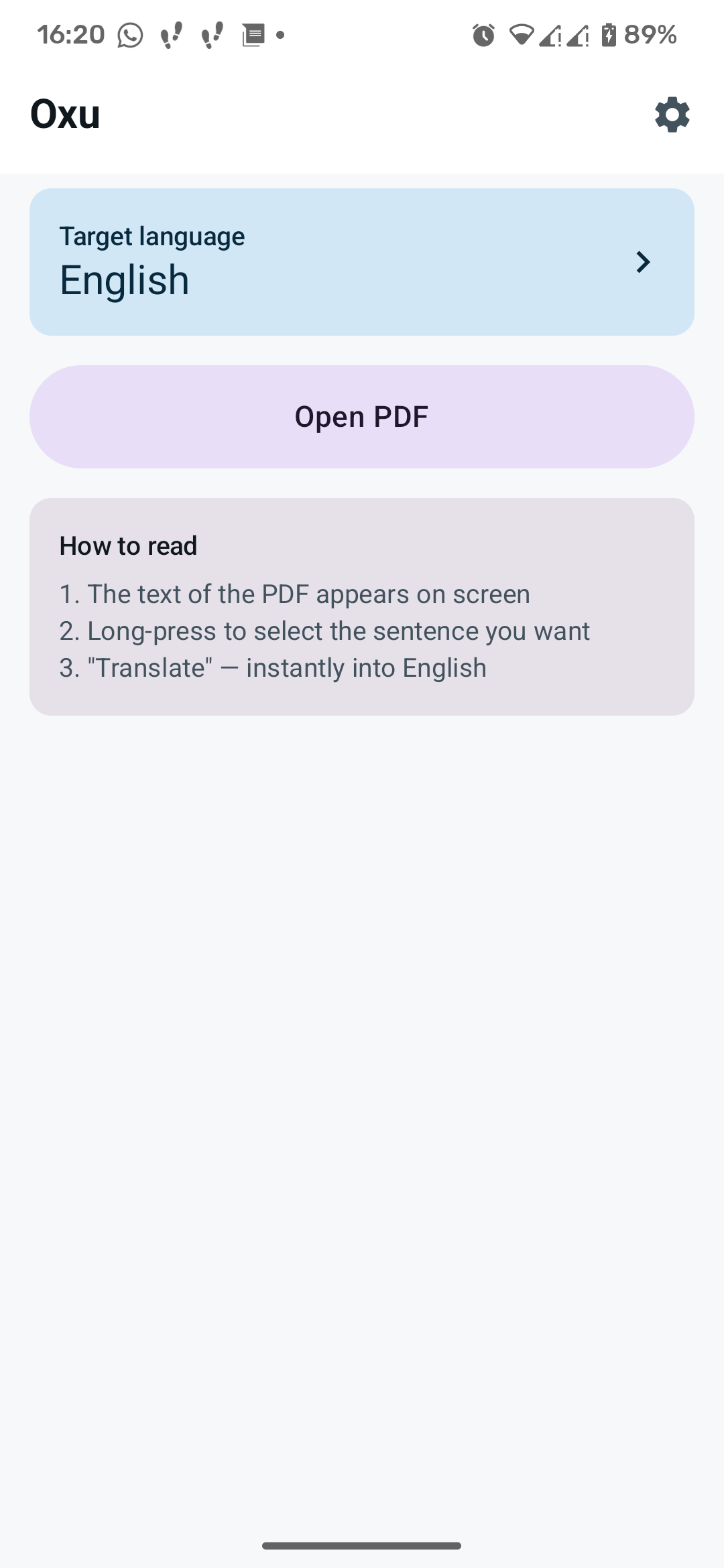
Oxu turns books, documents and web pages into calm, plain text you can read and translate.
How it works
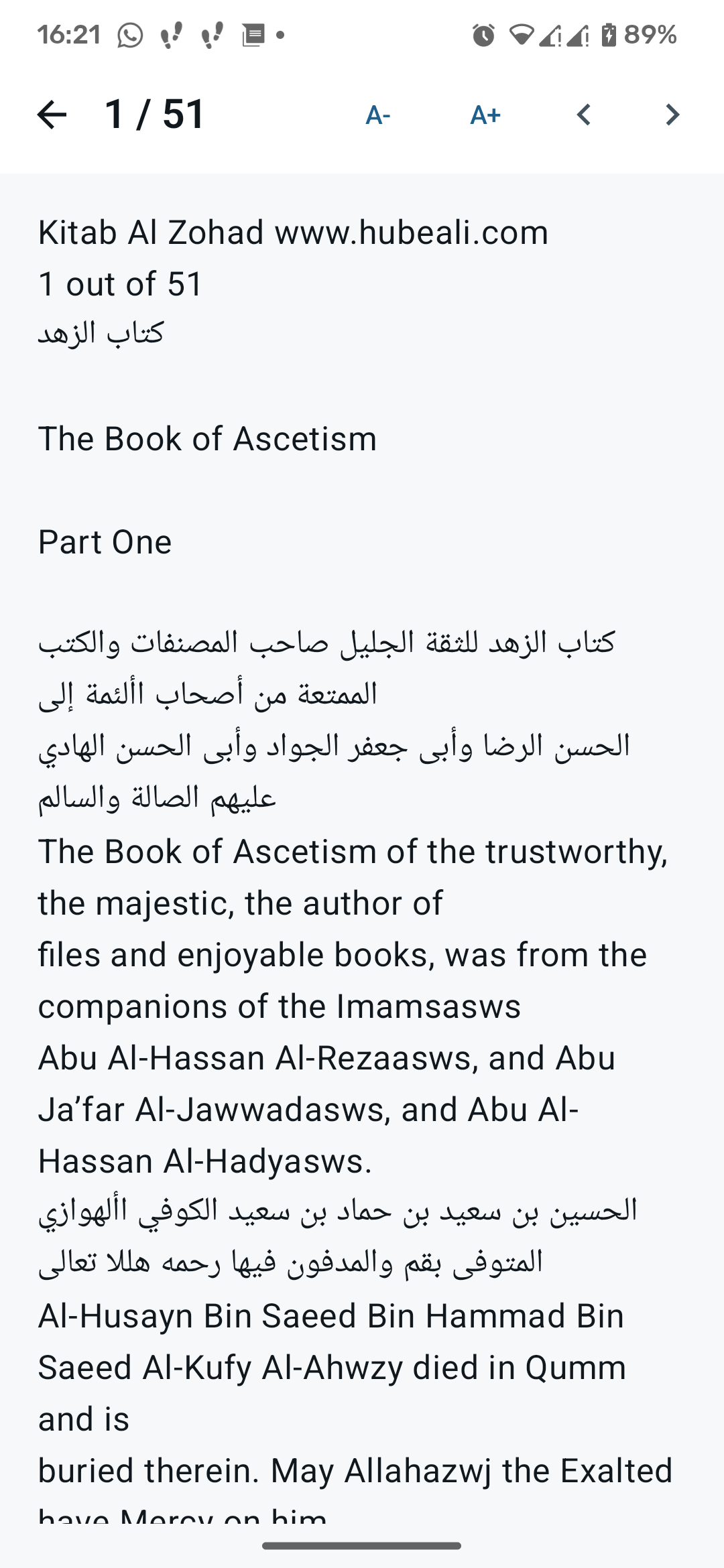
Open a file or a web page, its text appears on screen
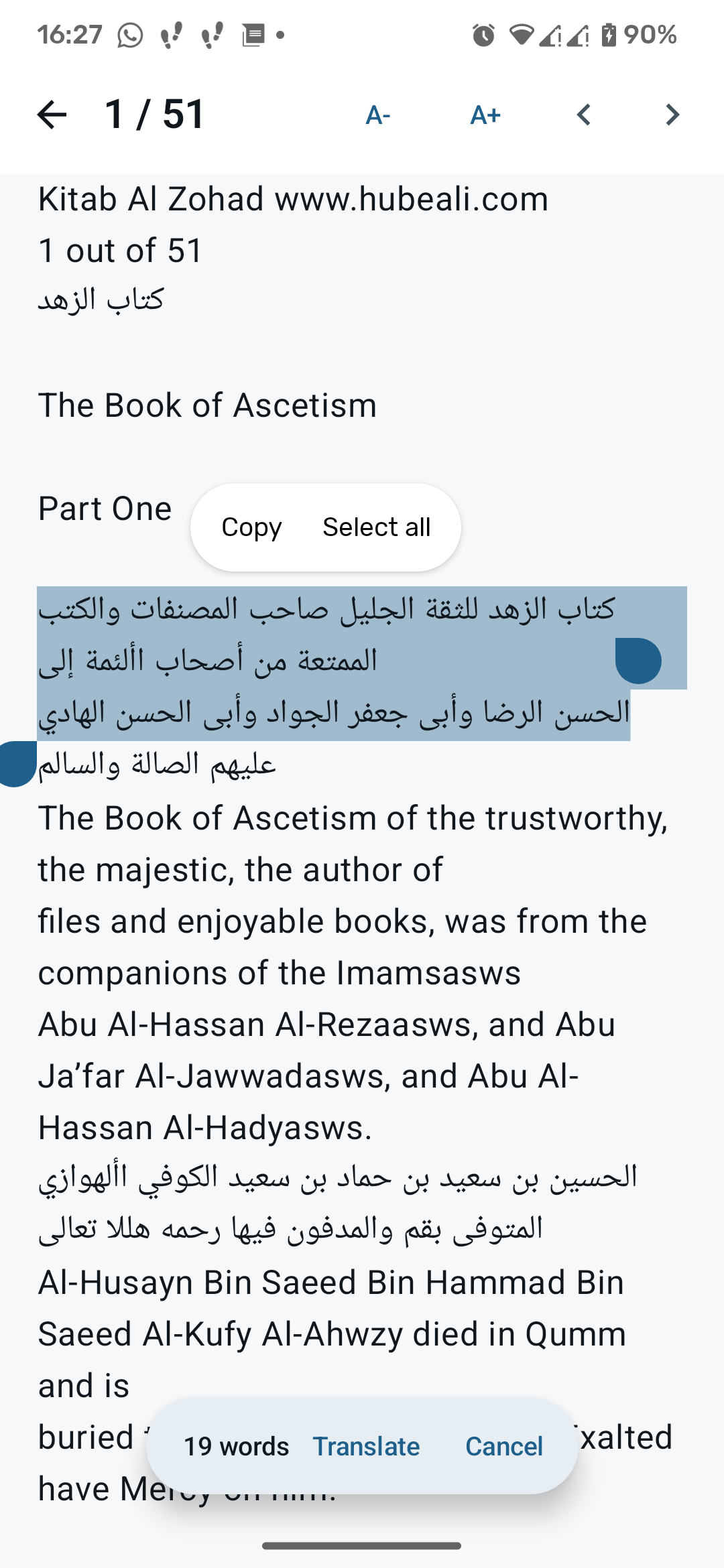
Long-press to select the sentence you want
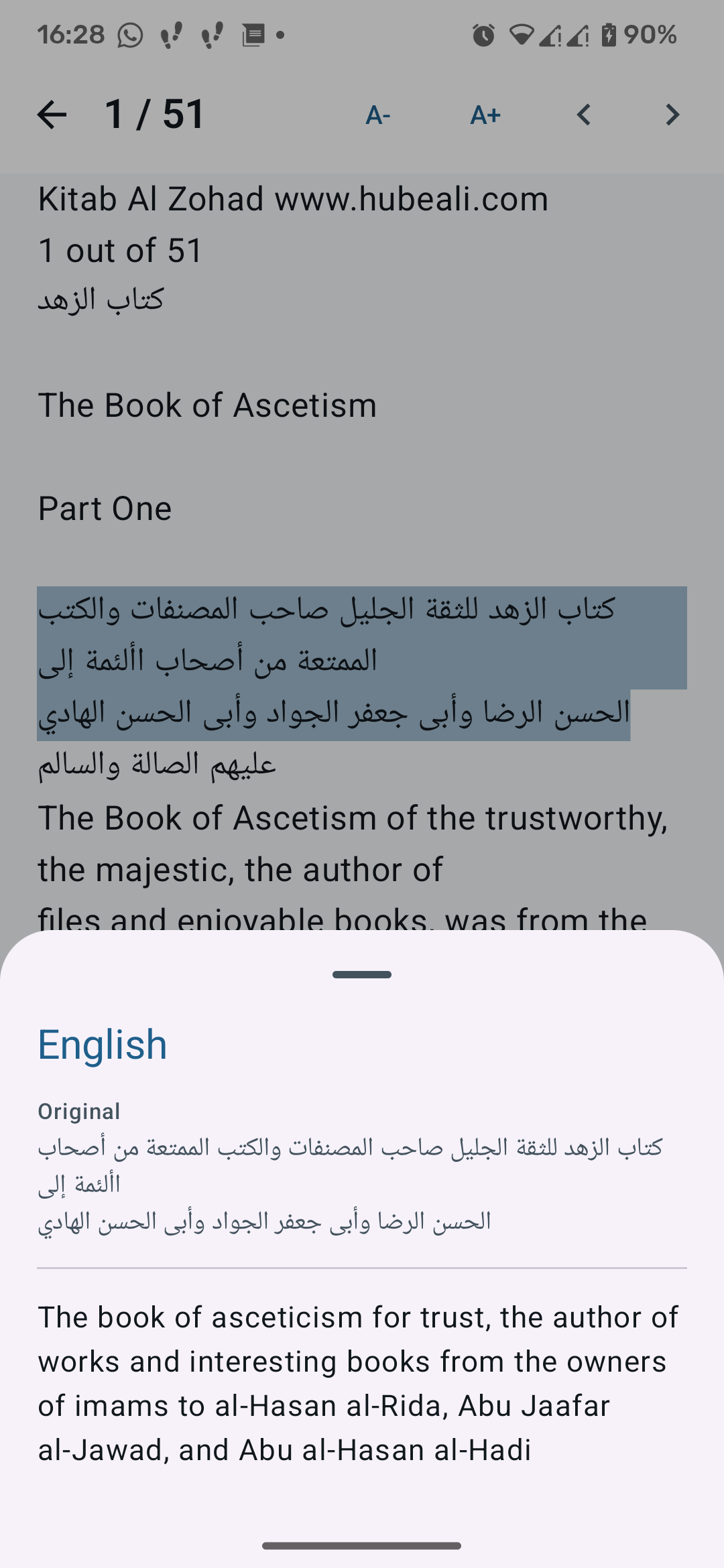
Tap "Translate" and read it in your own language
What you get
PDF, EPUB, DOCX, ODT, FB2, HTML and plain text files
Web reader: open a link, or share it from your browser, and read only the article text, without menus, ads or pictures. Pages you read stay available offline
Text shared from any app opens straight in the reader
Offline translation on your phone with Mozilla's Firefox Translations models: download the languages you need, nothing leaves the device
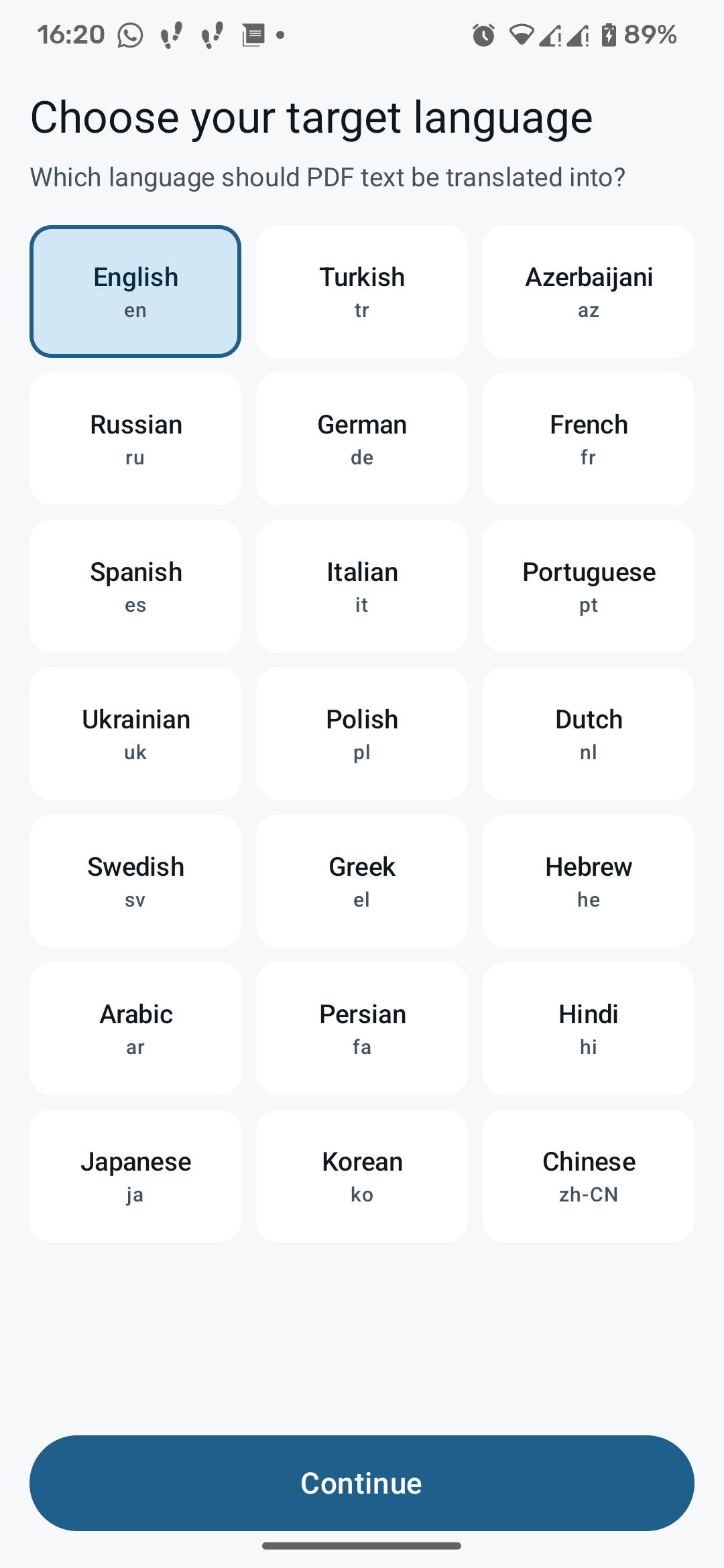
21 languages, including English, Turkish, Azerbaijani, Russian, German, Spanish, Arabic, Chinese and Japanese. You pick both the language of the text and the language to translate into
Adjustable text size and a dark theme, no account, no ads, no tracking
Recent files and pages that remember where you stopped
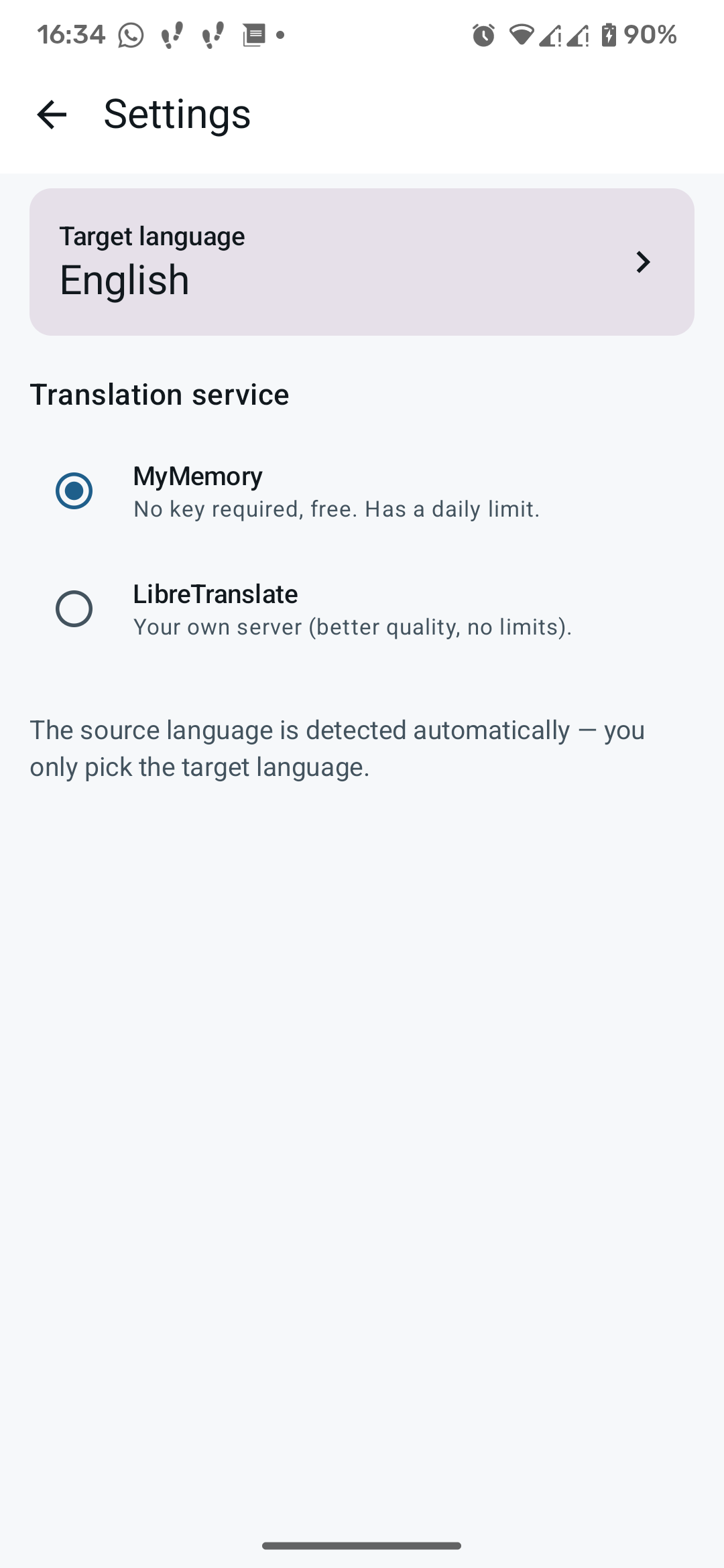
Three translation backends: offline (on device), MyMemory (an online service, free, no API key, daily limit) or LibreTranslate (your own server, no limits). Online services can fall back to downloaded languages when there is no connection
Privacy
Oxu has no analytics. Reading works entirely offline. Network requests are
only made for what you ask for: the translation of the text you selected (sent to
the online service you chose in Settings, or nowhere with offline translation),
downloading the offline language list and models from Mozilla, and loading a web
page you opened.
Requirements
Android 8.0 (API 26) or newer. Scanned or image-only PDFs contain no text to
extract, so they are not supported.
Screenshots
What’s new
Much smaller download: each phone now gets an APK with only the translation engine it can run (about 11 MB instead of 30 MB)
Removed unused encryption tables from the PDF library
How to install
Download the APK from the button at the top of this page.
Allow “Install unknown apps” for your browser or file manager only, not for every app.
Open the downloaded file and confirm the installation.
If installation fails with “App not installed,” remove an earlier build of the same app first. A signature conflict is the usual cause.
Data safety
Every file is checked against its published SHA-256 before it is listed.
Files are scanned for malware on every update.
The permissions each app requests are listed on its own page.
Read the full safety policy for how we test, flag, and delist files.
Frequently asked questions
What is Oxu?
Read PDFs and translate any text you select, instantly
Who develops Oxu?
Oxu is developed by Prestgg1.
Which Android version does Oxu require?
Oxu requires Android API 26 or later.
What is the current version of Oxu?
The synchronized F-Droid version is 1.0.1.
Which license does Oxu use?
The signed F-Droid metadata lists GPL-3.0-or-later.