A campus assistant app for Sichuan University students
Bugaoshan is a free and open-source campus assistant app designed for Sichuan University (SCU) students. It aggregates essential campus services into one convenient platform.
Key features:
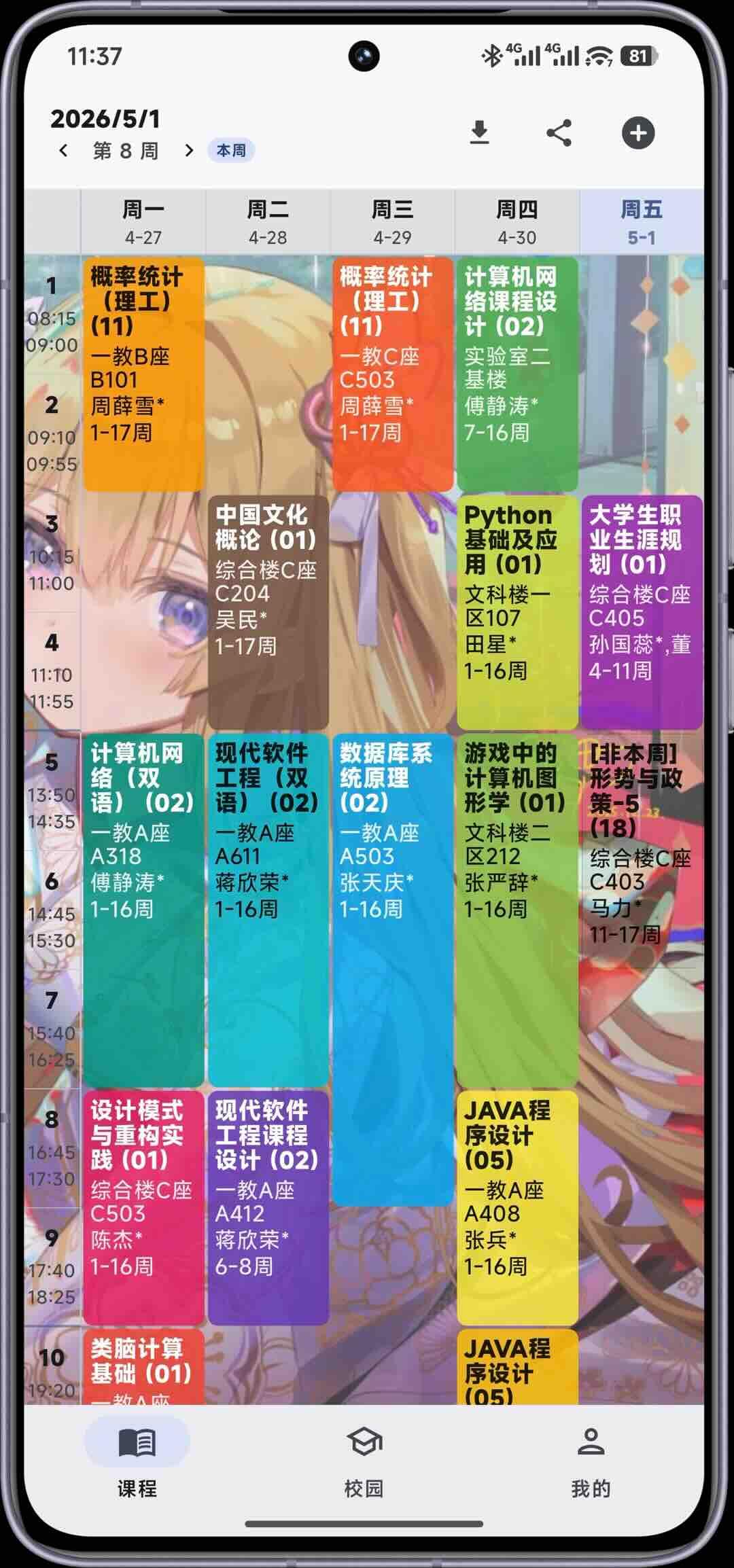
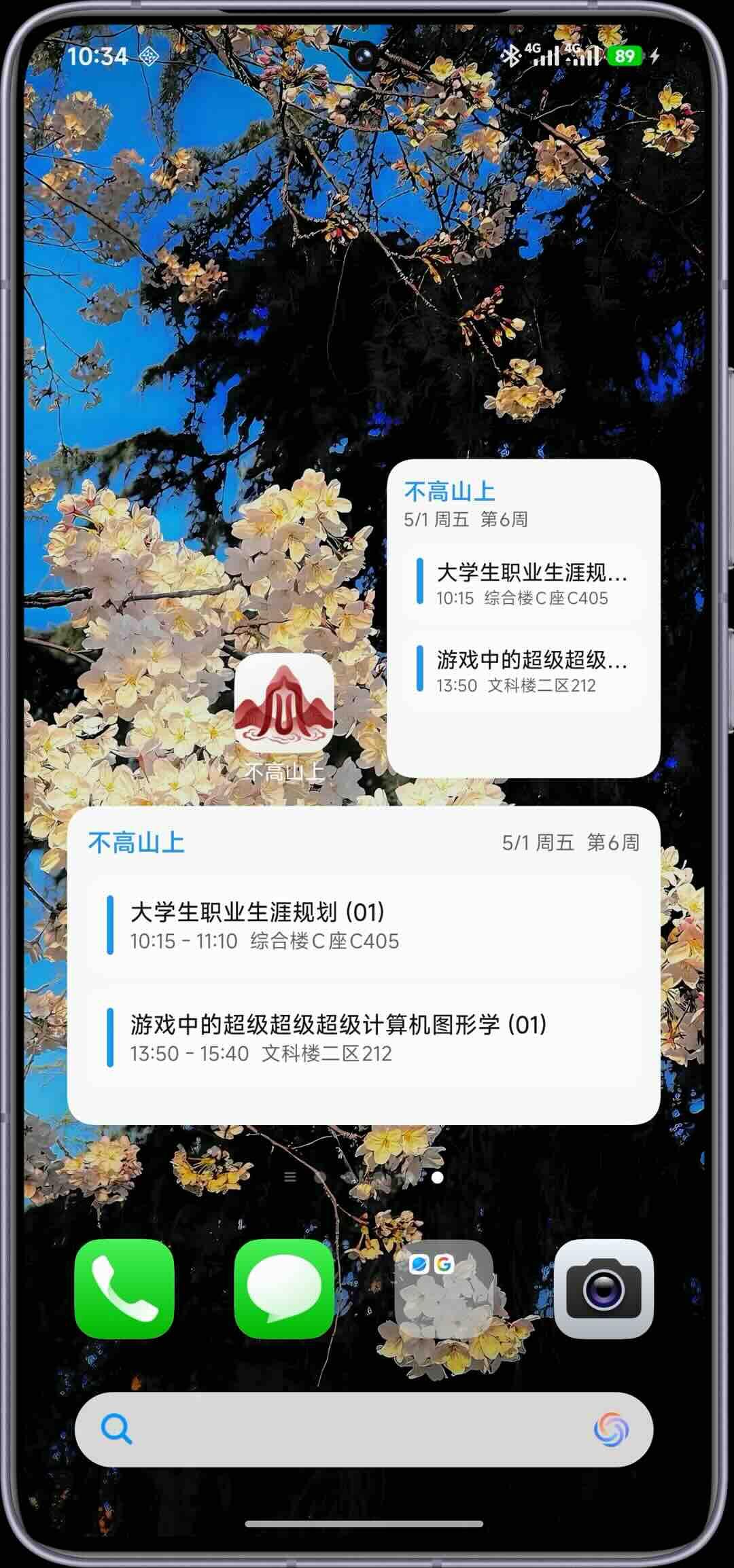
• Course schedule management — Import your timetable from the academic affairs office, view daily schedules, and use the home screen widget for quick access
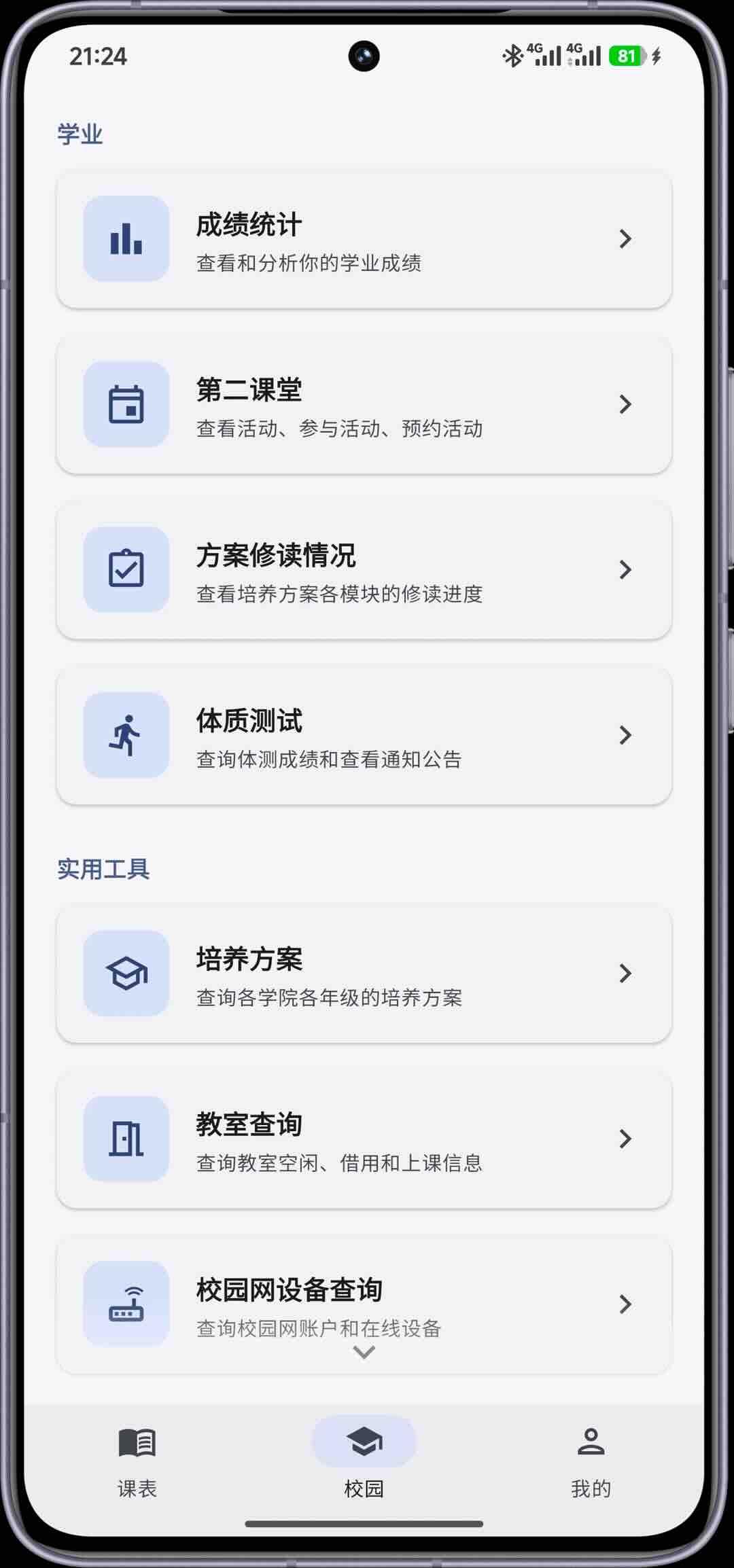
• Grade tracking — View grades, analyze pass rates, and track academic progress
• Exam schedule — Check upcoming exam dates and arrangements
• Physical fitness test records — View your fitness test results
• Classroom availability — Find empty classrooms across campus in real time
• Balance inquiry — Check campus card balance, network fees, dormitory electricity, and air conditioning balances with historical trend analysis
• Academic calendar — View the university calendar and holiday schedules
• Second classroom activities — Browse and register for extracurricular activities
• Training program inquiry — View training plans for different grades and colleges
• Campus network device management — View and manage online devices on your account
• Notice board — Access announcements from the academic affairs office, student affairs department, and more
• Volunteer platform — Query and register for volunteer activities
• Personalization — Customize themes, course table styles, fonts, app icons, and animation duration
Bugaoshan is built with Flutter and is licensed under AGPL-3.0. No proprietary services (Firebase, GMS, etc.) are used. All data is fetched directly from official SCU services — no third-party tracking or analytics.
Screenshots
What’s new
- iOS 26 and later support the native Liquid Glass bottom navigation, switches and some action buttons; the schedule, campus and profile content can scroll behind the bottom bar, while older systems and other platforms keep the previous interface - Added graduate student schedule import: after completing the unified identity sign-in you can pull the graduate schedule directly, adjacent periods are merged into consecutive classes, single/odd-even weeks and week ranges are supported; if the direct
How to install
Download the APK from the button at the top of this page.
Allow “Install unknown apps” for your browser or file manager only, not for every app.
Open the downloaded file and confirm the installation.
If installation fails with “App not installed,” remove an earlier build of the same app first. A signature conflict is the usual cause.
Data safety
Every file is checked against its published SHA-256 before it is listed.
Files are scanned for malware on every update.
The permissions each app requests are listed on its own page.
Read the full safety policy for how we test, flag, and delist files.
Frequently asked questions
What is Bugaoshan?
A campus assistant app for Sichuan University students