What’s new
The speech library no longer holds the version line of the compiler, so the F-Droid build is the same as the signed APK on GitHub. Nothing else changes.
Updated Oct 28, 2026
Line an audiobook up with its ebook: subtitles and video, made on your device.
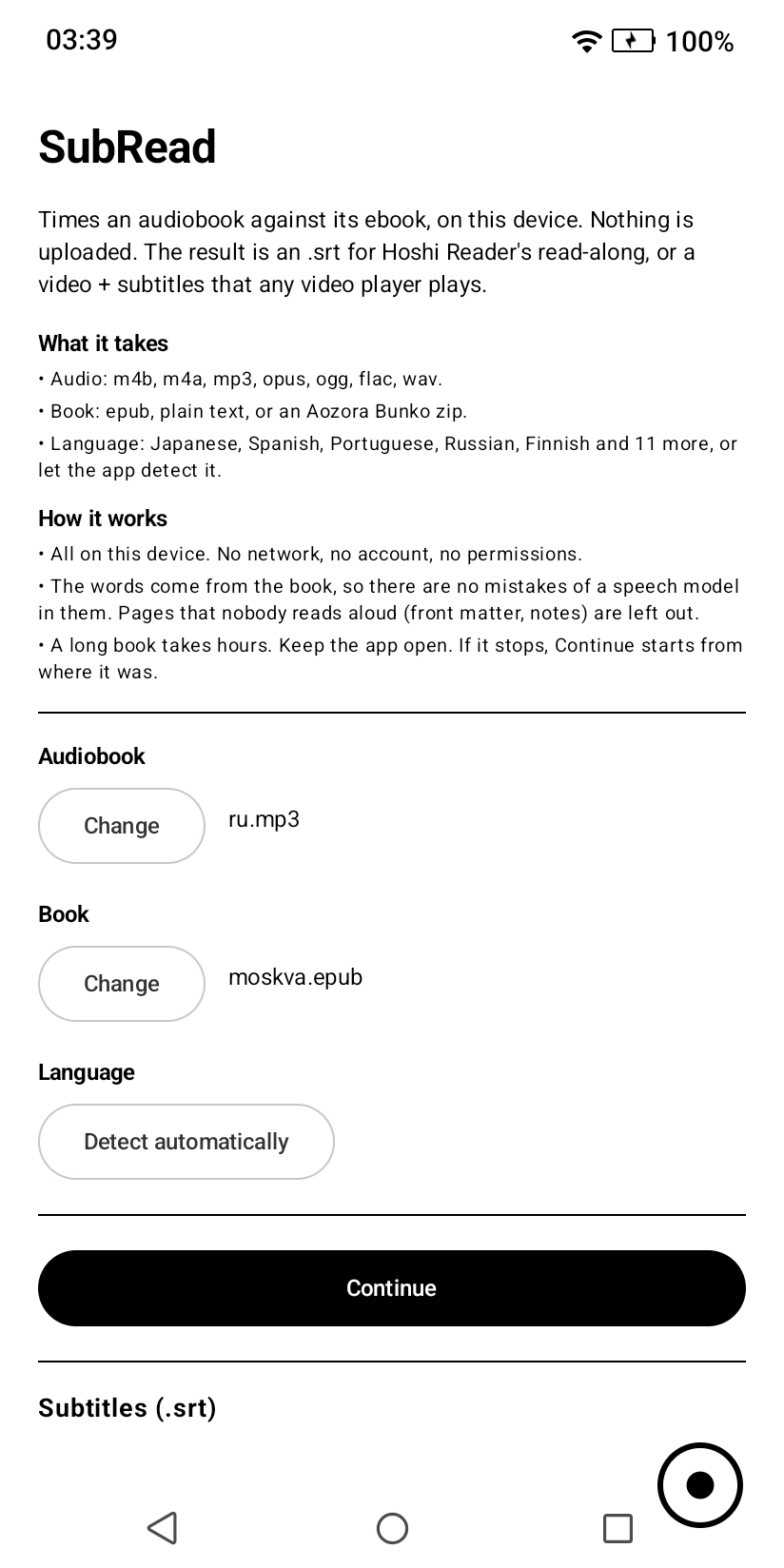
SubRead lines an audiobook up with its ebook, sentence by sentence, and gives you subtitles with the time of each line. Read along while you listen: for language learners, and for anyone who wants text and voice together.
The words come from your book, not from a speech model. A small model only listens for where the narrator is; the text of each line is the book's own. Names, spelling and punctuation stay right.
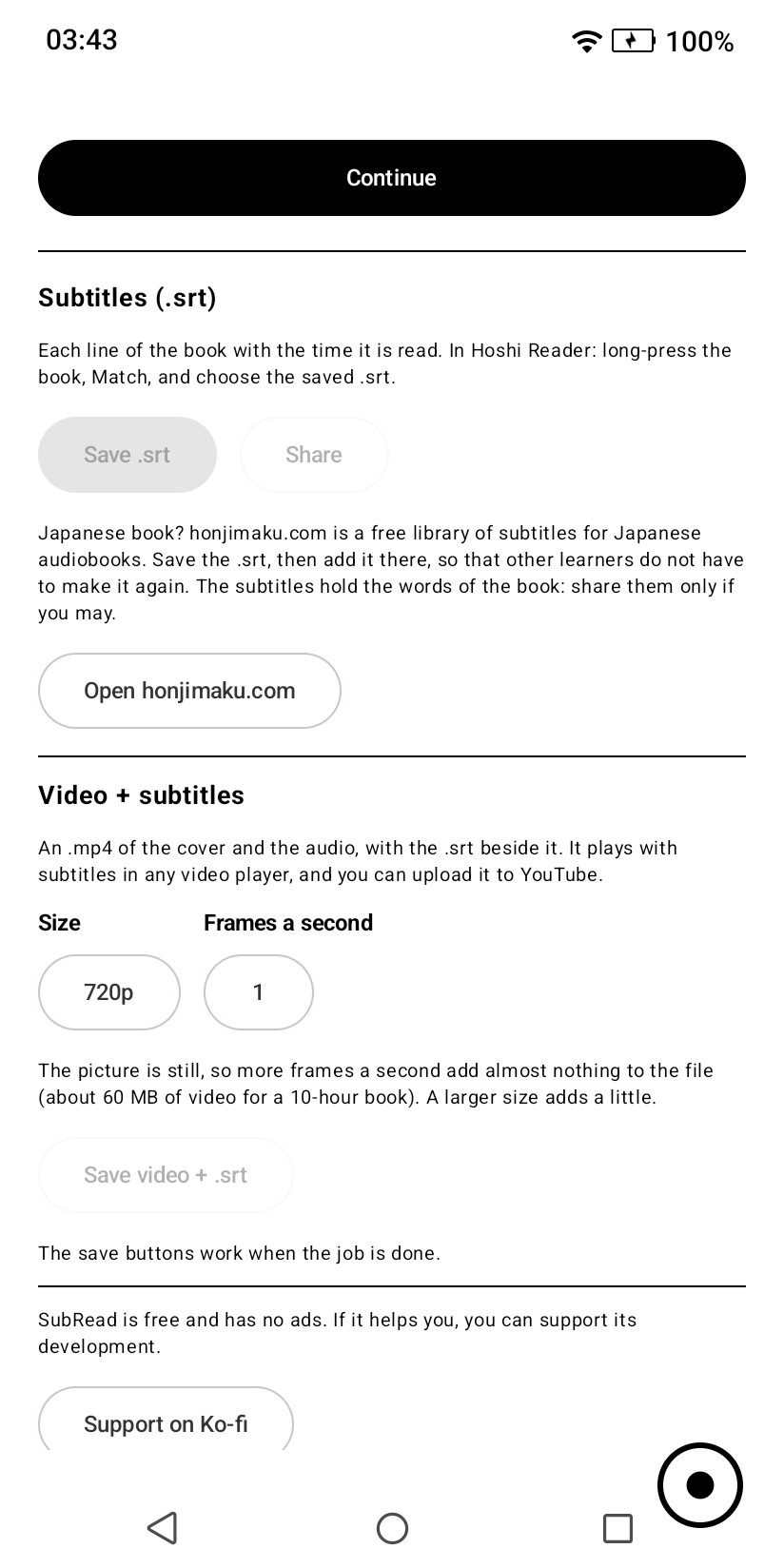
WHAT IT MAKES • Subtitles (.srt) - each line of the book with the time it is read. Made for Hoshi Reader's read-along, and they work in any player. • Video + subtitles - an .mp4 of the book's cover over the audio, with the .srt beside it. It plays with subtitles in any video player, and you can upload it to YouTube. 720p and larger, 1 to 60 frames a second. The picture is still, so the video adds only about 60 MB to a 10-hour book.
WHAT IT TAKES • Audio: m4b, m4a, mp3, opus, ogg, flac, wav • Book: epub, plain text, Aozora Bunko zip • Languages: Japanese, Spanish, Portuguese, Russian, Finnish, English, German, French, Italian, Chinese, Korean and more, or automatic detection
PRIVATE, AND YOURS • All of the work is done on your device. Nothing is uploaded. • No account, no ads, no tracking. The app asks for no permissions and does not use the network. • Free, and open source (AGPL-3.0): https://github.com/equwal/subread-android
GOOD TO KNOW • A long book takes hours: about a third of the length of the audio on a mid-range device. Keep the app open while it works. If it is interrupted, Continue starts from where it was. • Pages that nobody reads aloud (front matter, notes) are left out by themselves. • The app needs a 64-bit ARM processor from about 2018 or later (ARMv8.2). • You need the audiobook and the ebook of the same text. A different edition or translation gives poor results; the app tells you how much of the book it found.
In a hurry, or on an old phone? The same conversion runs in a browser at https://subread.space
The speech library no longer holds the version line of the compiler, so the F-Droid build is the same as the signed APK on GitHub. Nothing else changes.
Recent approved comments · sorted by newest
View all comments