Sets NASA's Astronomy Picture of the Day as your wallpaper, every day
APODroid sets NASA's Astronomy Picture of the Day (APOD) as your wallpaper. A new picture comes out every day, and the app picks it up on its own.
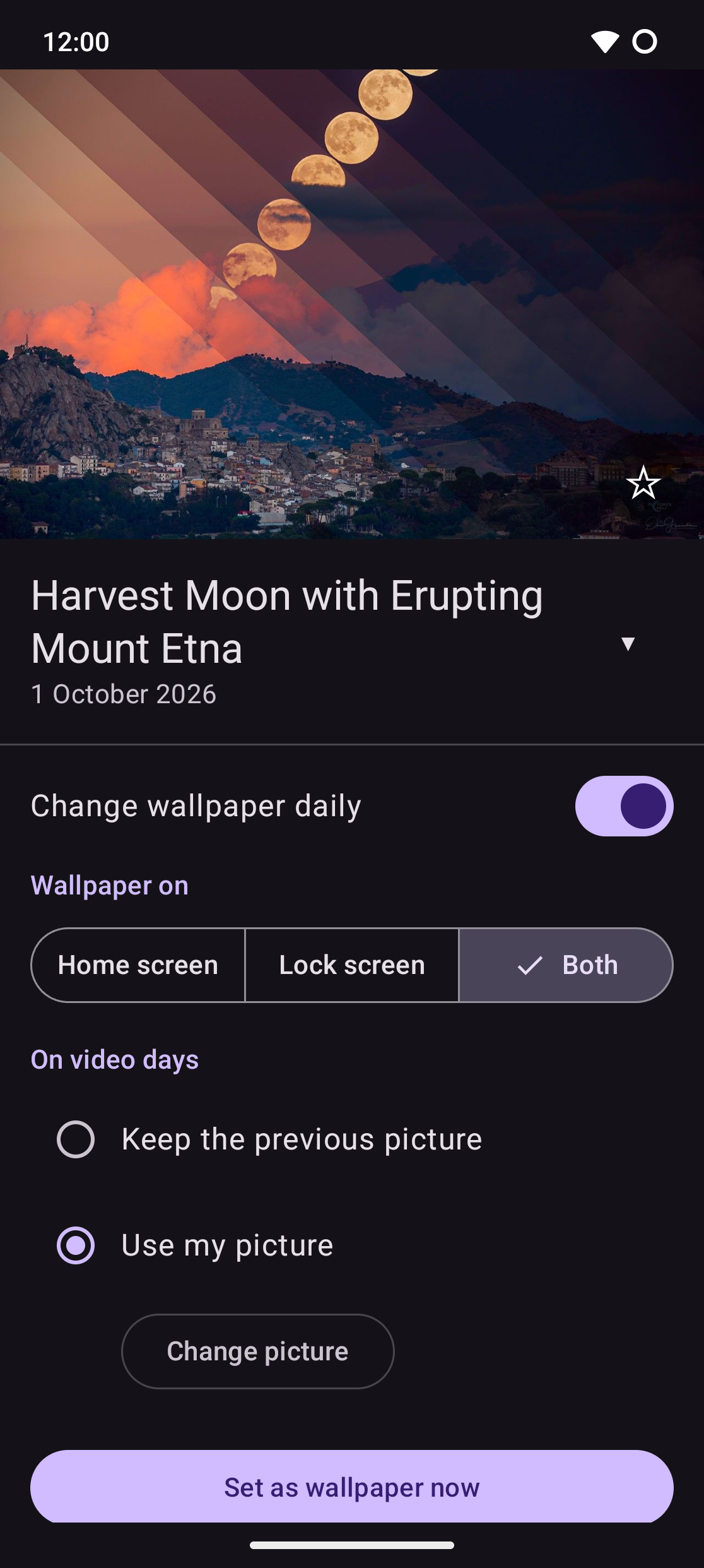
The app is one page: today's picture with its title and date. Tap the picture to open it on NASA's website, or tap the star to save it to your gallery. Tap the title to read the astronomer's explanation.
Settings:
Change wallpaper daily: checks for the new picture a few times a day, only when there is a network.
Where: home screen, lock screen, or both.
Video days: some days APOD is a video. Keep the previous wallpaper, or use a picture of your own.
Set as wallpaper now.
If Android would pause the app because you don't open it, a hint under the switch names the settings in App info that prevent it.
Privacy: no account, no ads, no tracking. The app talks only to science.nasa.gov. Permissions: internet access, setting the wallpaper, network state and starting after a reboot (both for the daily update). Saving to the gallery needs no permission.
APODroid is not made by or affiliated with NASA.
Screenshots
What’s new
- The hint about Android pausing the app now spells out where each setting is in App info
How to install
Download the APK from the button at the top of this page.
Allow “Install unknown apps” for your browser or file manager only, not for every app.
Open the downloaded file and confirm the installation.
If installation fails with “App not installed,” remove an earlier build of the same app first. A signature conflict is the usual cause.
Data safety
Every file is checked against its published SHA-256 before it is listed.
Files are scanned for malware on every update.
The permissions each app requests are listed on its own page.
Read the full safety policy for how we test, flag, and delist files.
Frequently asked questions
What is APODroid?
Sets NASA's Astronomy Picture of the Day as your wallpaper, every day