DailyBeat icon

DailyBeat

sampathmannam
Writing Maps & Navigation
Version
4.3.9
Size
44.2 MB
Requires
Android API 26+
4.7 / 5 · 7,191 ratings 43,005 downloads

Updated Oct 19, 2026

Quick answer

Keep a local journal of your journeys, places and notes

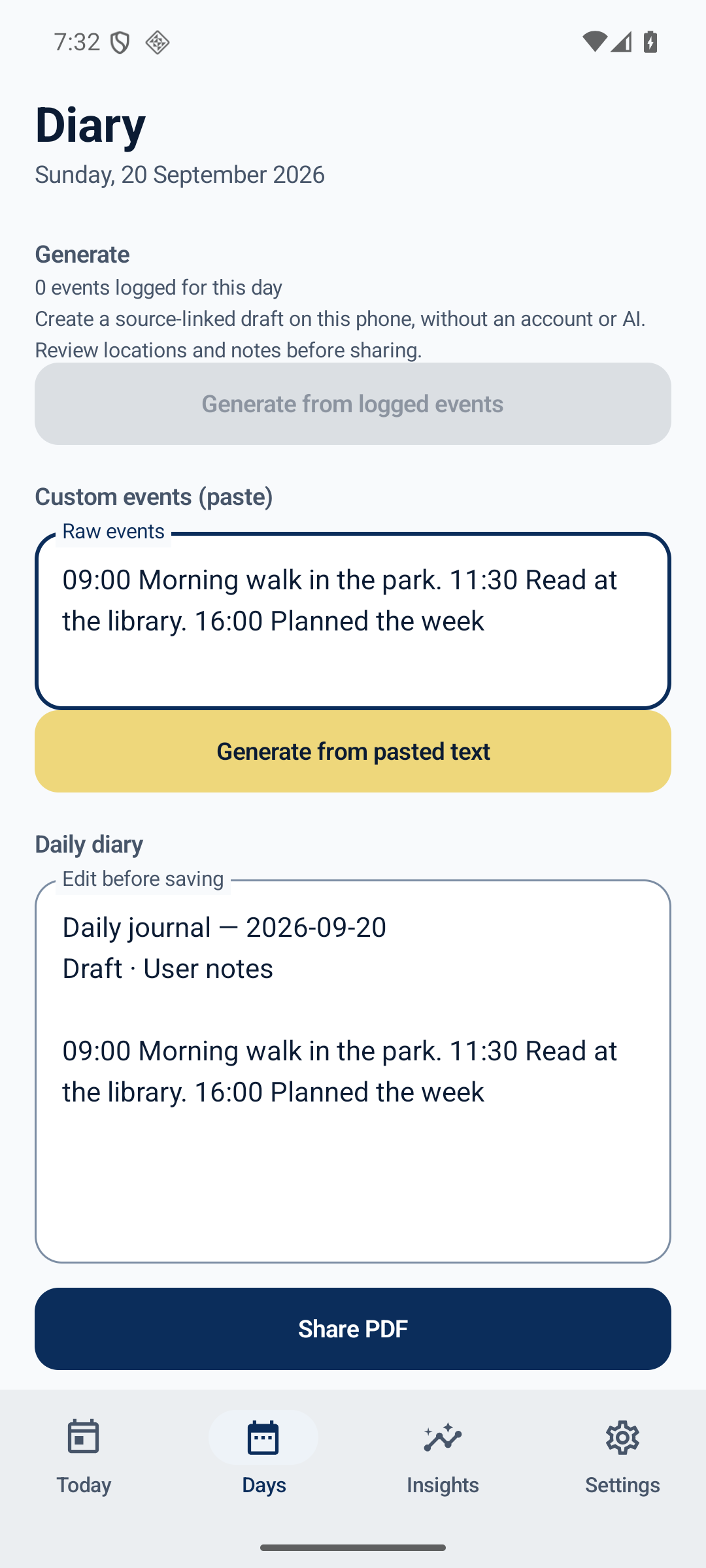
DailyBeat helps you remember your day with a journal stored on your Android phone. Capture journeys when you choose, add notes, review visits and turn your records into an editable daily draft. No account or cloud AI is required.

  • Personal, Field work and Police writing templates.
  • Optional background journey capture using Android location APIs, without Google Play Services.
  • Search notes, diaries and recorded places; name or hide stops and define private zones.
  • Create local drafts, review changes and preview PDF or weekly ZIP exports before sharing.
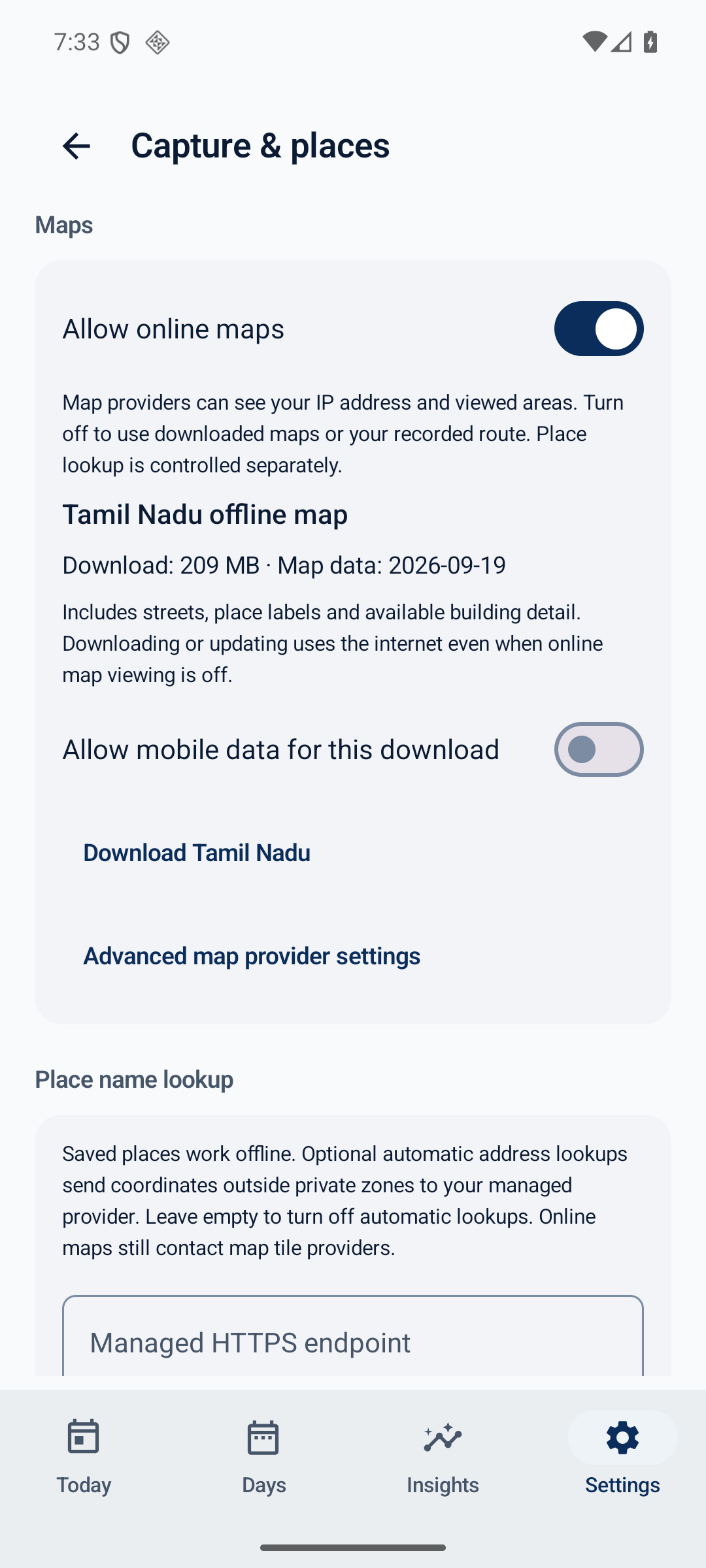
  • View routes with MapLibre and OpenStreetMap data. Download a separate Tamil Nadu street map for offline viewing, including local fonts and labels.
  • Pause and resume verified map downloads; use Wi-Fi by default and explicitly allow mobile data when needed.
  • Choose local retention, delete records, and use light or dark mode.

Online maps are enabled by default. Map providers can see your IP address and requested areas. Turn off Allow online maps under Settings, Capture & Places to use downloaded maps or a route-only preview. Manual Tamil Nadu downloads use GitHub even when online map viewing is off. Address lookup is separate and stays off unless configured.

Cloud drafting is optional and off by default. It sends selected journal text to the provider you configure; presets include proprietary services and a compatible endpoint can be used. Private zones and hidden stops filter outgoing sources, but you should review the sharing preview yourself. Device speech recognition may use a network service.

The F-Droid build contains no Google Play Services, advertising SDK or analytics SDK. It does not include the developer's managed cloud-backup configuration. Its Android location backend does not use Google's activity-transition sleep mechanism, so battery usage can differ from the Google-backed build.

Requires Android 8 or newer. Background capture depends on permissions and device power settings. DailyBeat is not an attendance verifier, navigation system, emergency tool or evidence-custody system. Tamil Nadu offline maps provide basemaps, not offline address search or turn-by-turn navigation.

Screenshots

DailyBeat screenshot 1
DailyBeat screenshot 2

What’s new

GPS capture detects stalled providers and retries when usable points stop arriving.
Recovery uses a short high-accuracy attempt with a cooldown, while respecting privacy pauses and GPS-off settings.
A private local diagnostic reports gaps across saved days without coordinates or diary text.
Offline town lookup allocates less memory. Existing history stays intact; missing route points cannot be reconstructed.

How to install

  1. Download the APK from the button at the top of this page.
  2. Allow “Install unknown apps” for your browser or file manager only, not for every app.
  3. Open the downloaded file and confirm the installation.
  4. If installation fails with “App not installed,” remove an earlier build of the same app first. A signature conflict is the usual cause.

Data safety

  • Every file is checked against its published SHA-256 before it is listed.
  • Files are scanned for malware on every update.
  • The permissions each app requests are listed on its own page.
  • Read the full safety policy for how we test, flag, and delist files.

Frequently asked questions

What is DailyBeat?
Keep a local journal of your journeys, places and notes
Who develops DailyBeat?
DailyBeat is developed by sampathmannam.
Which Android version does DailyBeat require?
DailyBeat requires Android API 26 or later.
What is the current version of DailyBeat?
The synchronized F-Droid version is 4.3.9.
Which license does DailyBeat use?
The signed F-Droid metadata lists GPL-3.0-only.
Where is the source code for DailyBeat?
https://github.com/sampathmannam/dailybeat

Comments

Recent approved comments · sorted by newest

Verification code
Be specific and keep it about the app. No links. Comments are reviewed before publication. Device and Android details are recorded automatically. Privacy policy.

Loading recent comments...

View all comments