Adds Pinyin or Cantonese etc to websites and EPUBs
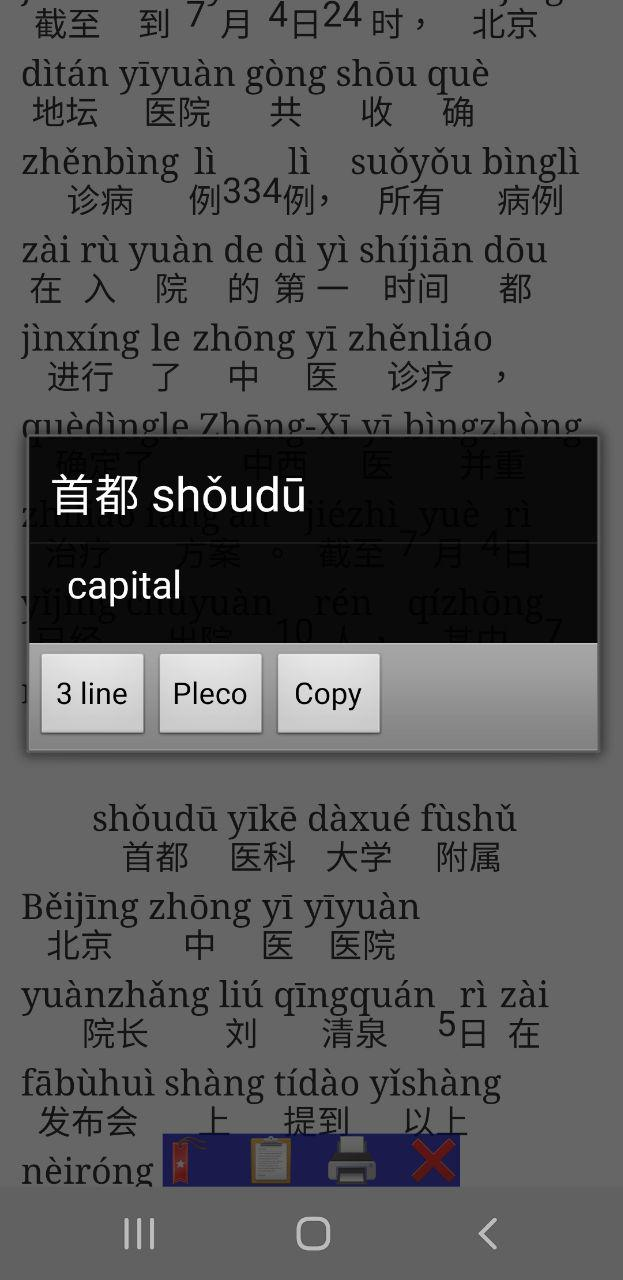
This browser app adds Mandarin Pinyin, or Cantonese, Teochew or Wenzhou pronunciation guides, to any Chinese website or EPUB file or to the clipboard, to help people who are learning Chinese to read articles. You can also tap on any word to see an English translation of that word. Changing the website's layout to add Pinyin is not perfect (some websites work better than others), but it still works a lot of the time. For privacy, this app does NOT use any third-party server to fetch or process your text: pinyin is added by your device only. This also means you must be able to fetch the article via your own network connection, or provide the text yourself, before this app can show it. Can integrate with Pleco or Hanping. Has 3lines mode (if you must), Bookmarks, Highlighting and PDF export, Change text size across all pages, Dark mode. Lightweight and some features work on very old devices too.
Screenshots
What’s new
The Max Planck Institute for Security and Privacy's Chaos study found a fault in the desktop extension that also affected Android: if a site mixes Chinese text with escaped IMG onError= Javascript, it was run by the app when escaping was supposed to stop it. A bad social-media user could steal your session cookies for the site, if the site was relying on escaping to stop code in a message from running and you used the annotator to look at that message. This has now been fixed.
How to install
Download the APK from the button at the top of this page.
Allow “Install unknown apps” for your browser or file manager only, not for every app.
Open the downloaded file and confirm the installation.
If installation fails with “App not installed,” remove an earlier build of the same app first. A signature conflict is the usual cause.
Data safety
Every file is checked against its published SHA-256 before it is listed.
Files are scanned for malware on every update.
The permissions each app requests are listed on its own page.
Read the full safety policy for how we test, flag, and delist files.
Frequently asked questions
What is Pinyin Web & EPUB and topolects?
Adds Pinyin or Cantonese etc to websites and EPUBs
Who develops Pinyin Web & EPUB and topolects?
Pinyin Web & EPUB and topolects is developed by Silas S. Brown.
Which Android version does Pinyin Web & EPUB and topolects require?
Pinyin Web & EPUB and topolects requires Android API 1 or later.
What is the current version of Pinyin Web & EPUB and topolects?
The synchronized F-Droid version is 2.12.74.
Which license does Pinyin Web & EPUB and topolects use?
The signed F-Droid metadata lists Apache-2.0.
Where is the source code for Pinyin Web & EPUB and topolects?