AndCode icon

AndCode

Yu-ga
Internet
Version
1.2.29
Size
11.8 MB
Requires
Android API 26+
4.7 / 5 · 7,297 ratings 48,043 downloads

Updated Nov 19, 2026

Quick answer

Run AI coding agents on Android through a native GUI, no terminal needed

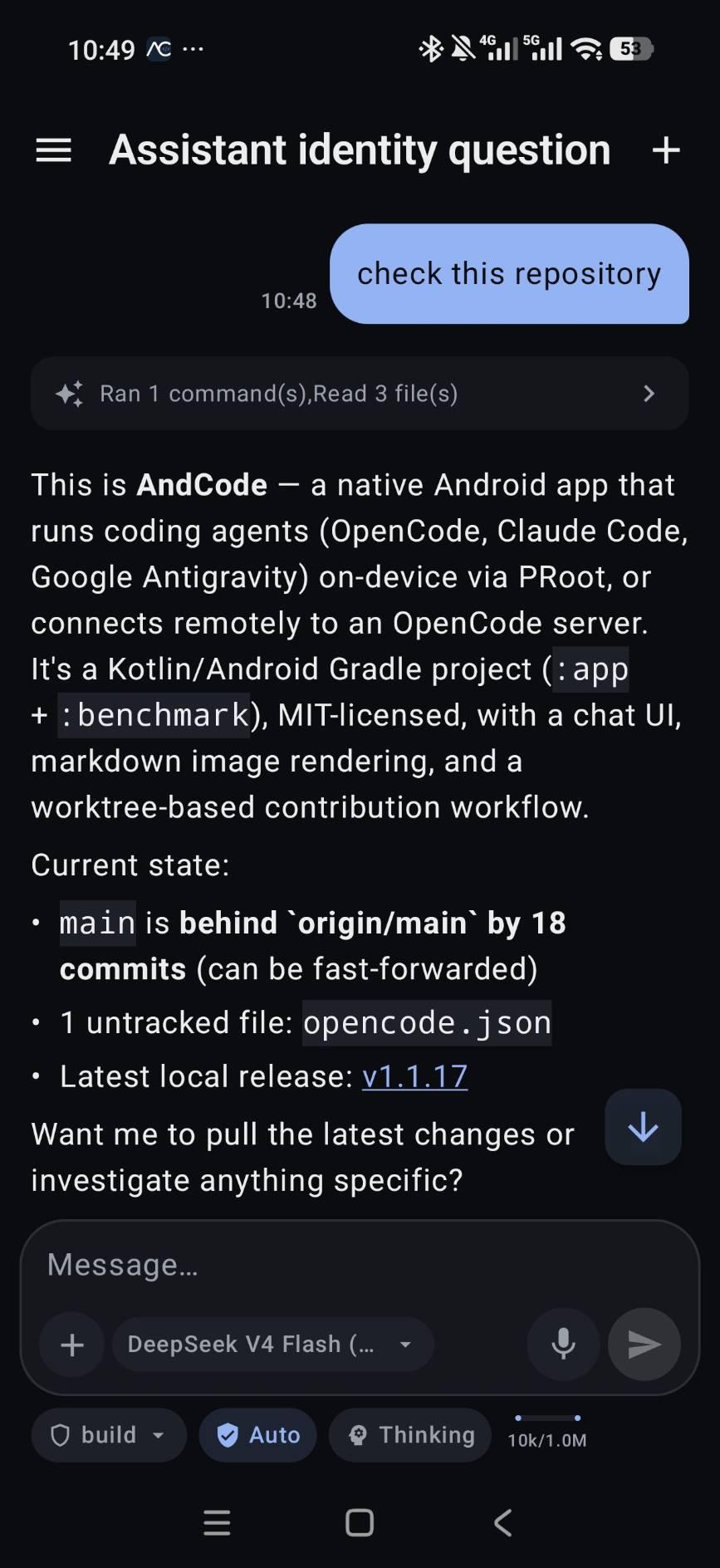
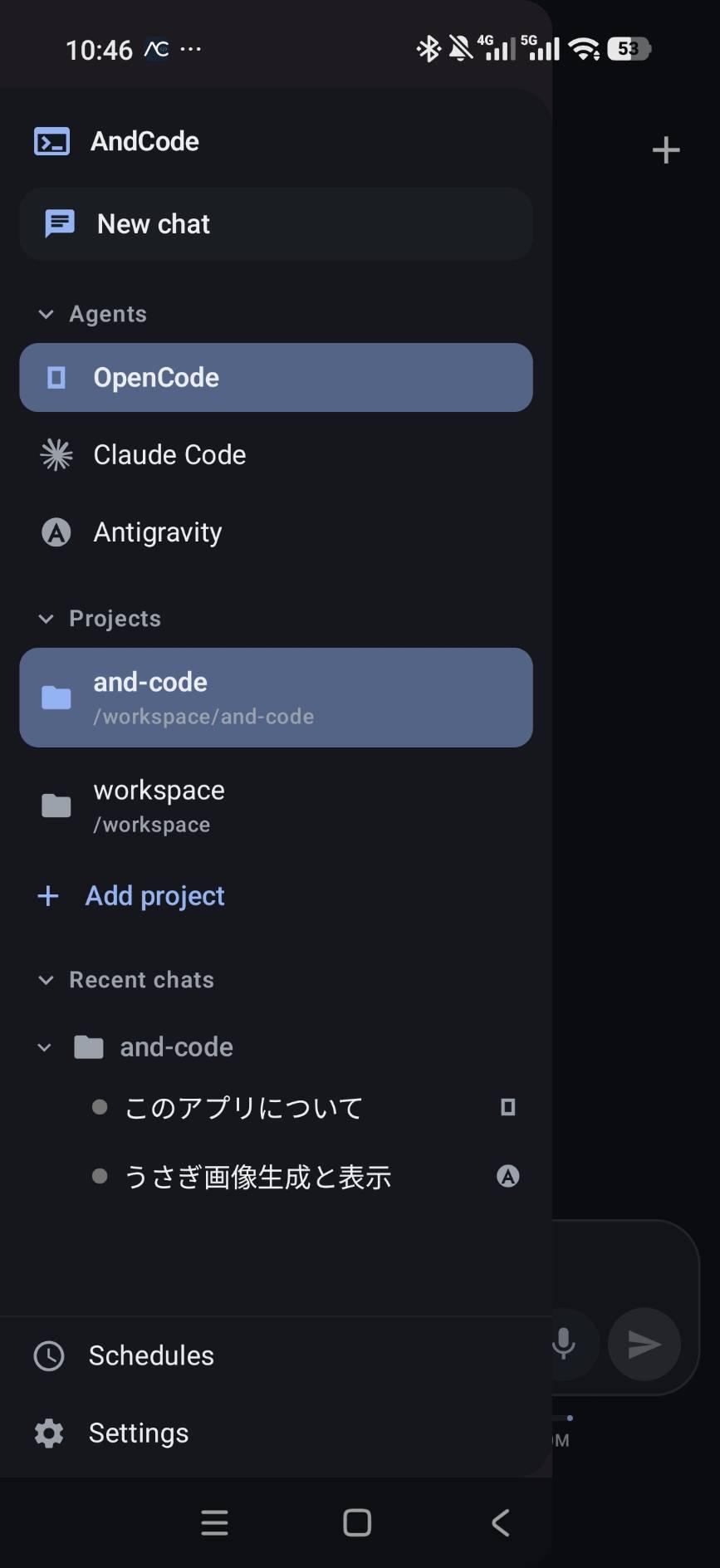
AndCode is a native Android GUI for AI coding agents. Chat with OpenCode, Claude Code and Google Antigravity through a touch-first interface, with no terminal, no SSH and no PC required for on-device use.

The agents run on your own device inside a Linux environment set up through PRoot, or you can connect to an OpenCode server on your PC, Mac or Linux machine.

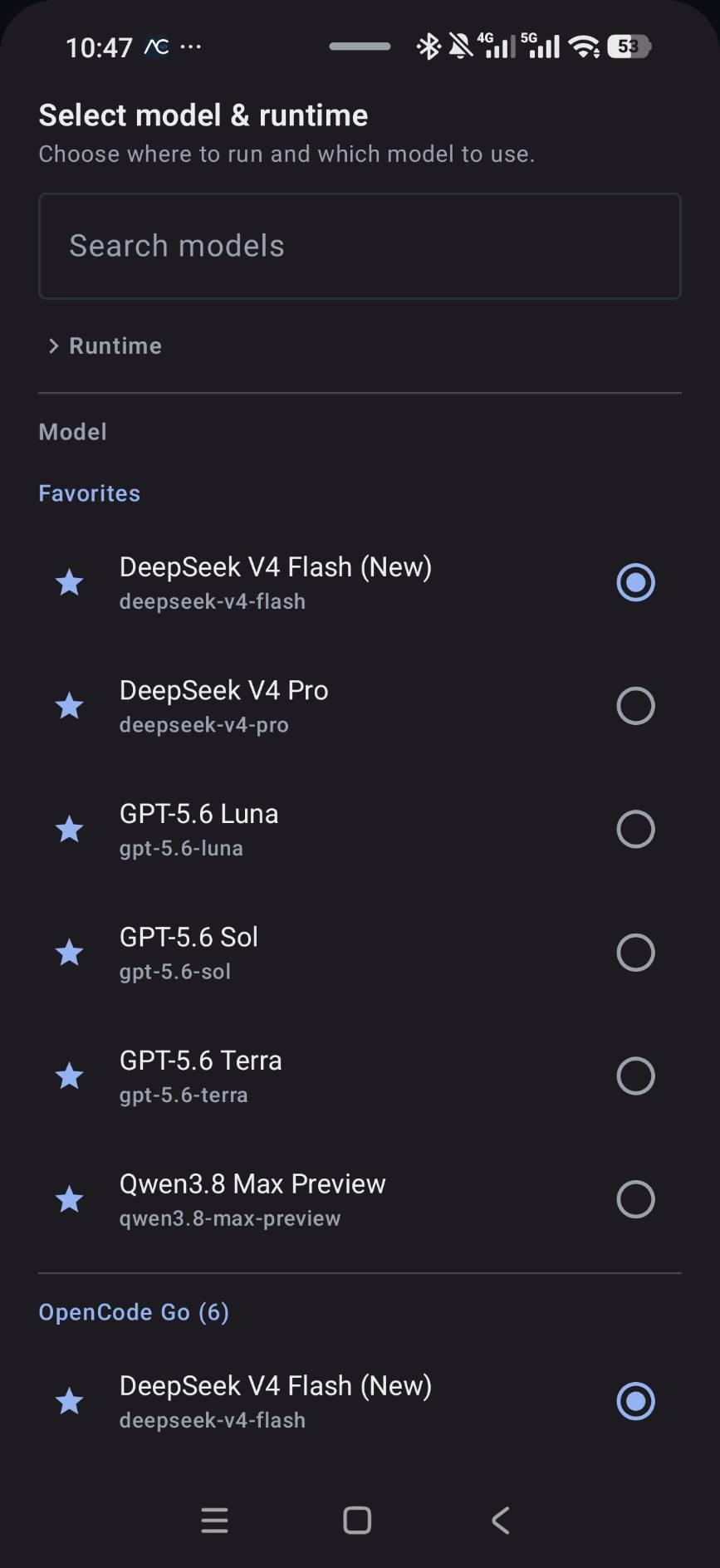
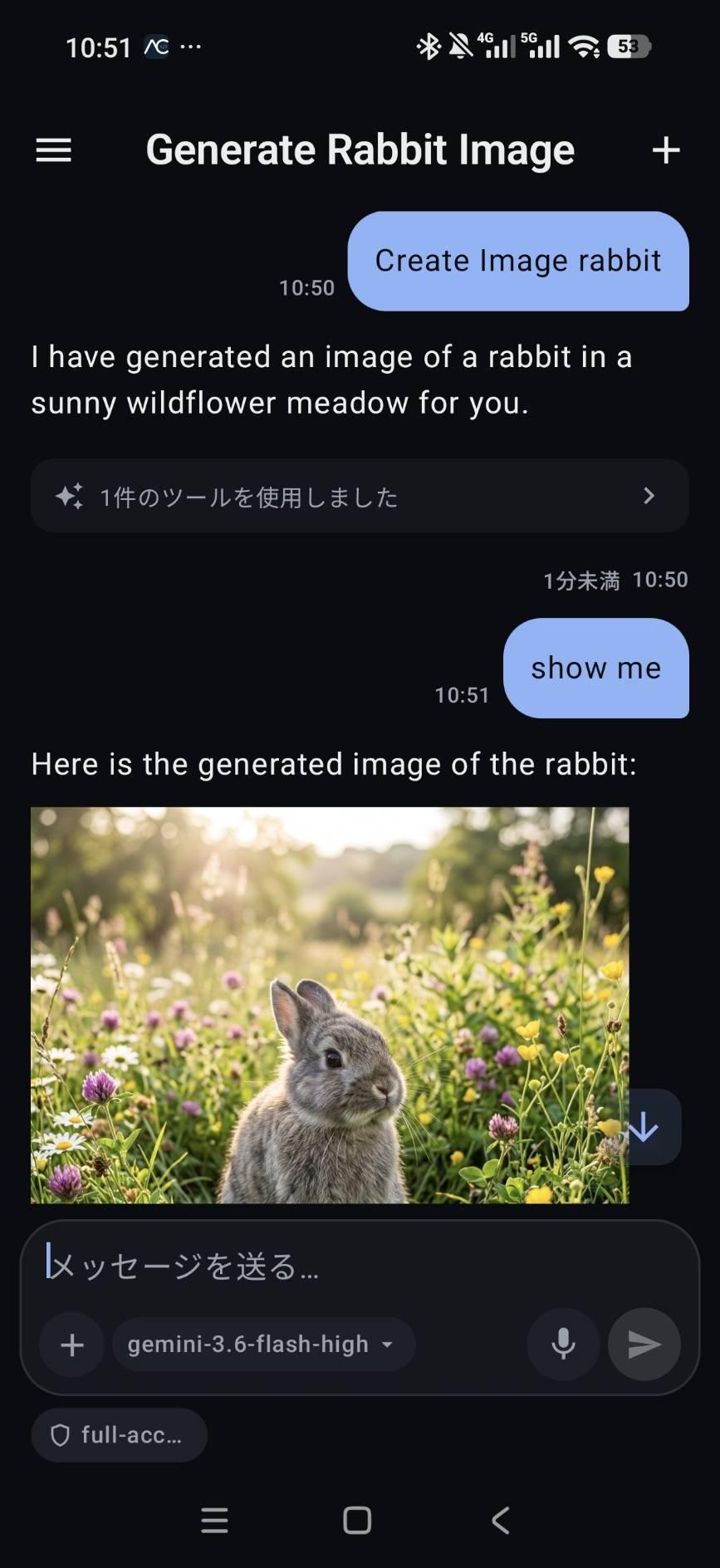
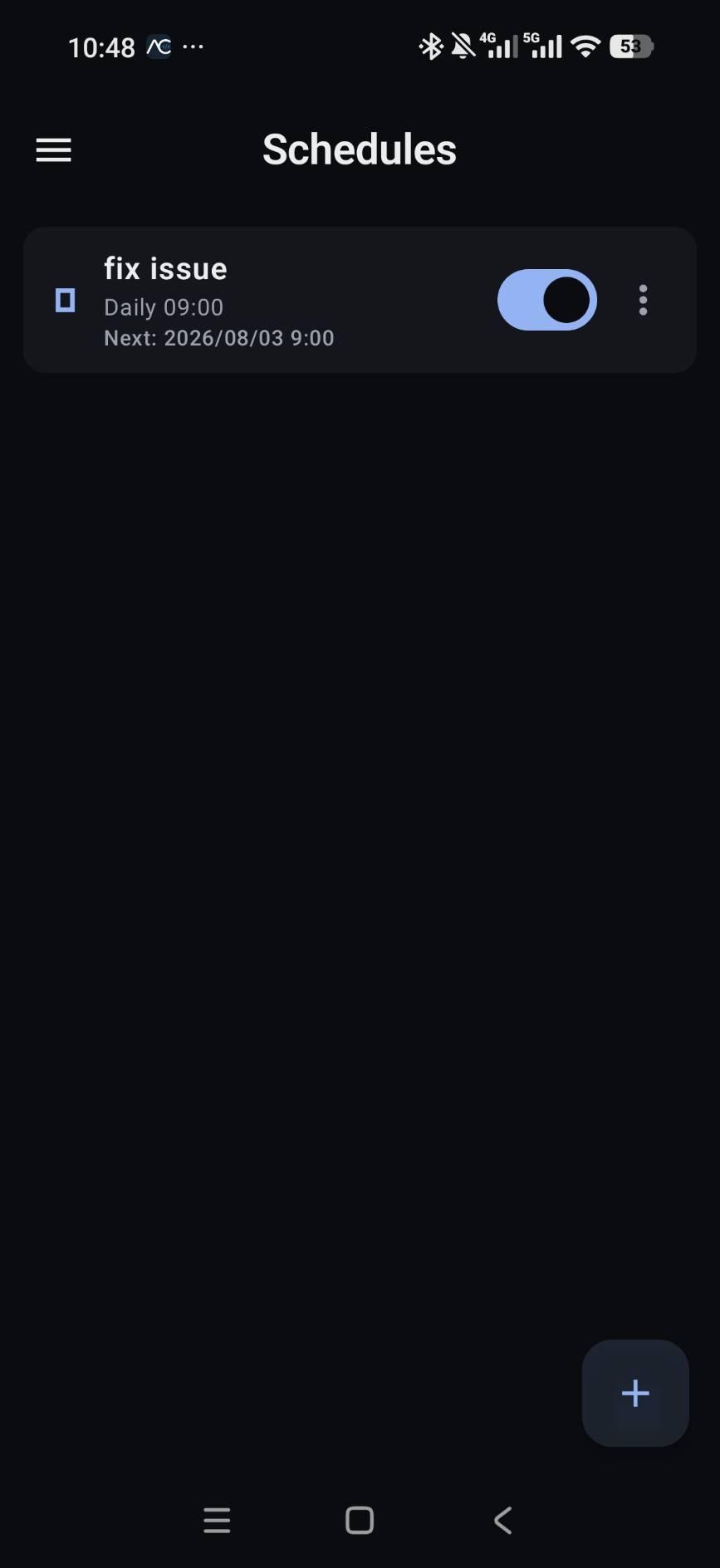
Features • Native GUI for coding agents, no CLI needed for day-to-day use • On-device runtime with Alpine Linux, Git, bash, curl and ripgrep • Open git repositories, browse the file tree and view files with syntax highlighting • Review diffs before accepting changes • Approve or reject dangerous tool operations • Create, resume, rename and delete sessions • Scheduled tasks: run prompts once or on a cron schedule, with run history • Live models, providers and agents from your connected agent • Real-time streaming with collapsible reasoning, tool calls and command output • Voice input with wake word detection, and text-to-speech • Digital assistant and home screen widget • Remote OpenCode over LAN or Tailscale, with mDNS and QR code discovery • Connection credentials encrypted with the Android Keystore • Localized in English, Japanese, Chinese (Simplified), Russian, Spanish, French, Portuguese (Brazil) and Arabic

Supported architectures: arm64-v8a and x86_64.

AndCode is an independent open-source project. It does not provide the underlying AI services, subscriptions or model access, and it is not affiliated with OpenCode, Anthropic or Google. Authentication and inference are handled by the official CLI or the provider you configure.
Screenshots

AndCode screenshot 1
AndCode screenshot 2
AndCode screenshot 3
AndCode screenshot 4
AndCode screenshot 5
AndCode screenshot 6

What’s new

- Copy button on code blocks copies just the command or snippet.
- Terminal lists dev servers started in the shell; tap a chip to open it in the in-app browser.
- Guest browser explains when the system WebView cannot start instead of crashing.
- Code viewer shows very long (minified) lines unstyled instead of freezing; search still works.
- Fixes: launch crash on unusable Keystore, local-runtime start freeze, missed foreground-service starts, OOM on large images.

How to install

  1. Download the APK from the button at the top of this page.
  2. Allow “Install unknown apps” for your browser or file manager only, not for every app.
  3. Open the downloaded file and confirm the installation.
  4. If installation fails with “App not installed,” remove an earlier build of the same app first. A signature conflict is the usual cause.

Data safety

  • Every file is checked against its published SHA-256 before it is listed.
  • Files are scanned for malware on every update.
  • The permissions each app requests are listed on its own page.
  • Read the full safety policy for how we test, flag, and delist files.

Frequently asked questions

What is AndCode?
Run AI coding agents on Android through a native GUI, no terminal needed
Who develops AndCode?
AndCode is developed by Yu-ga.
Which Android version does AndCode require?
AndCode requires Android API 26 or later.
What is the current version of AndCode?
The synchronized F-Droid version is 1.2.28.
Which license does AndCode use?
The signed F-Droid metadata lists MIT.
Where is the source code for AndCode?
https://github.com/yuga-hashimoto/and-code

Comments

Recent approved comments · sorted by newest

Verification code
Be specific and keep it about the app. No links. Comments are reviewed before publication. Device and Android details are recorded automatically. Privacy policy.

Loading recent comments...

View all comments