Debug Mode Widget icon

Debug Mode Widget

Yury Vashchylau
System
Version
1.1.2
Size
7.9 MB
Requires
Android API 23+
4.4 / 5 · 7,537 ratings 0 downloads

Updated Sep 22, 2026

Quick answer

Home screen widget showing USB and wireless ADB debug status at a glance.

F-Droid repository metadata

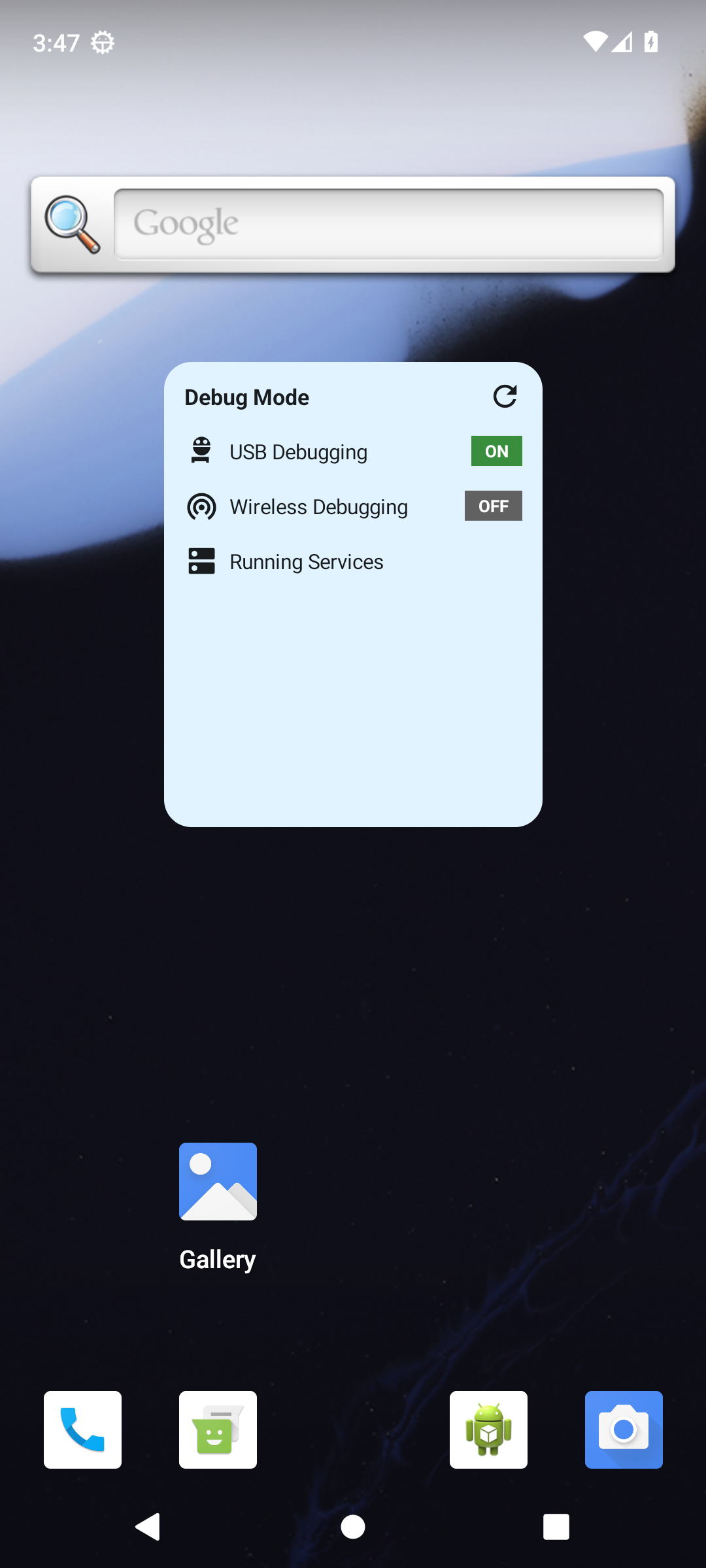
Debug Mode Widget is a minimal home screen widget that shows your Android debug settings at a glance — no need to dig through menus.

Place the widget on your home screen to instantly see:

• USB Debugging — on or off • Wireless Debugging — on or off (Android 11+ only) • Running Services shortcut — opens the Running Services screen directly

Tap any status row to jump straight to Developer Options. Tap Running Services to open that screen without navigating through menus. Tap the refresh button to re-read the current state without leaving your home screen.

The app has no launcher icon. It lives entirely as a home screen widget — no background processes, no notifications, no internet permission, no tracking of any kind.

To use: long-press your home screen, choose Widgets, find Debug Mode, and drag it to place.

Source code: https://github.com/digitalby/android-debug-mode

Screenshots

Debug Mode Widget screenshot 1

What’s new

Build fix only: the v1.1.1 attempt to strip AGP's dependency metadata signing block used the wrong Gradle property name and had no effect, so the released APK still failed F-Droid's scanner. This release moves the setting into the dependenciesInfo DSL, verified to remove the block. No user-visible changes.

How to install

  1. Download the APK from the button at the top of this page.
  2. Allow “Install unknown apps” for your browser or file manager only, not for every app.
  3. Open the downloaded file and confirm the installation.
  4. If installation fails with “App not installed,” remove an earlier build of the same app first. A signature conflict is the usual cause.

Data safety

  • Every file is checked against its published SHA-256 before it is listed.
  • Files are scanned for malware on every update.
  • The permissions each app requests are listed on its own page.
  • Read the full safety policy for how we test, flag, and delist files.

Comments

Recent approved comments · sorted by newest

Verification code
Be specific and keep it about the app. No links. Comments are reviewed before publication. Device and Android details are recorded automatically. Privacy policy.

Loading recent comments...

View all comments