Quick answer
Switch between various folding states on foldable devices
F-Droid repository metadata
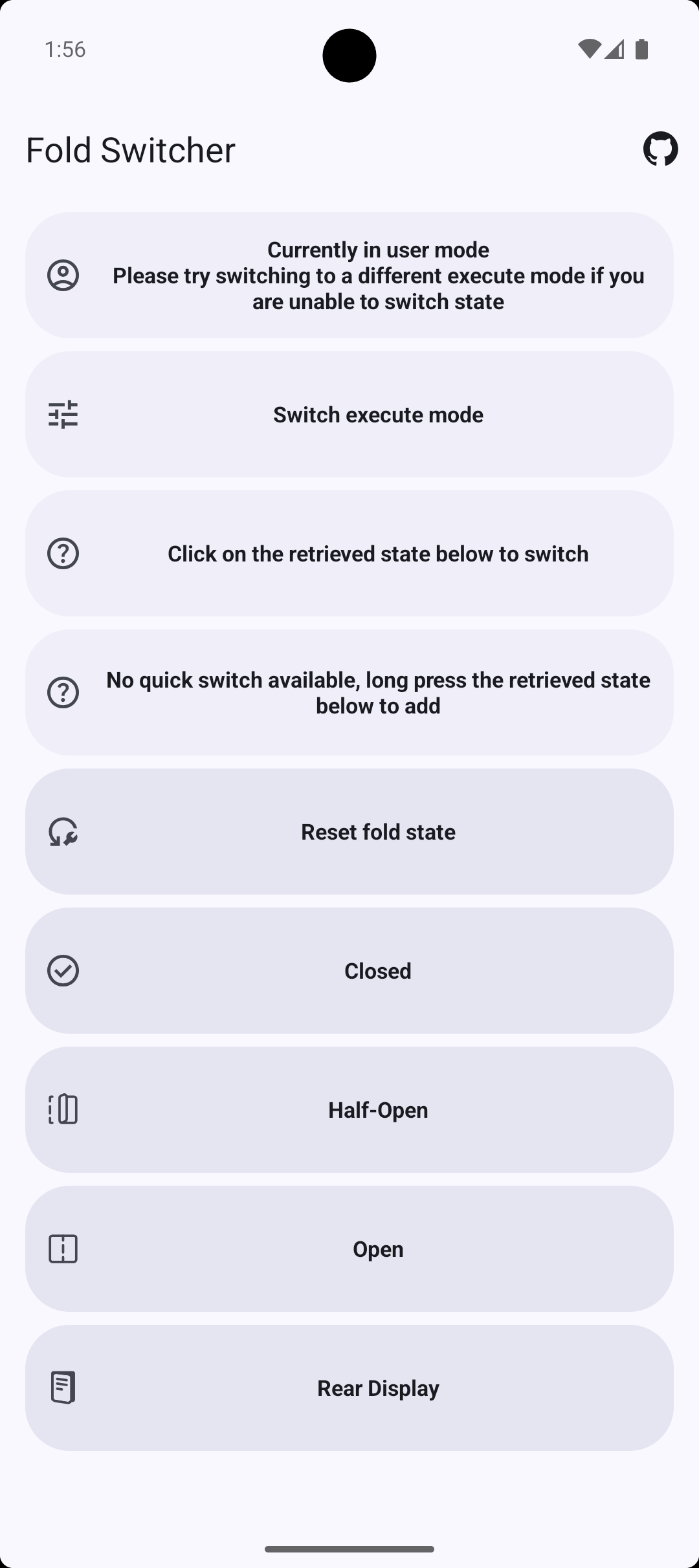
This application can switch between various folding states on foldable devices, such as closed mode, half-open mode, tent mode, and fully open mode. Some devices support dual-screen display.
Most devices can switch modes in user mode (out-of-the-box), while a few devices require Shizuku mode for switching.
Getting Started Guide: 1. Install the app 2. If prompted for Shizuku permissions, please download Shizuku and follow the Shizuku manual for configuration instructions. 3. Click on the fold state to switch.
If you are unable to switch fold state normally, please try switching to a different execute mode.
Quick Switch Settings: 1. Long press on the fold state to set it as Quick Switch. 2. For Android 13 and above, a request will appear. For other Android versions, you need manually pull down the status bar and edit the switch.
You can also control the fold state from automation apps like Tasker, MacroDroid, or through ADB commands. See GitHub repository for detailed instructions.
Screenshots
How to install
- Download the APK from the button at the top of this page.
- Allow “Install unknown apps” for your browser or file manager only, not for every app.
- Open the downloaded file and confirm the installation.
- If installation fails with “App not installed,” remove an earlier build of the same app first. A signature conflict is the usual cause.
Data safety
- Every file is checked against its published SHA-256 before it is listed.
- Files are scanned for malware on every update.
- The permissions each app requests are listed on its own page.
- Read the full safety policy for how we test, flag, and delist files.
Comments
Recent approved comments · sorted by newest
View all comments