LuxMeter icon

LuxMeter

gdwrd
Multimedia
Version
1.0.6
Size
2.4 MB
Requires
Android API 24+
4 / 5 · 16,357 ratings 93,436 downloads

Updated Nov 24, 2026

Quick answer

Meter light, plan film exposures and keep a photographic roll log

LuxMeter is an exposure companion for film photography. Meter a scene with your phone camera or light sensor, choose settings for your film camera, and keep your frames organised in rolls. Sunny 16 is also available as an estimate tool.

• Camera metering with whole-frame, centre and selected-area readings, plus a held preview. • Aperture priority, shutter priority and manual exposure, with camera-specific shutter and aperture limits. • Separate camera and light-sensor calibration, exposure compensation and filter adjustments. • 55 film presets, custom films and film-specific reciprocity guidance within documented limits. • Roll-level shooting speed and push-processing notes, named camera setups, formats and approximate lens framing. • Depth-of-field estimates and a foreground long-exposure timer. • Saved rolls and frames with exposure settings, notes and optional private reference photos; manual shot logging works without camera permission. • CSV sharing for roll settings and notes. • Light and dark themes, adaptable layouts and accessible exposure controls.

No account is required. Metering, calibration, logs and reference photos are processed and stored on your device. Reference photos are reduced copies without the source image metadata and are excluded from cloud backup; restored logs may therefore lack their photos.

Phone metering is a device-dependent estimate. Compare it with a reference meter before relying on it for film. Preview framing is approximate, and a monochrome preview does not simulate the final film photograph. Unsupported film correction ranges are shown explicitly; the app does not invent long-exposure corrections. The timer must remain open, and you operate your film camera's shutter separately.

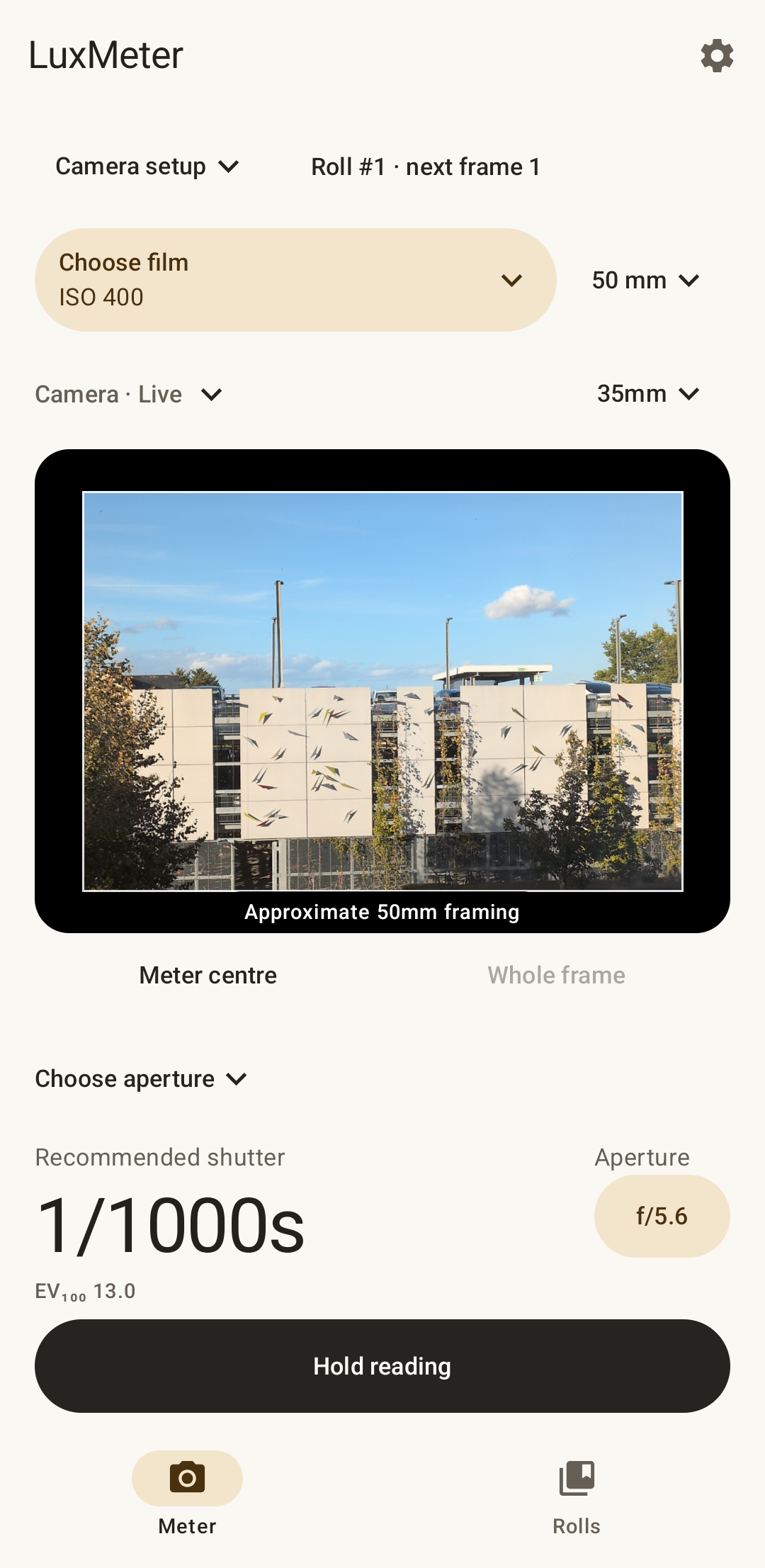
Screenshots

LuxMeter screenshot 1

What’s new

Prepare for F-Droid: remove unused Firebase and reCAPTCHA dependencies, optimise release code and resources, and add store metadata. Use stable version numbers and reproducible APK signing. Includes all improvements from 1.0.4: manual shot logging, private reference photos, 55 film presets, push processing, accessible exposure dials and improved low-light handling.

How to install

  1. Download the APK from the button at the top of this page.
  2. Allow “Install unknown apps” for your browser or file manager only, not for every app.
  3. Open the downloaded file and confirm the installation.
  4. If installation fails with “App not installed,” remove an earlier build of the same app first. A signature conflict is the usual cause.

Data safety

  • Every file is checked against its published SHA-256 before it is listed.
  • Files are scanned for malware on every update.
  • The permissions each app requests are listed on its own page.
  • Read the full safety policy for how we test, flag, and delist files.

Frequently asked questions

What is LuxMeter?
Meter light, plan film exposures and keep a photographic roll log
Who develops LuxMeter?
LuxMeter is developed by gdwrd.
Which Android version does LuxMeter require?
LuxMeter requires Android API 24 or later.
What is the current version of LuxMeter?
The synchronized F-Droid version is 1.0.6.
Which license does LuxMeter use?
The signed F-Droid metadata lists Apache-2.0.
Where is the source code for LuxMeter?
https://github.com/gdwrd/LuxMeter

Comments

Recent approved comments · sorted by newest

Verification code
Be specific and keep it about the app. No links. Comments are reviewed before publication. Device and Android details are recorded automatically. Privacy policy.

Loading recent comments...

View all comments