What’s new
- Fix crash while importing config

Updated Nov 4, 2026
Extension to the built-in Android Battery Saver
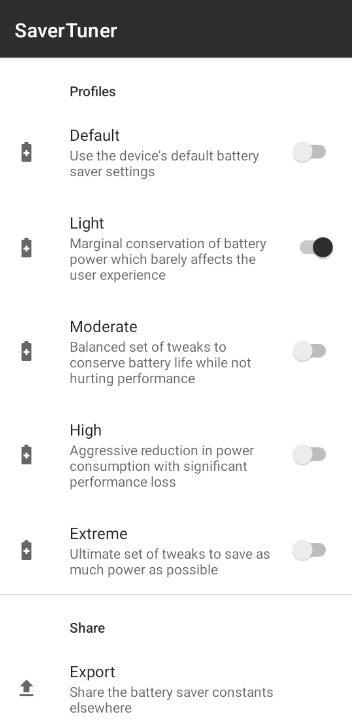
Android's built-in battery saver can be set quite finely. However, it is not configurable out of the box. SaverTuner allows you to take advantage of this built-in battery saver. You can now set different profiles that save the battery more or less aggressively. From a daily optimization that does not affect performance to an extreme optimization that saves power as much as possible.
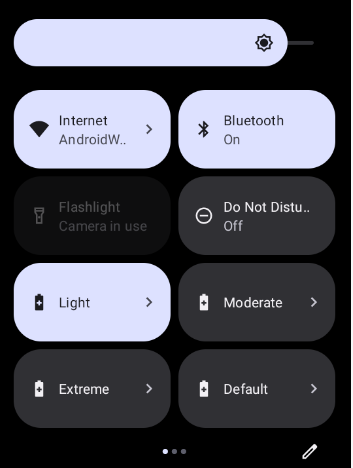
This application is based on Buoy: https://github.com/tytydraco/Buoy. It adds support for Android 12+, save and restore profiles and improves the settings tiles.
Note that this app requires the WRITE_SECURE_SETTINGS permission that can be granted with EITHER a PC using ADB or root. Root is NOT required for this app, it is optional. Android 8.0+ is supported, with more features enabled on Android 10+.
Uninstalling the app will not reset the battery saver configuration. You must set the Default profile to undo all changes before uninstalling.
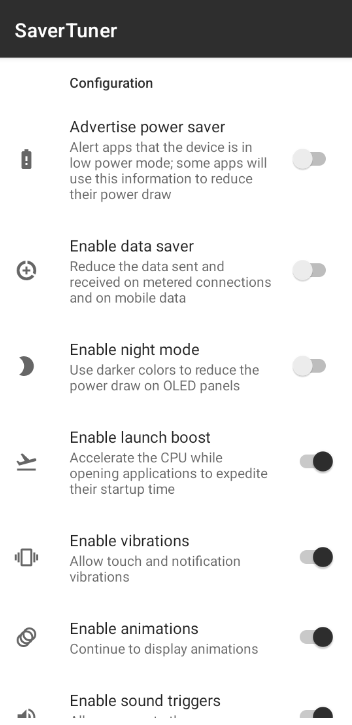
Features: - Advertising to other apps that low power mode is enabled - Android's data saver for metered WiFi or mobile data connections - The built-in dark mode - Launch boost to accelerate app starts - Vibration - Showing window and activity animations - Allowing apps to use the SoundTrigger HAL - Deferring full device backups for later - Deferring app setting backups for later - Using the built-in web firewall to protect against possibly malicious sites - Changing the location access mode restrictions for apps - Reducing the max brightness of the panel - Forcing all apps into standby mode - Forcing all apps to not check data in the background - Disabling unnecessary sensors - Using the Always-On-Display - Putting the device into deep sleep as soon as the screen turns off
It also enables something called "sticky" low power mode. Usually, when the device is plugged in and unplugged, the low power mode is then disabled. However, sticky mode re-applies low power mode afterwards to continue saving battery.
- Fix crash while importing config
Recent approved comments · sorted by newest
View all comments