List which apps have access to sensitive permissions on your device
Description
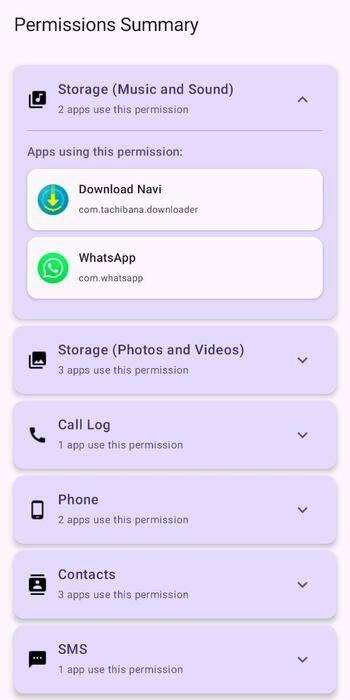
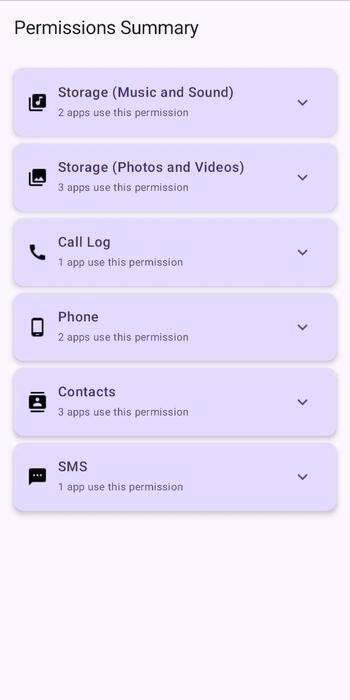
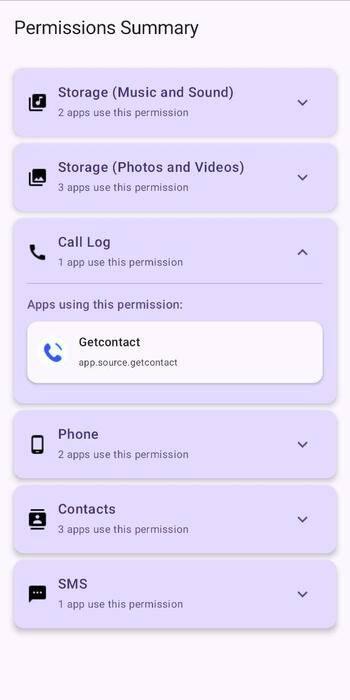
Permission Summary is a lightweight, open source Android app that helps you quickly check which apps have access to sensitive permissions on your device — in just a few seconds.
The app only lists user-installed apps and only those with dangerous permissions. These are permissions Android classifies as potentially privacy-invasive and require explicit runtime approval.
Permissions Checked:
Camera — Access to your device's cameraMicrophone — Record audioLocation — Fine & coarse location (GPS, Wi-Fi, etc.)Storage — Access to files, media, photos, or musicContacts — Read, write, or access contact data and accountsCalendar — Read or write calendar eventsPhone / Call Log — Read phone state, call logs, answer calls, etc.SMS — Send or receive SMS, MMS, and WAP push messagesBody Sensors — Access data from heart rate, step counter, etc.Non-dangerous permissions like INTERNET, POST_NOTIFICATIONS, and BLUETOOTH are intentionally excluded to reduce noise.
Features:
🔐 Grouped by Permission — Instantly see which apps request access to camera, mic, contacts, etc. 🧼 User Apps Only — Filters out system apps and background clutter. 🚫 Focus on Privacy — Shows only dangerous permissions and skips non-sensitive ones. 📱 Modern UI — Built entirely with Jetpack Compose and Material 3. ⚡ Fast & Lightweight — Optimized for quick, offline use. No trackers, no nonsense. Privacy: Everything runs locally on-device and offline. No personal data is collected or shared.
What’s new
Trusted List Added
How to install
Download the APK from the button at the top of this page.
Allow “Install unknown apps” for your browser or file manager only, not for every app.
Open the downloaded file and confirm the installation.
If installation fails with “App not installed,” remove an earlier build of the same app first. A signature conflict is the usual cause.
Data safety
Every file is checked against its published SHA-256 before it is listed.
Files are scanned for malware on every update.
The permissions each app requests are listed on its own page.
Read the full safety policy for how we test, flag, and delist files.
Frequently asked questions
What is Permissions Summary?
List which apps have access to sensitive permissions on your device
Who develops Permissions Summary?
Permissions Summary is developed by SimpolCo.
Which Android version does Permissions Summary require?
Permissions Summary requires Android API 28 or later.
What is the current version of Permissions Summary?
The synchronized F-Droid version is 1.3.0.
Which license does Permissions Summary use?
The signed F-Droid metadata lists GPL-3.0-only.
Where is the source code for Permissions Summary?
https://github.com/SimpolCo/Permissions-Summary
Recent approved comments · sorted by newest
Loading recent comments...
JavaScript is required to preview recent comments on this page.
View all comments