Offline Web Search icon

Offline Web Search

Piotr Zieliński
Internet
Version
1.0.31
Size
14.7 MB
Requires
Android API 24+
3.6 / 5 · 5,885 ratings 0 downloads

Updated Sep 22, 2026

Quick answer

Search curated websites, blogs, and RSS feeds completely offline and privately.

F-Droid repository metadata

Offline Web Search is a privacy-first, lightweight tool that lets you search and browse a curated index of websites, blogs, developer hubs, and RSS feeds—completely offline.

By querying a local, highly structured database directly on your device, Offline Web Search does not use tracking, cookies, ads, and search engine bloat. It's the perfect companion for developers, privacy advocates, and anyone looking for a clean, fast web directory.

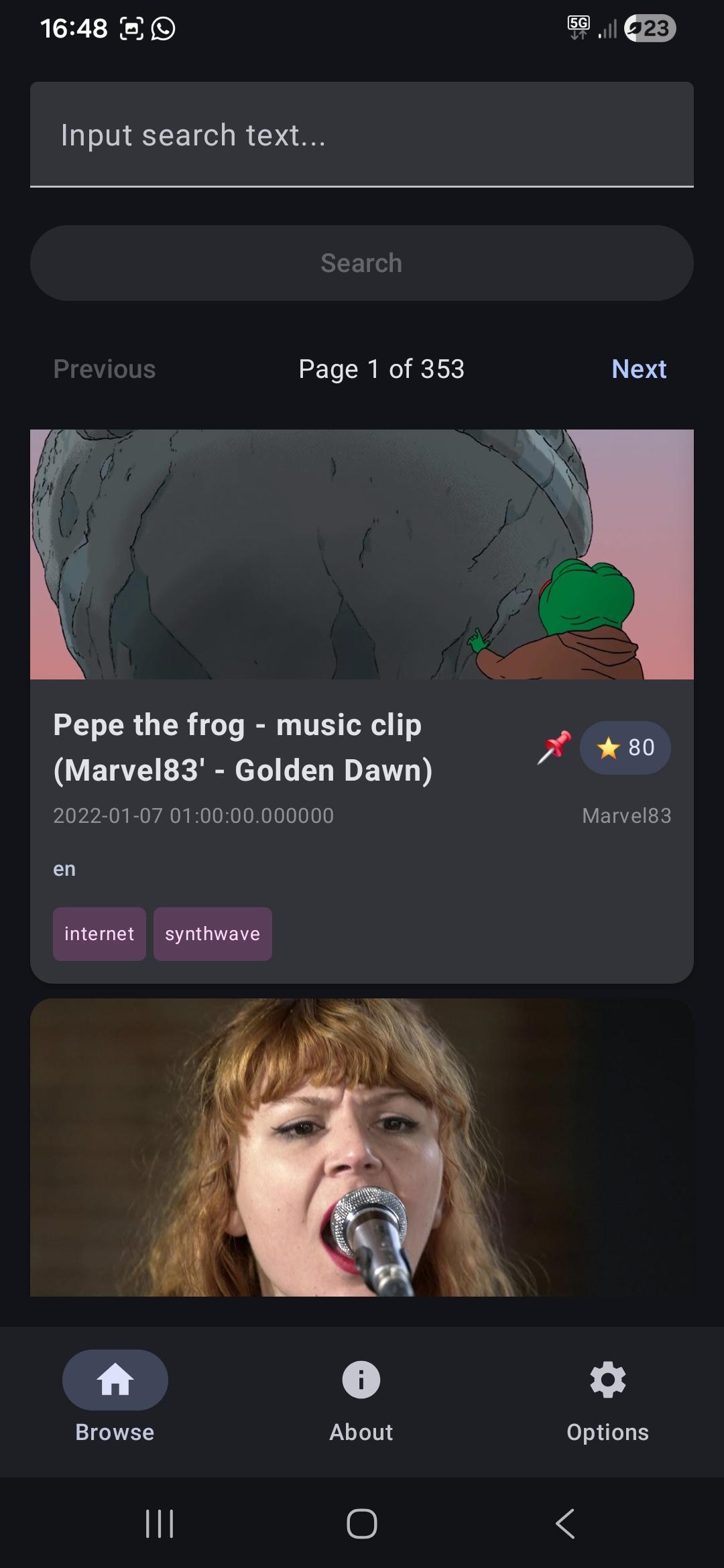
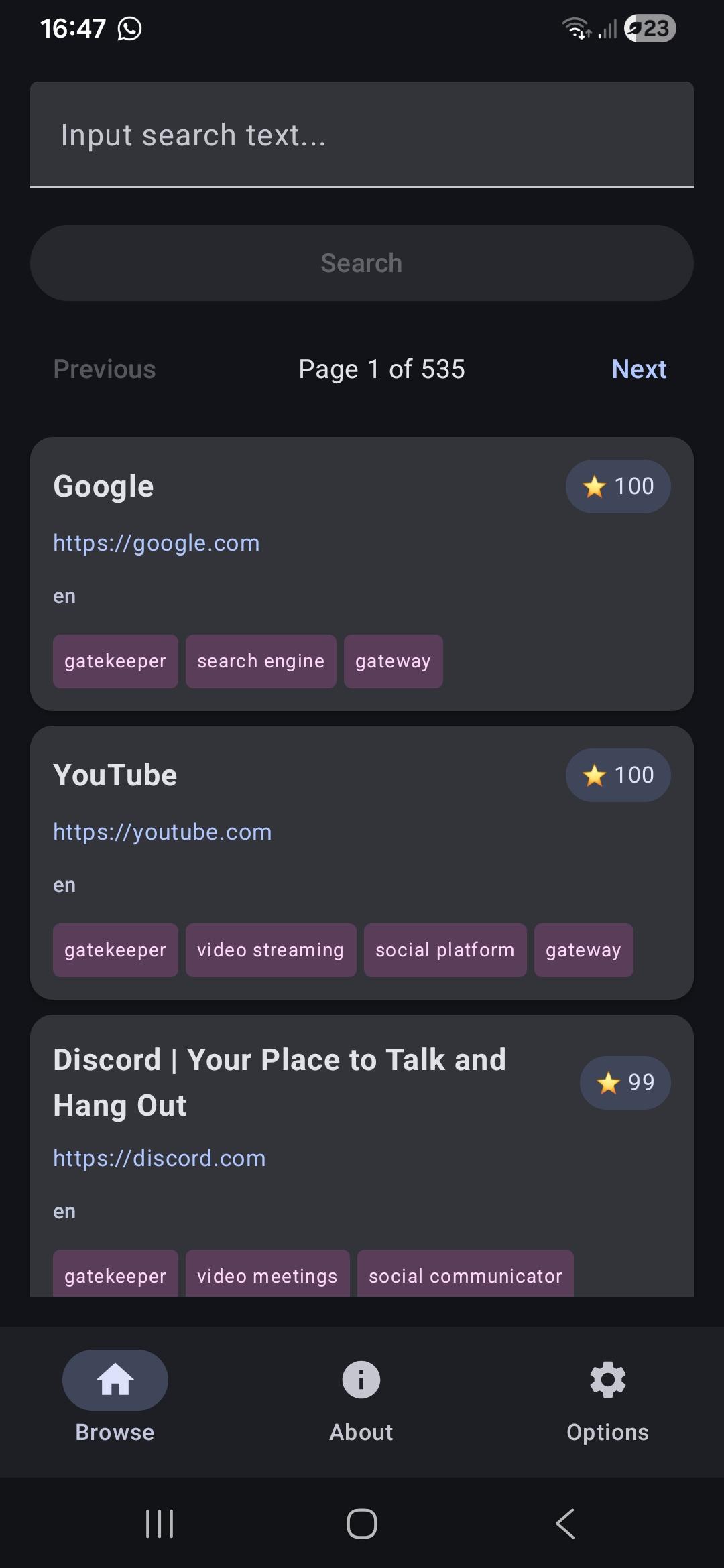
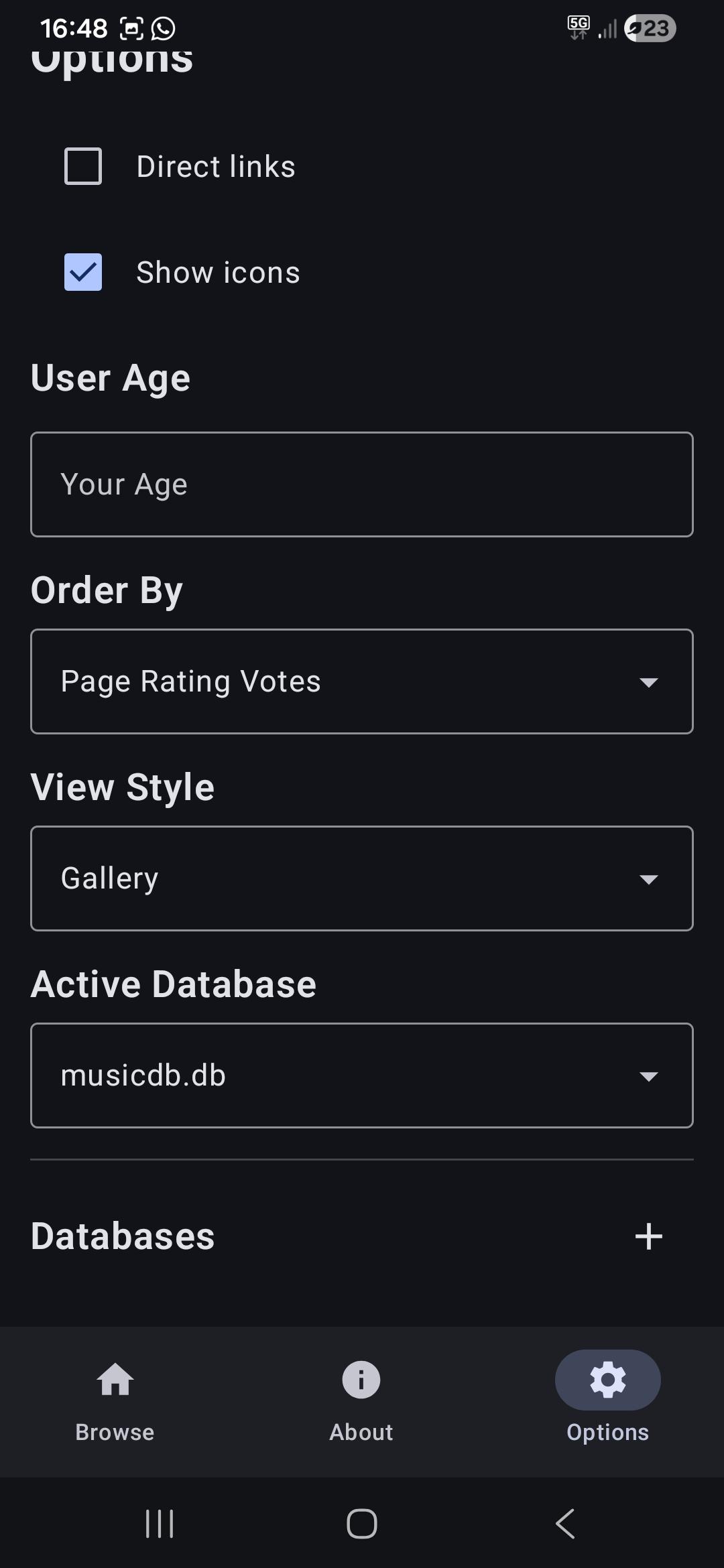
Key Features: - Offline & Private: No remote search queries, tracking, or profiling. Search history is stored securely on your device. Does not use Cloud, does not sell your data, does not require you to set up any docker apps - Curated Web Directory: Instantly search through a catalog of quality domains, developer resources, and independent blogs. - Custom Database Support: Import your own JSON or SQLite databases to curate, update, or swap search indexes as you see fit. - RSS & Feeds: Easy discover feeds for popular platforms like GitHub commits/releases, Reddit subreddits, and YouTube channels. - Flexible Layouts: Customize your workspace with Standard list, Search Engine style (inline links), or Gallery view (rich previews). - Smart Metadata & Filters: View star ratings, status codes, age tags, and dead links (indicated by a skull overlay). - Safe Content Controls: Set age limits to obfuscate adult or restricted results dynamically.

Screenshots

Offline Web Search screenshot 1
Offline Web Search screenshot 2
Offline Web Search screenshot 3

What’s new

Entries with votes do not use alpha. These are visible. Url checker refactor. Using widgets for parts of entry display. Added buttons to scroll up on lists. Input links can be read from google, youtube redirects. Entries and sources can be added via floating button. Source refresh is correctly indicated by spinning wheel.

How to install

  1. Download the APK from the button at the top of this page.
  2. Allow “Install unknown apps” for your browser or file manager only, not for every app.
  3. Open the downloaded file and confirm the installation.
  4. If installation fails with “App not installed,” remove an earlier build of the same app first. A signature conflict is the usual cause.

Data safety

  • Every file is checked against its published SHA-256 before it is listed.
  • Files are scanned for malware on every update.
  • The permissions each app requests are listed on its own page.
  • Read the full safety policy for how we test, flag, and delist files.

Comments

Recent approved comments · sorted by newest

Verification code
Be specific and keep it about the app. No links. Comments are reviewed before publication. Device and Android details are recorded automatically. Privacy policy.

Loading recent comments...

View all comments