FloFla Cards icon

FloFla Cards

FloFla Dev
Science & Education
Version
1.0.30
Size
16.0 MB
Requires
Android API 24+
4.4 / 5 · 1,792 ratings 0 downloads

Updated Sep 22, 2026

Quick answer

FloFla Cards – Passive learning with your phone! 🎓📱

F-Droid repository metadata

FloFla Cards – Passive learning with your phone! 🎓📱

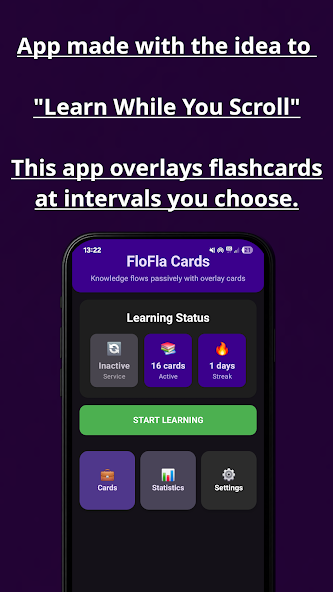
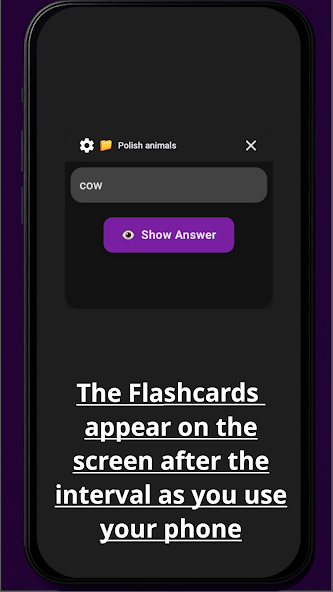
Do you struggle to find time to study? FloFla Cards helps you learn passively while using your phone. Flashcards will appear on top of other apps at intervals you choose – so you can memorize words, formulas, or definitions while scrolling, chatting, or browsing.

No extra effort. Just daily learning in the background.

✨ Key features:

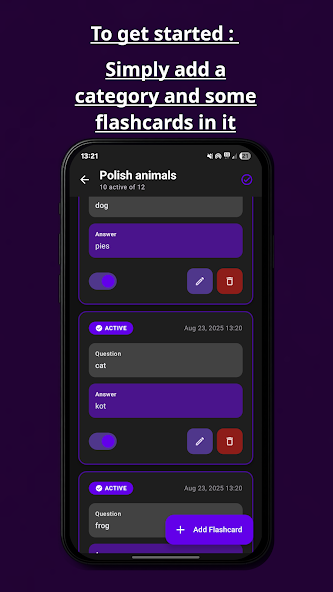
- 📂 Create your own categories and flashcards

- ⏰Set the interval for how often cards appear

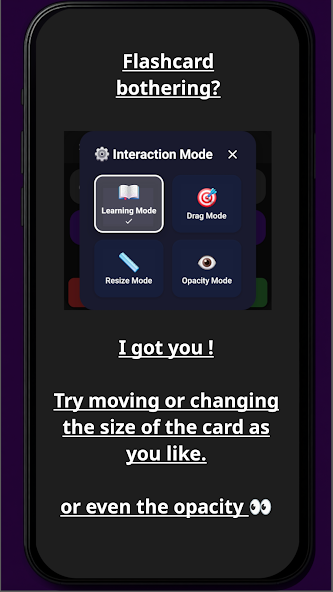
- 📐 Adjust the size and opacity so they don’t disturb you

- 🔒 100% offline – no internet, no accounts, no data collection

- 💡 Learn languages, prepare for exams, or memorize anything

- 🎉 Completely free, no ads, no tracking

With FloFla Cards, you can: - Learn new words daily while scrolling social media - Revise definitions before a test - Practice foreign languages without opening a book - Build your own library of flashcards for any subject

👩‍🎓 Perfect for: - Students and high schoolers preparing for exams - Language learners who want to expand vocabulary - Anyone who wants tolearn on the go

Why FloFla Cards? Unlike other flashcard apps, FloFla Cards doesn’t require you to open it every time. It gently reminds you of what you want to learn while you’re already using your phone. Simple,effective, and distraction-free.

📌 Privacy first: FloFla Cards works fully offline. We do notcollect, store, or share any personal data. No ads, no analytics, no hidden costs – just learning.

Start learning passively today and turn your screen time into studytime! 🚀

Screenshots

FloFla Cards screenshot 1
FloFla Cards screenshot 2
FloFla Cards screenshot 3
FloFla Cards screenshot 4
FloFla Cards screenshot 5

What’s new

Version 1.0.30 - New option in Settings: hide the floating card while the screen is in landscape, so games and videos stay uninterrupted - the card waits and appears when you rotate back. Also fixed: with "hide while typing" on, the card no longer flashes briefly over an open keyboard

How to install

  1. Download the APK from the button at the top of this page.
  2. Allow “Install unknown apps” for your browser or file manager only, not for every app.
  3. Open the downloaded file and confirm the installation.
  4. If installation fails with “App not installed,” remove an earlier build of the same app first. A signature conflict is the usual cause.

Data safety

  • Every file is checked against its published SHA-256 before it is listed.
  • Files are scanned for malware on every update.
  • The permissions each app requests are listed on its own page.
  • Read the full safety policy for how we test, flag, and delist files.

Comments

Recent approved comments · sorted by newest

Verification code
Be specific and keep it about the app. No links. Comments are reviewed before publication. Device and Android details are recorded automatically. Privacy policy.

Loading recent comments...

View all comments