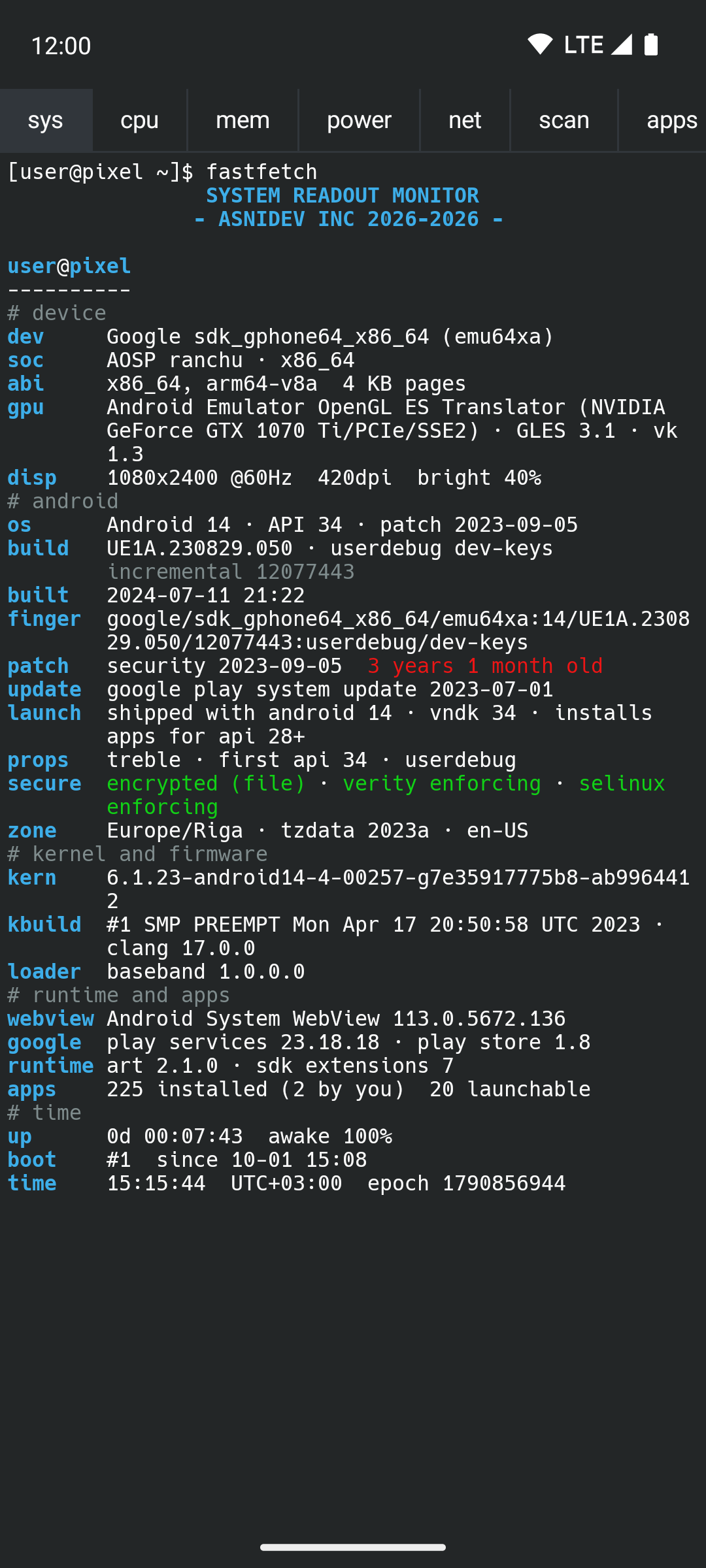
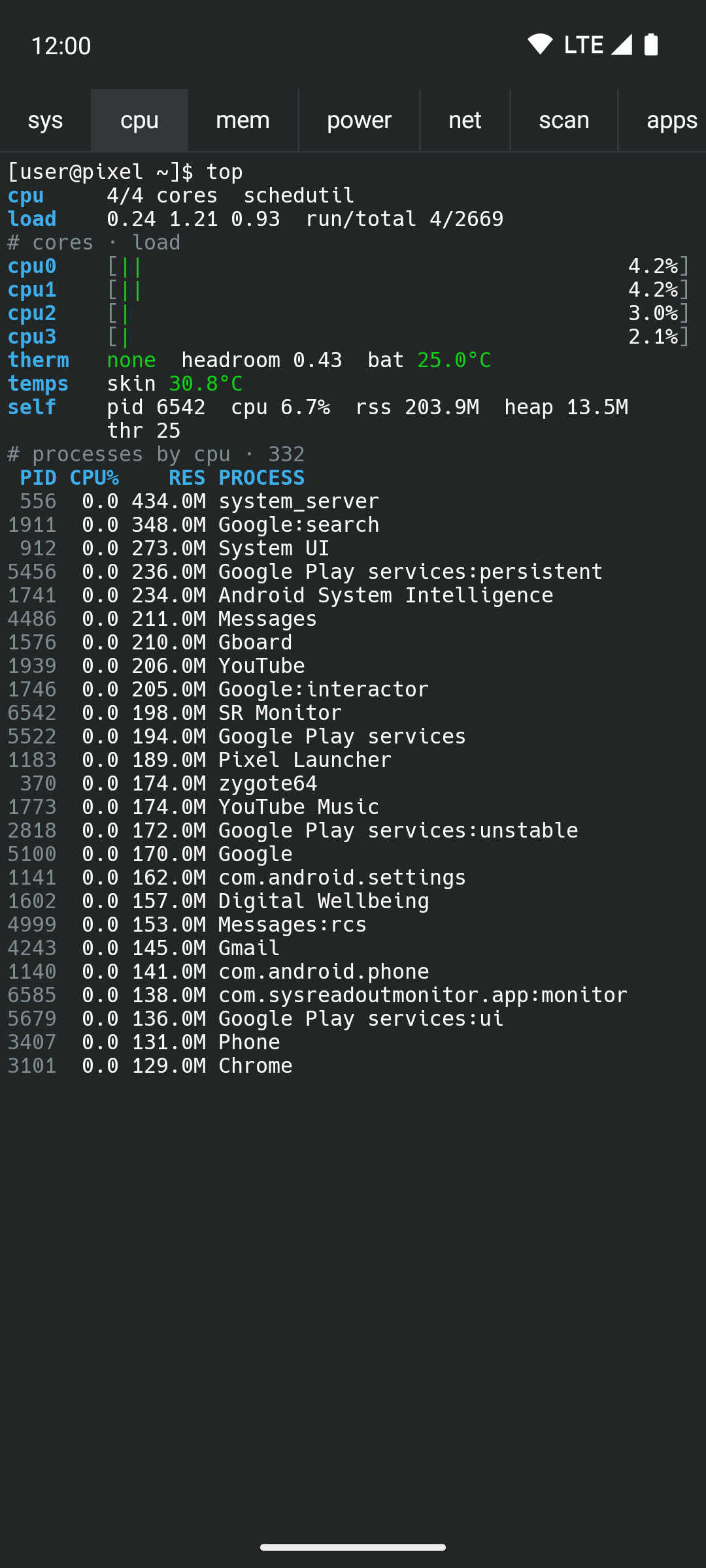
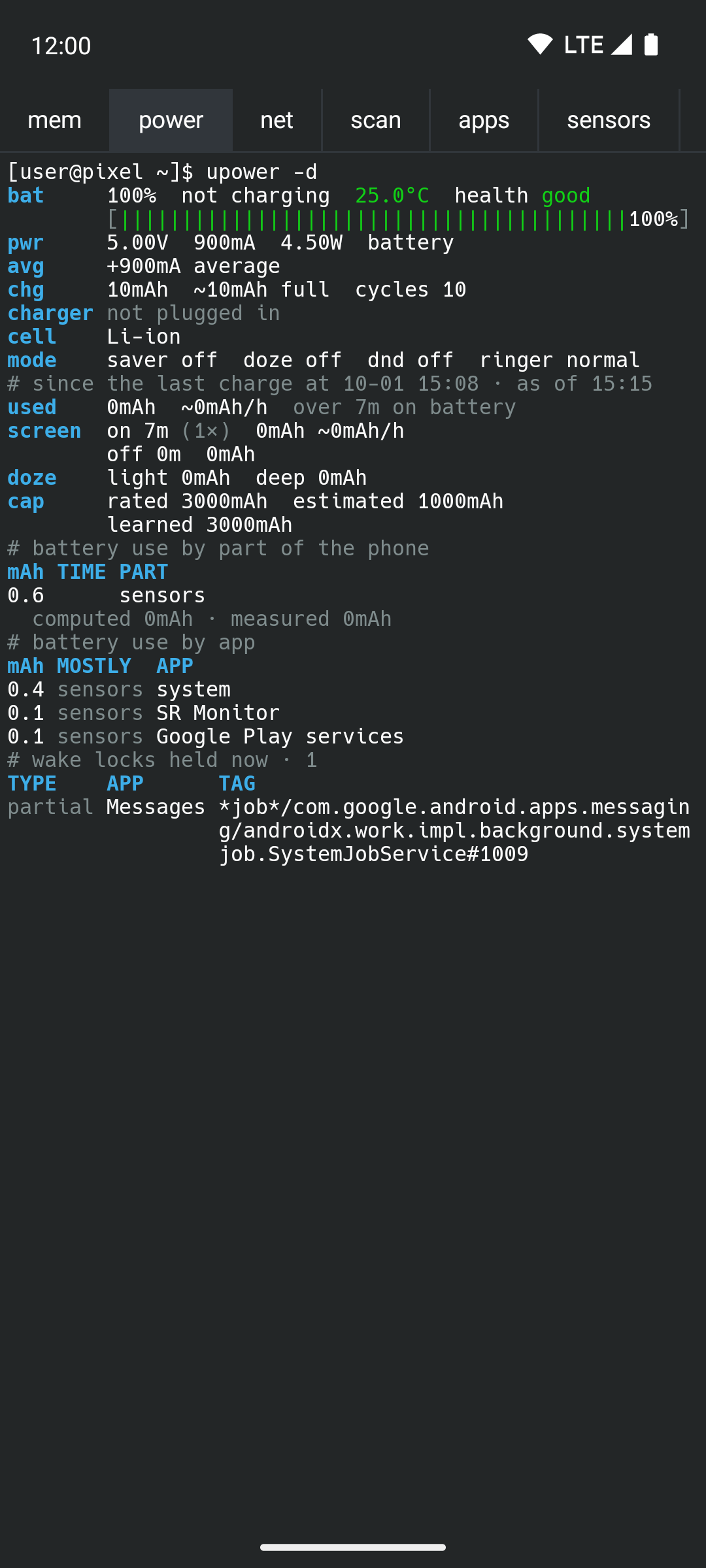
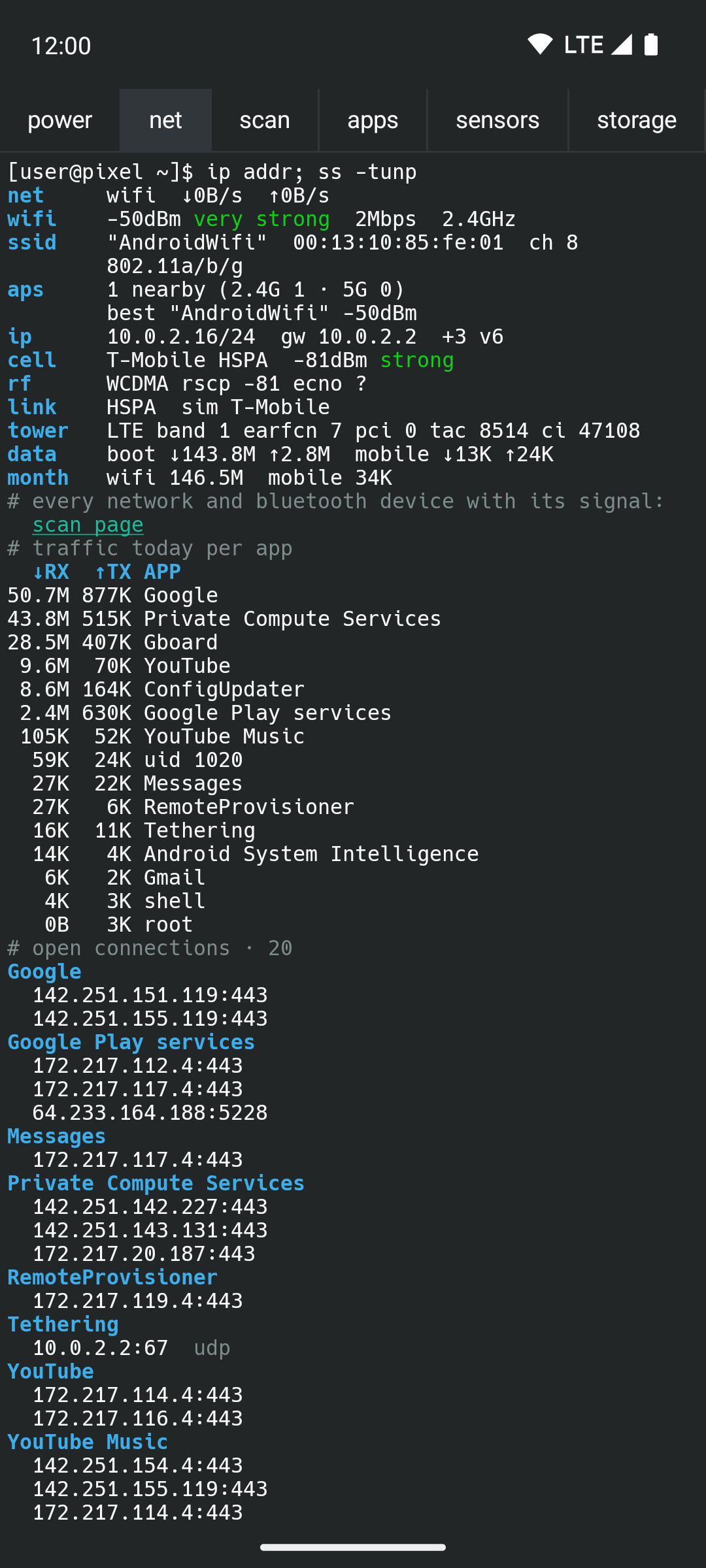
SysReadout Monitor shows everything your Android phone will tell you about itself, grouped into pages you swipe between. Each page looks like a KDE Konsole session on Fedora: Breeze colours, the Hack font and a bash prompt, with colour used only for meaning (green fine, orange warning, red critical).
It works only while you look at it, and only for the page on screen, so it costs almost nothing the rest of the time.
The pages:
* sys (fastfetch): device, chipset, GPU and display; the Android build, fingerprint, security patch and how old it is, Play system update, encryption, verified boot and SELinux; how the kernel was built, bootloader and baseband; WebView and Play services versions; uptime.
* cpu (top): a meter per core, clocks, load, thermal status, every temperature sensor, the busiest processes.
* mem (free -h): RAM and swap meters, memory detail, processes by memory.
* power (upower -d): everything the battery reports: meter, voltage, current, watts, charger, cycles, capacity; with Shizuku, drain since the last charge with the screen on and off, doze, time left, use by part of the phone and by app, wake locks.
* net (ip addr; ss -tunp): connection, Wi-Fi and mobile signal in words, IP, serving cell, 5G and LTE-CA, traffic today and this month, open connections per app with server names, DNS lookups per app.
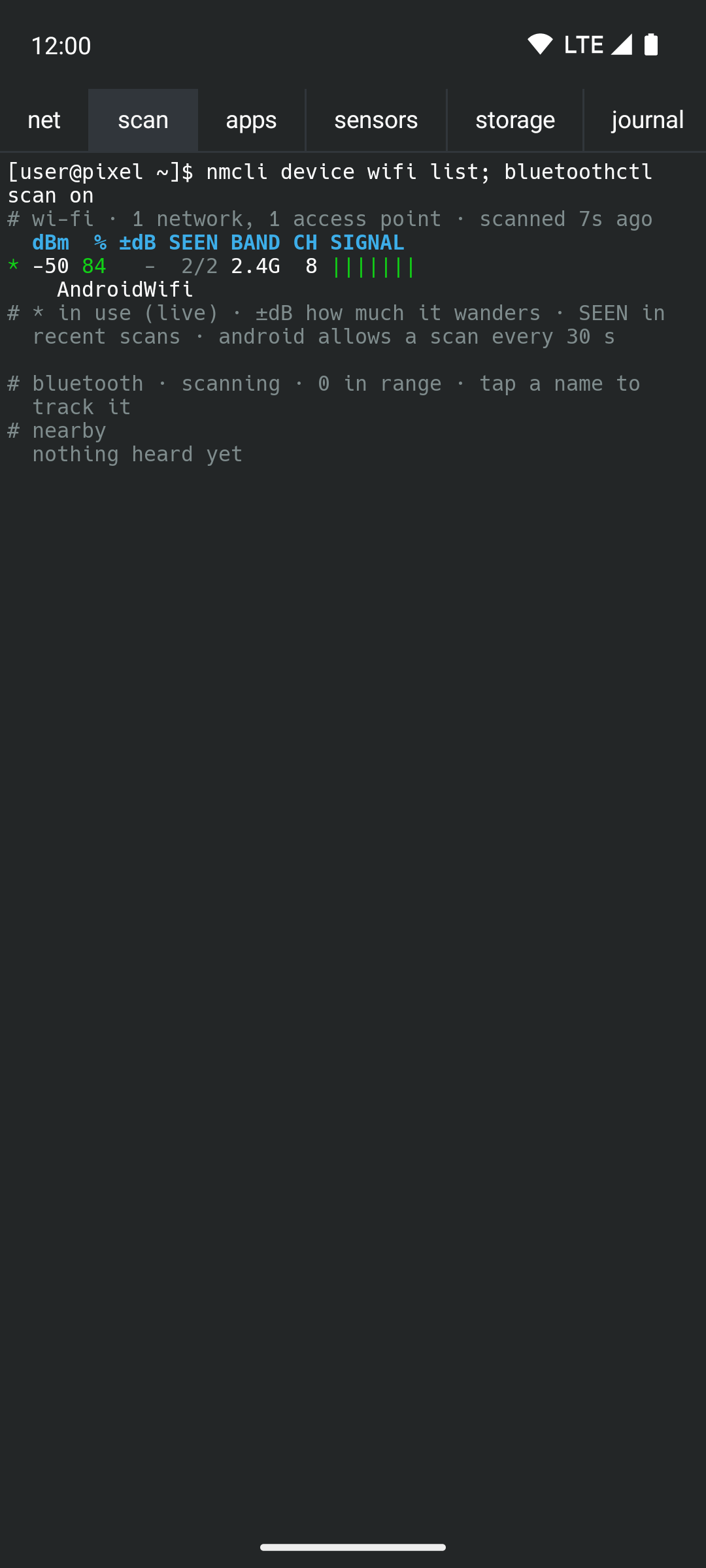
* scan: every Wi-Fi access point and Bluetooth device in range with its signal in dBm and %, how steady it is, and whether it's getting stronger. Find the best network in the garden shed, or tap a lost watch and walk until the meter fills.
* apps: screen time and unlocks today, notifications per app, foreground services still running.
* sensors: light, pressure, compass, GPS fix and every satellite, sunrise and sunset, moon phase, steps, Bluetooth devices and their battery, what's playing, next alarm.
* storage (df -h): storage meters, file systems, the biggest apps.
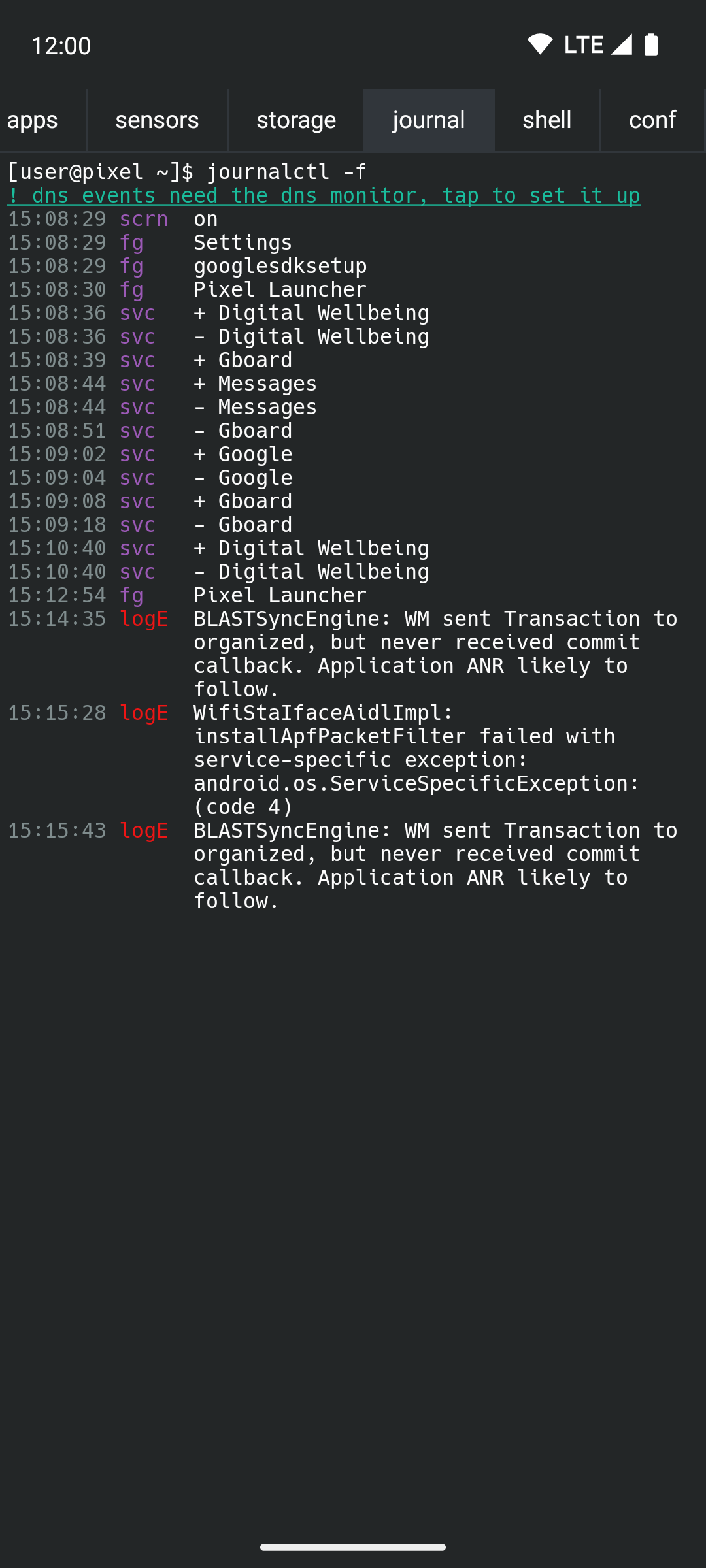
* journal (journalctl -f): a live event log: network and power changes, installs, app switches, services, screen and lock, new processes and connections, errors from logcat, DNS lookups, notifications.
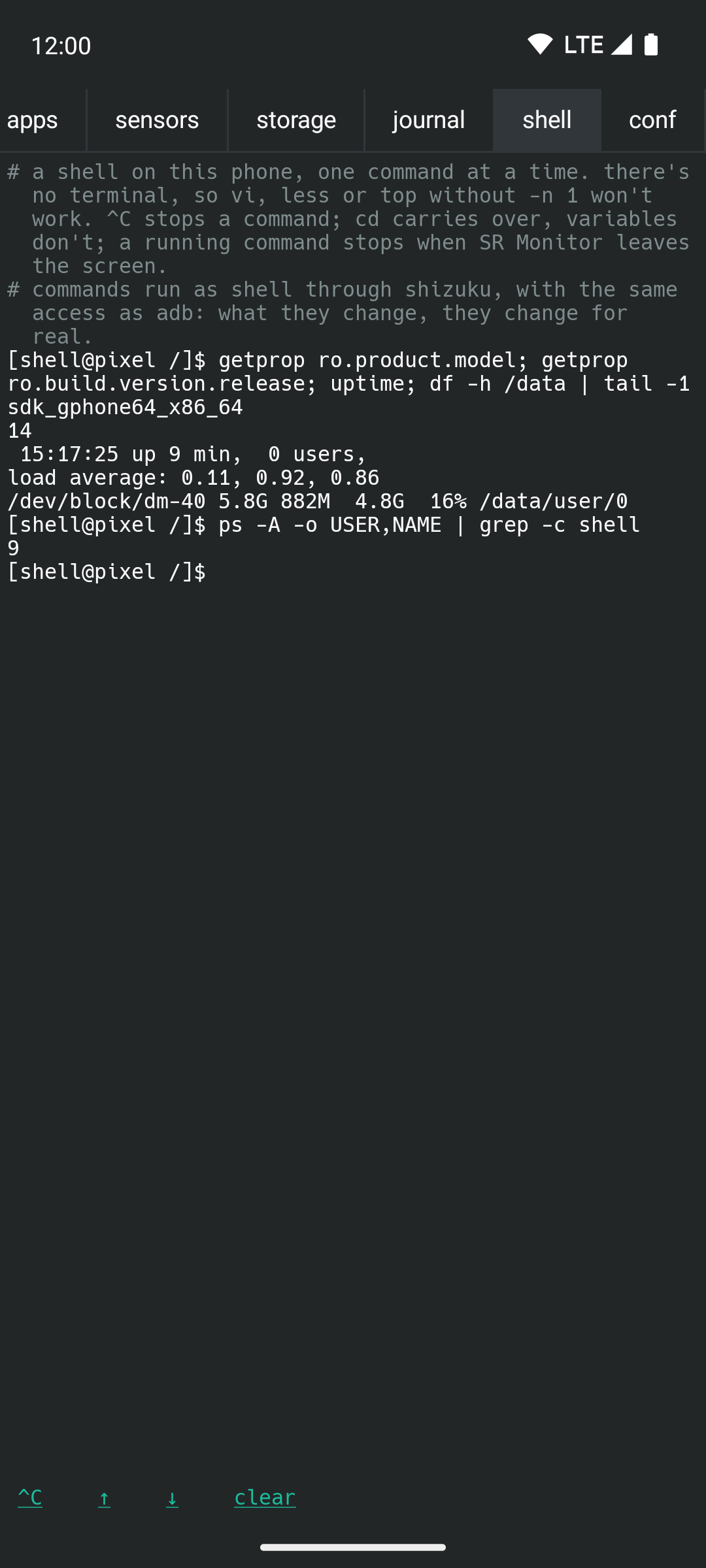
* shell: type commands and see their output, as your own shell on the phone.
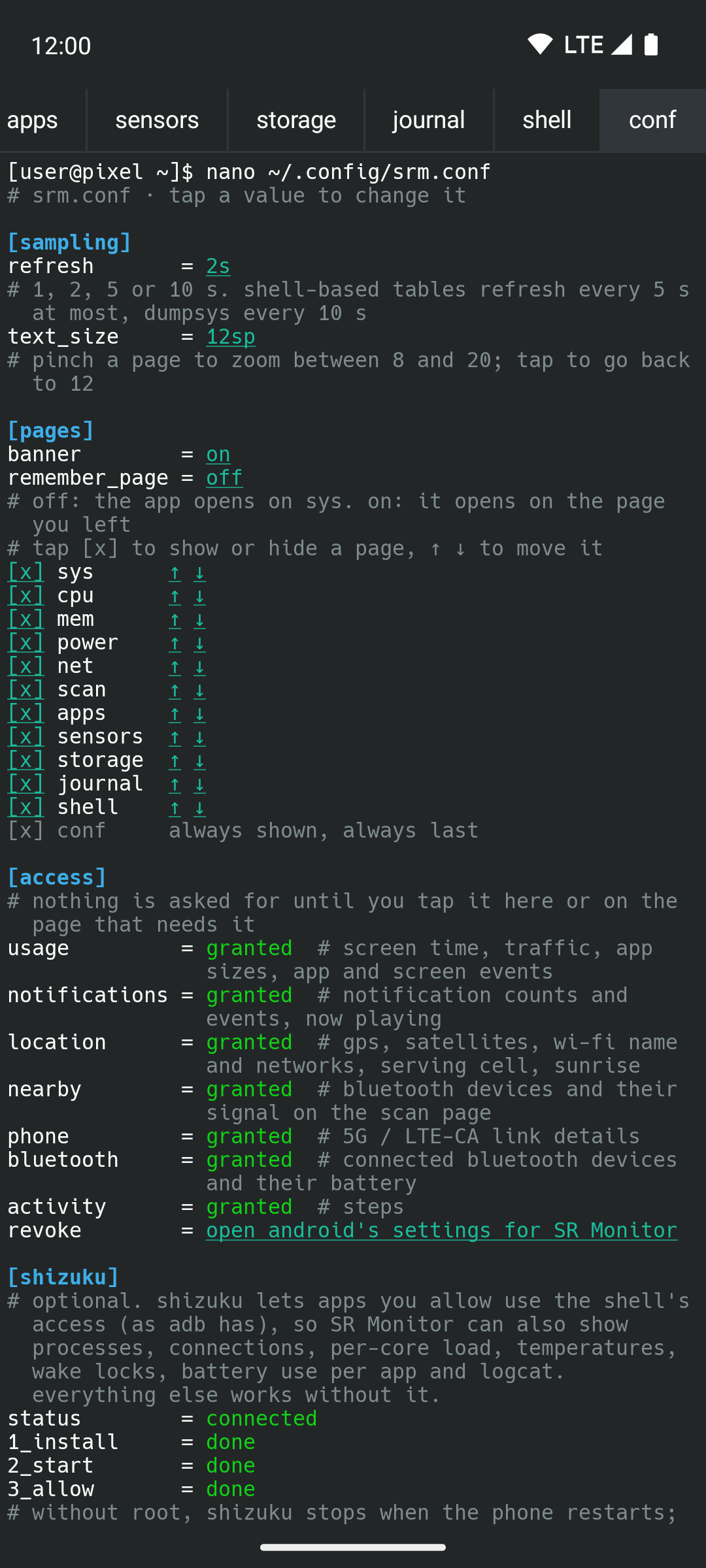
* conf: every setting as a config file, and what each access is for.
Long-press any line to copy it; pinch to change the text size.
Deeper monitoring, when you allow it. Every permission is asked for only when you tap the thing that needs it:
* Shizuku (optional, guided setup inside the app): processes, connections, per-core load, temperatures, wake locks, battery use per app, logcat, and the shell runs with the access adb has. Everything else works without it.
* Usage access: screen time, traffic per app, app sizes, app and screen events.
* Notification access: notification counts and events, what's playing.
* Location, phone, nearby devices, Bluetooth, activity: Wi-Fi and cell details, satellites, Bluetooth signal, steps.
* The optional DNS monitor, a local VPN that carries only DNS: which app looks up which server.
No ads, no analytics, no tracking, no accounts. Nothing is sent anywhere; the only network use is the optional DNS monitor passing your apps' own lookups on to the DNS server your network names, and optional reverse-DNS lookups of connection addresses.
Forked from SysReadout Launcher. Free software under the GNU GPL v3.