Quick answer
Clock, screensaver & radio with dynamic brightness & custom layouts.
F-Droid repository metadata
Nightdream
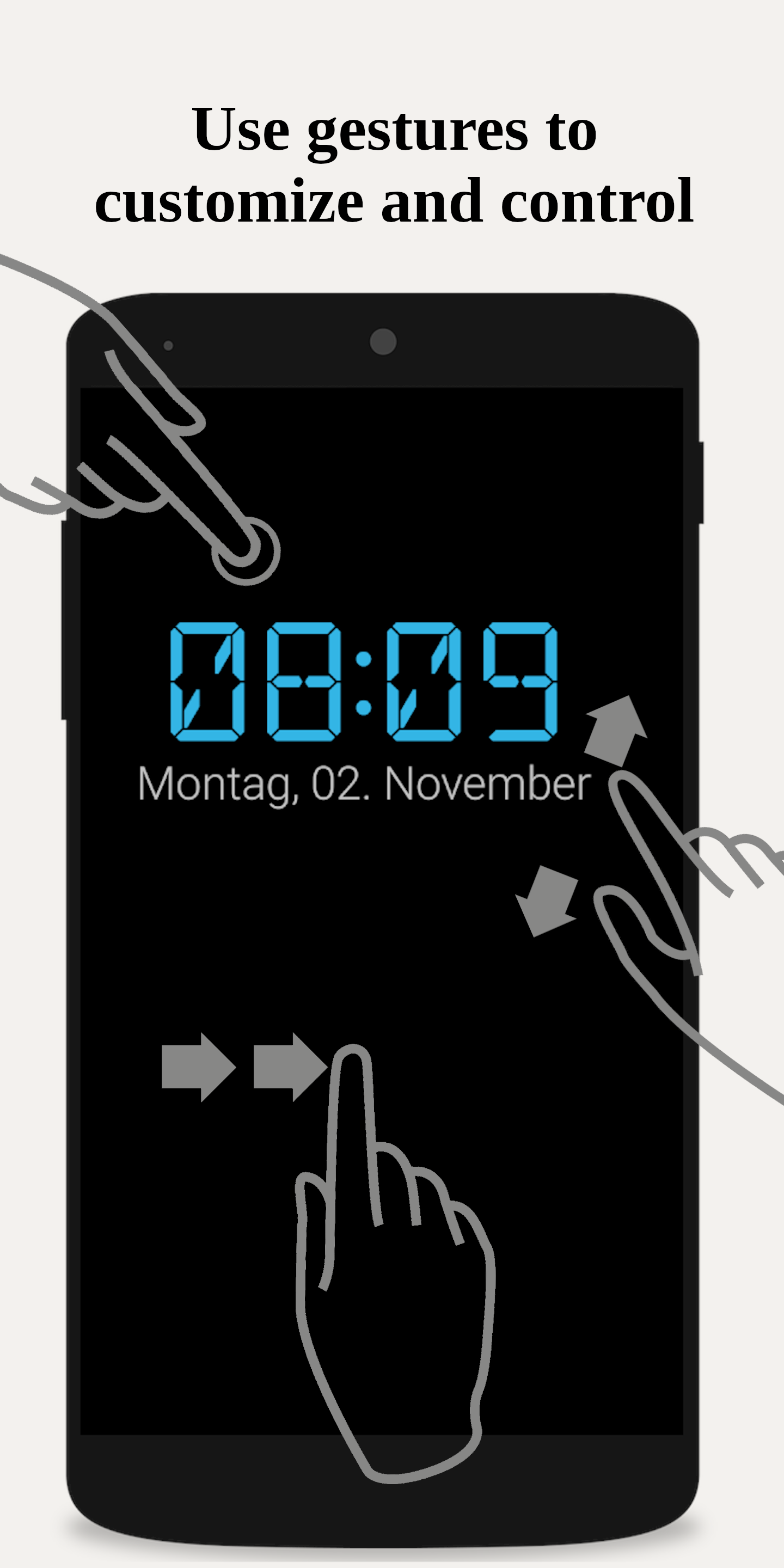
An open-source desk clock and screensaver, perfect for day and night. It shows a digital clock with auto-brightness, battery level, date, and notifications. Night mode offers a dark display (pure black on AMOLED). Adjust font size with a two-finger zoom.
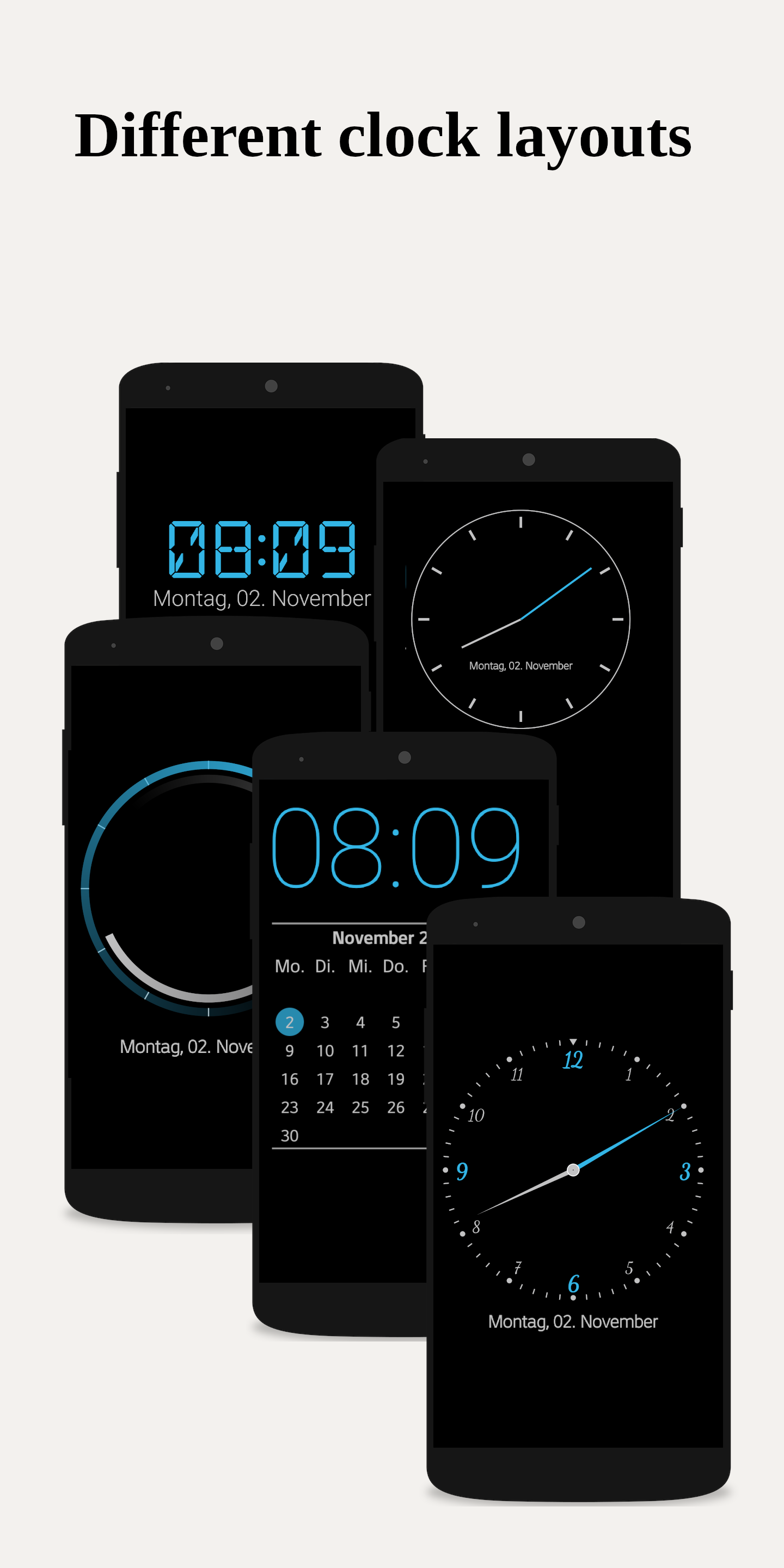
Customizable Design
Adapt colors, fonts, and analog watch faces. Resize the clock with a two-finger zoom.
Widgets
Add a clock widget to your home screen.
Screensaver (Daydream)
Use as a screensaver on Android 4.2+. The screen can turn off at night and reactivate based on light or sound.
Alarms & Radio
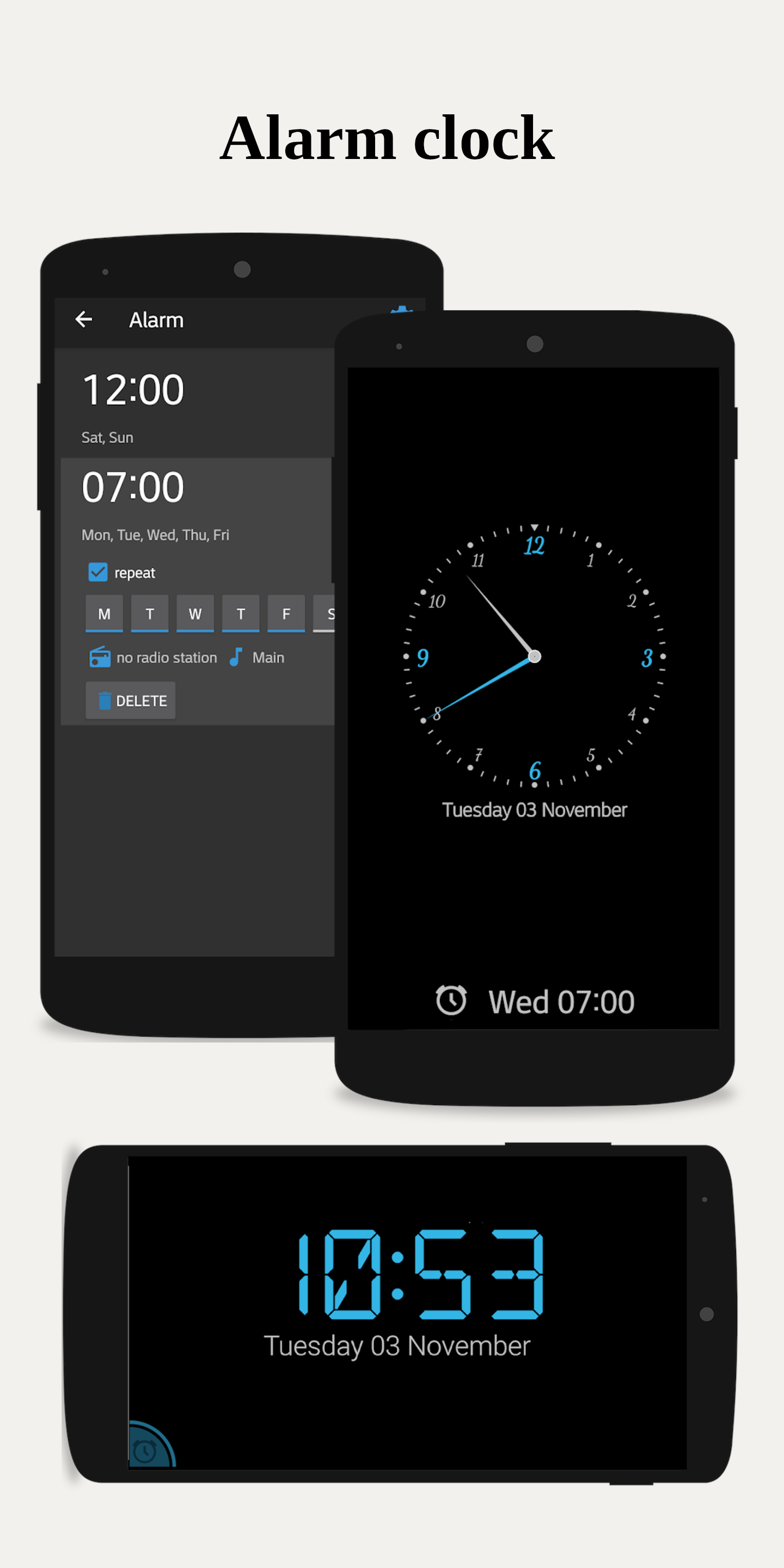
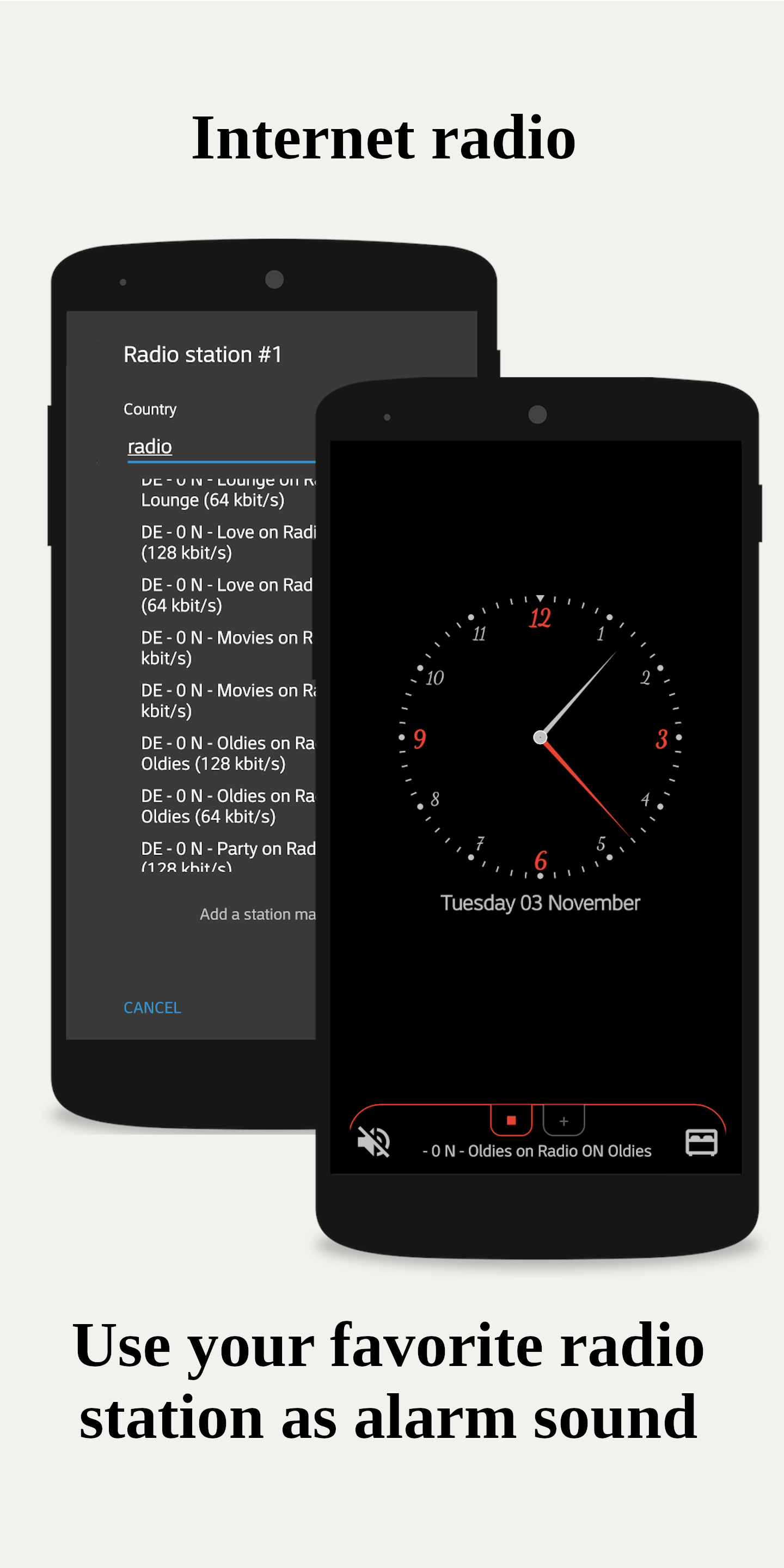
Set quick alarms with a swipe. Listen to internet radio stations and use them for your alarm. The app can manage Wi-Fi for uninterrupted streaming.
Smart Home Integration
Connect to your AVM smart home environment.
Battery Status
See the estimated time until fully charged.
Notifications
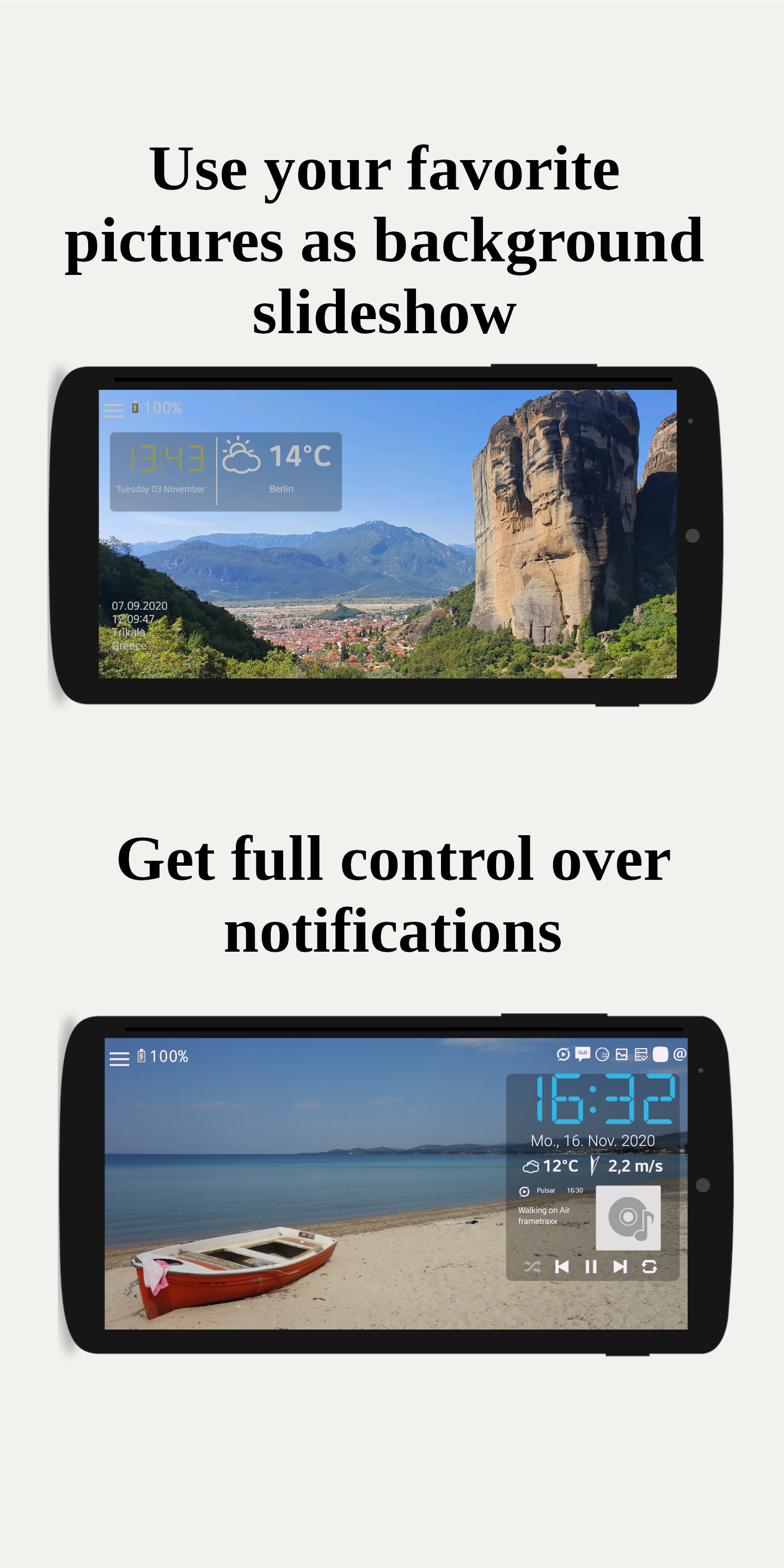
Display notifications from your favorite apps (requires Notification Access).
Weather
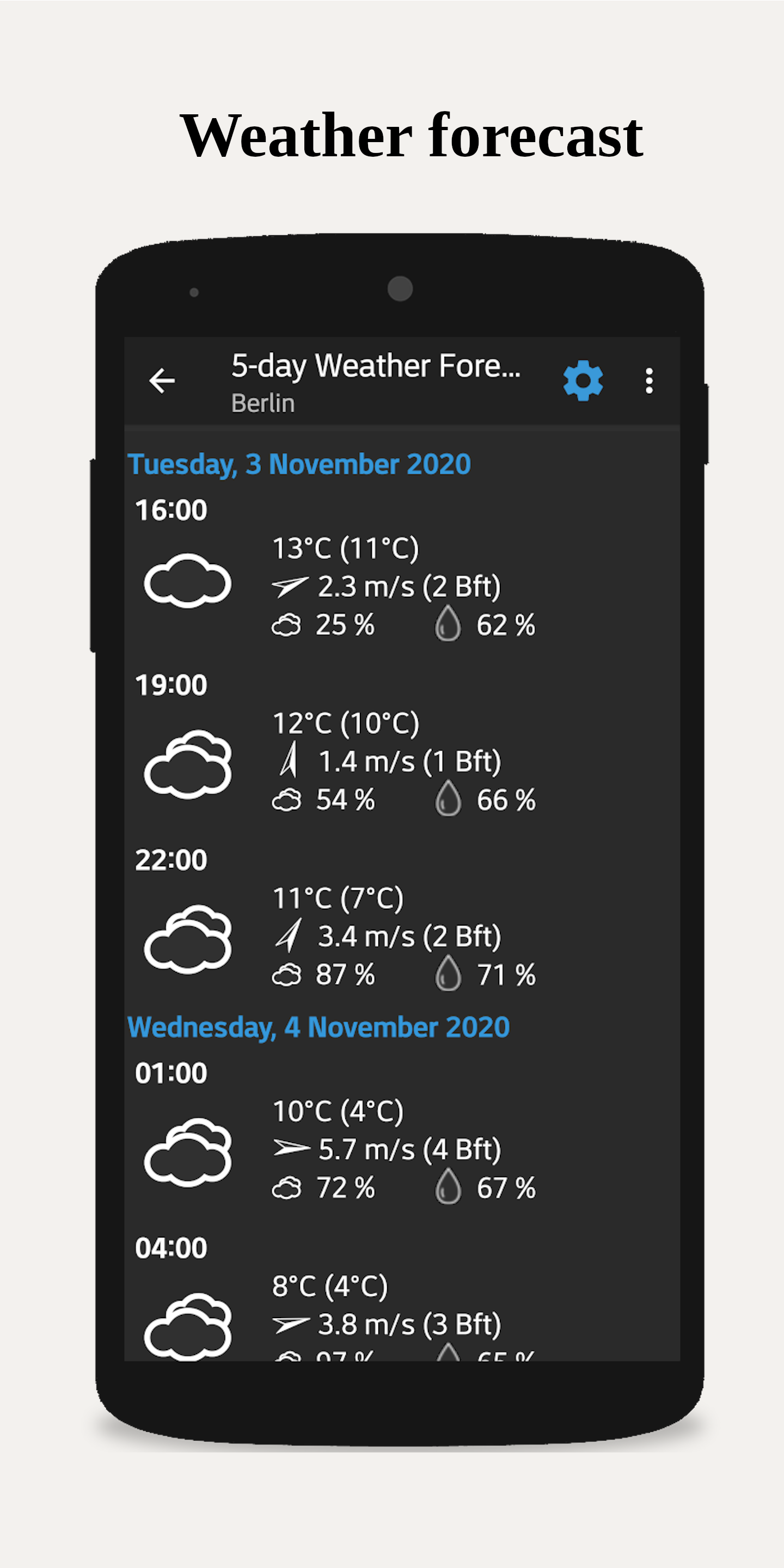
Show current weather and a 5-day forecast from providers like OpenWeatherMap, Bright Sky, and Met.no.
Extra Features
Open Source & Donations
Nightdream is free, open-source software. The source code is available for review. Support development through donations.
Permissions Explained:
An open-source desk clock and screensaver, perfect for day and night. It shows a digital clock with auto-brightness, battery level, date, and notifications. Night mode offers a dark display (pure black on AMOLED). Adjust font size with a two-finger zoom.
Customizable Design
Adapt colors, fonts, and analog watch faces. Resize the clock with a two-finger zoom.
Widgets
Add a clock widget to your home screen.
Screensaver (Daydream)
Use as a screensaver on Android 4.2+. The screen can turn off at night and reactivate based on light or sound.
Alarms & Radio
Set quick alarms with a swipe. Listen to internet radio stations and use them for your alarm. The app can manage Wi-Fi for uninterrupted streaming.
Smart Home Integration
Connect to your AVM smart home environment.
Battery Status
See the estimated time until fully charged.
Notifications
Display notifications from your favorite apps (requires Notification Access).
Weather
Show current weather and a 5-day forecast from providers like OpenWeatherMap, Bright Sky, and Met.no.
Extra Features
- Built-in flashlight.
Open Source & Donations
Nightdream is free, open-source software. The source code is available for review. Support development through donations.
Permissions Explained:
- FOREGROUND_SERVICE: Play radio in the background.
- MODIFY_AUDIO_SETTINGS: Silence device in night mode.
- WAKE_LOCK: Keep screen on or wake device for alarms.
- READ_EXTERNAL_STORAGE: Use custom background images.
- INTERNET & ACCESS_NETWORK_STATE: For weather, radio, and crash reports.
- RECEIVE_BOOT_COMPLETED: Reschedule alarms after reboot.
- VIBRATE: Vibrate for alarms.
- SET_ALARM, USE_EXACT_ALARM, & SCHEDULE_EXACT_ALARM: Set alarms.
- ACCESS_COARSE_LOCATION: Get weather for your location.
- POST_NOTIFICATIONS: Show alarm notifications.
- READ_MEDIA_AUDIO: Use custom alarm sounds.
- SYSTEM_ALERT_WINDOW: Display clock over other apps.
- FLASHLIGHT: Use the flashlight.
- ACCESS_NOTIFICATION_POLICY: Control Do Not Disturb.
Screenshots
How to install
- Download the APK from the button at the top of this page.
- Allow “Install unknown apps” for your browser or file manager only, not for every app.
- Open the downloaded file and confirm the installation.
- If installation fails with “App not installed,” remove an earlier build of the same app first. A signature conflict is the usual cause.
Data safety
- Every file is checked against its published SHA-256 before it is listed.
- Files are scanned for malware on every update.
- The permissions each app requests are listed on its own page.
- Read the full safety policy for how we test, flag, and delist files.
Comments
Recent approved comments · sorted by newest
View all comments